Odyssey Twisted Fate - League of Legends Splash Art TImelapse Process
Автор: Deiv Calviz
Загружено: 2020-10-28
Просмотров: 65926
Описание:
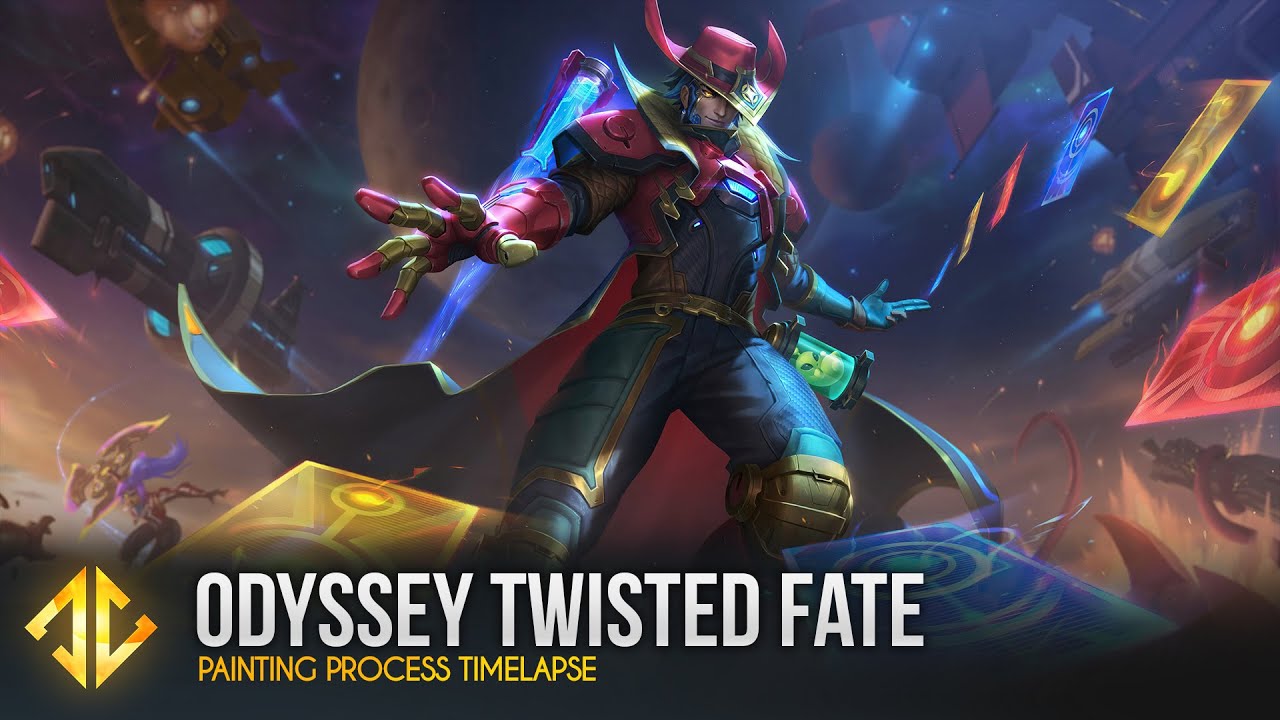
Odyssey is an intimidating skin line to be part of because of the really high standards of the older pieces but it was really fun to do a colorful sci-fi scene this time.
In the thumbnail stage. I struggled with the low angle a bit. I used an app called MagicPoser and aligned it to my sketch to help me figure out my errors at first then Mingchen's sketch made it a lot better with the foreshortened hand. I like to redraw the lines again and again at this stage. It helps me a lot improve and learn about the character better. In terms of colors, at first I tried a look that was close to Odyssey Jinx but eventually they approved something more blue. I was experimenting with a lighting without a rim light and I'm glad they chose this.
When rendering, the hardest parts were the hat, and the face area. His scarf is covering too much of his face so we had to cheat it a bit to show more. I actually drew his whole face underneath just to make sure the anatomy is correct and for fun. I also tried to squeeze in as much easter eggs in the bg as I can. For the ships, I used Lazy Nezumi's fish eye guidelines to help me.
______________________________________________________
𝗠𝗬 𝗧𝗨𝗧𝗢𝗥𝗜𝗔𝗟𝗦 𝗔𝗡𝗗 𝗕𝗥𝗨𝗦𝗛𝗘𝗦 𝗔𝗩𝗔𝗜𝗟𝗔𝗕𝗟𝗘 𝗛𝗘𝗥𝗘!!
• https://deivcalviz.gumroad.com/
• https://cubebrush.co/deivcalviz
• https://www.artstation.com/deivcalviz...
______________________________________________________
𝗣𝗮𝗶𝗻𝘁𝗶𝗻𝗴 𝗯𝘆: David Villegas (Deiv Calviz)
𝗜𝗻 𝗖𝗼𝗹𝗹𝗮𝗯𝗼𝗿𝗮𝘁𝗶𝗼𝗻 𝘄𝗶𝘁𝗵 𝗥𝗶𝗼𝘁 𝗚𝗮𝗺𝗲𝘀
𝗖𝗹𝗶𝗲𝗻𝘁: Riot Games
𝗥𝗶𝗼𝘁 𝗚𝗮𝗺𝗲𝘀 𝗔𝗗: Jessica Oyhenart
𝗪𝗲𝘀𝘁 𝗦𝘁𝘂𝗱𝗶𝗼 𝗔𝗗: Mingchen Shen
𝗙𝗶𝗻𝗮𝗹 𝗣𝗼𝗹𝗶𝘀𝗵: League Splash Team
______________________________________________________
𝗙𝗢𝗟𝗟𝗢𝗪 𝗠𝗘 𝗛𝗘𝗥𝗘:
• INSTAGRAM: / deivcalviz
• TWITTER: / deivcalviz
• FB: / deivcalviz
• PORTFOLIO: http://www.deivcalviz.com
______________________________________________________
𝗦𝗣𝗟𝗔𝗦𝗛 𝗙𝗔𝗤
► A splash takes 4-5 weeks. 1st week for multiple sketches. 2nd week to figure out the colors. 3rd to 5th week to render and polish.
► I paint with the canvas size 8,000 x 4,500 px but it is shrunk down to 7,000 x 3938 for final.
► This video is 60x speed up. Do the math based on this video's time. Usually, the real time is around 40-80+ hours. (if the other thumbnails were added in). Actual work hours are more than 100+ hrs when you factor in the other thumbnails, research, and contemplating time.
► The toolbar at the left side is called Lazy Nezumi. It helps me get smoother lines and have perspective guides.
► To quickly color a grayscale, I use two methods.
GRAYSCALE COLORING 1ST METHOD:
• Layer on top: The grayscale set to multiply. Brighten it up and colorize depending on the mood you want. This Acts as an AO pass.
• Layer below: Use a solid brush to paint in the flat local colors.
GRAYSCALE COLORING 2ND METHOD: (Messier)
• Layer on top: Set this layer to softlight and add in your colors. This makes it a bit look dull on the highlights so you need to manually fix the highlight colors.
• Layer below: Grayscale here.
► Tip for revisions. You can use liquify on multiple layers. Right after you do it on one layer. You can press Alt+Ctrl+F to apply it again to a different layer. Make sure not to deselect your selection if you are doing this.
► I use color dodge and sometimes linear dodge blending mode to add in lighting layers.
► I group layers using this logic:
1. Post processing
2. VFX, magic
3. Character
4. Some fog
5. Background people, elements, etc
6. Sky and far background
► Here are my tools:
2008-2020:
• Wacom Intuos 3 6″x8″
• Samsung T190
• Intel Core i7 3.50GHz, 16GB RAM, Windows 7
• Photoshop CS6, DAZ 3D, Alchemy
2021:
• XP Pen Artist 24 PRO
• Dell UltraSharp
• AMD Ryzen 7 3700X 8-Core, 32 GB RAM, Windows 10
• Force Series Gen.4 PCIe MP600 500GB NVMe M.2 SSD (this is important for faster everything)
• Photoshop CC, Daz 3D, Zbrush, Maya
► To open a second window of your artwork in Photoshop it is located in Window - Arrange - New Window.
► To temporarily convert your artwork into grayscale. Go to View - Proof Setup - Custom - Select Dot Gain 20%. Then Press Ctrl + Y to toggle this view.
► I am not going to upload longer or shorter versions of this because that takes too much of my personal time. I'm already giving this away for FREE.
Повторяем попытку...
Доступные форматы для скачивания:
Скачать видео
-
Информация по загрузке: