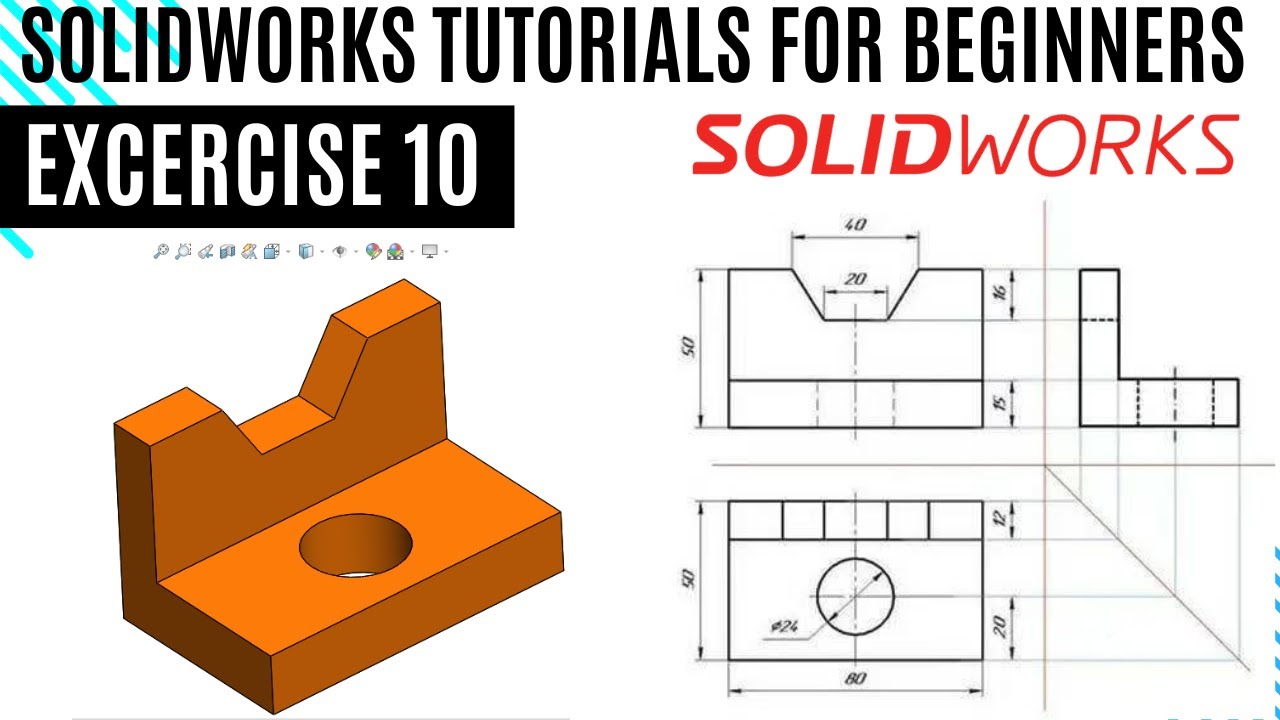
SolidWorks Learning exercise 10 for beginners| SolidWorks 2d & 3D exercises Tutorials for revision
Автор: ScholarTech Studio
Загружено: 2025-03-19
Просмотров: 83
Описание:
SolidWorks Learning Exercise 10 for Beginners | SolidWorks 2D & 3D Exercises Tutorials for Revision
Welcome to the 10th exercise in our SolidWorks Learning series! In this tutorial, we provide a step-by-step guide to improve your 2D sketching and 3D modeling skills in SolidWorks. This lesson is perfect for beginners and those looking to revise key concepts in CAD design. Learn how to use essential SolidWorks commands, such as extrude, revolve, fillet, and dimensioning, to create a professional 3D model.
🔹 What you will learn in this video:
✔️ Creating 2D sketches with precision
✔️ Using extrusion and other modeling tools
✔️ Applying constraints and dimensions
✔️ Enhancing your CAD design skills
This tutorial is designed for students, engineers, and professionals who want to master SolidWorks from scratch. Whether you're a mechanical engineer, product designer, or hobbyist, this lesson will help you gain practical CAD modeling experience.
📌 Don’t forget to like, share, and subscribe for more SolidWorks tutorials and exercises! 💡 Let us know in the comments if you have any questions or suggestions for future lessons.
#solidworks #solidworkstutorial #learnsolidworks #solidworksexercises #cadmodeling #solidworksbeginner #solidworkstips #solidworks3d
Повторяем попытку...
Доступные форматы для скачивания:
Скачать видео
-
Информация по загрузке: