USB, serial and you... an Adafruit after school special
Автор: Adafruit Industries
Загружено: 2012-09-02
Просмотров: 40333
Описание:
Throwback to 2010 https://www.adafruit.com/blog/2010/09...
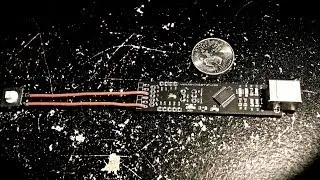
Connecting a microcontroller to a computer or laptop is a common problem: For decades, all computers had serial ports and parallel/printer ports. These were great for engineers because they were easy to connect to - data sent from the computer showed up exactly the way it was sent. Nowadays, few computers have parallel or serial ports, they have been replaced with USB. USB is better for users because theres only one connector, and information can be sent really fast with no errors. But the trade-off is that USB is more complex than serial or parallel since data is wrapped in complicated, super-fast packets. So what if you still want that serial port? Well, you can use a usb-serial converter. (show some of the USB/serial converters) These have little chips in them that are very specialized - they show up in your computer as a serial port but they do it through USB. The good news is that these are very common and cheap, but the bad news is that they are not very good for microcontroller hackers.Why? For one thing, these big 9-pin cables had to reach many meters so what the designers did is make the voltage on them rather high, about 20V from negative to positive. Microcontrollers tend to want no more than 3 or 5V! Plugging this into your microcontroller will quickly damage it permanently! If you want to use one of these cables with your micro, you can build a converter from the 20V down to 5V, often called a MAX232 converter. Some cables are hackable to bring the voltage down so if you're excited to tear apart an adapter and solder some wires that can be a solution. For most makers, we really suggest you use is an FTDI cable or adapter.FTDI chips simply take the USB signals and output 3 or 5V cleanly, so you don't have a risk of zapping your electronics. Another nice thing about these cables and adapter is that you can use the 5V from your computer to power a project, up to half an amp. Basically like the USB/serial adapters they show up as serial ports to your computer, but these have the right voltage levels.We have two options for FTDIness, cables and adapters. The cables are all in one piece with plugs on either end. The FTDI chip is inside the head of the cable. The adapters are small circuit boards, you can use any miniUSB cable, and the plug in the end matches the pinout of the cable. So why would you want the circuit board? For one, its a little less expensive. Another thing is that it has visible LED that blink when serial data is sent or received, which can be handy for debugging. Another fun thing you can do with the FTDI friend is change the voltage levels for power and data from 5 to 3v or change the 6th pin from RTS to DTR which may be useful for some hacker projects.OK one question we get a lot is whats the difference between something like the USBtinyISP programmer and an FTDI adapter? Both plug into a USB port, that is true, and both can be used to program AVR. but they are different things. The USBtinyISP and other USB AVR programmers are specially made to program raw AVR microcontrollers, just as they show up from the factory. The USBtinyISP isnt meant for sending debugging messages or other data. On the other hand, if you have a chip with a bootloader on it already, like an Arduino, you can use the FTDI friend to upload new firmware and transmit serial data for debugging or logging. However, you can't really use the FTDI friend to program a raw chip without a lot of effort and its pretty slow. So, for programming new AVRs, use a USBtinyISP. To bootload onto preprogrammed AVRs and pass data, use a FTDI friend.
Повторяем попытку...

Доступные форматы для скачивания:
Скачать видео
-
Информация по загрузке: