Скачать
Quick tip: How to Use the movable model | English
Автор: elixxier Software
Загружено: 2015-07-23
Просмотров: 702
Описание:
Quick tip: set.a.light 3D
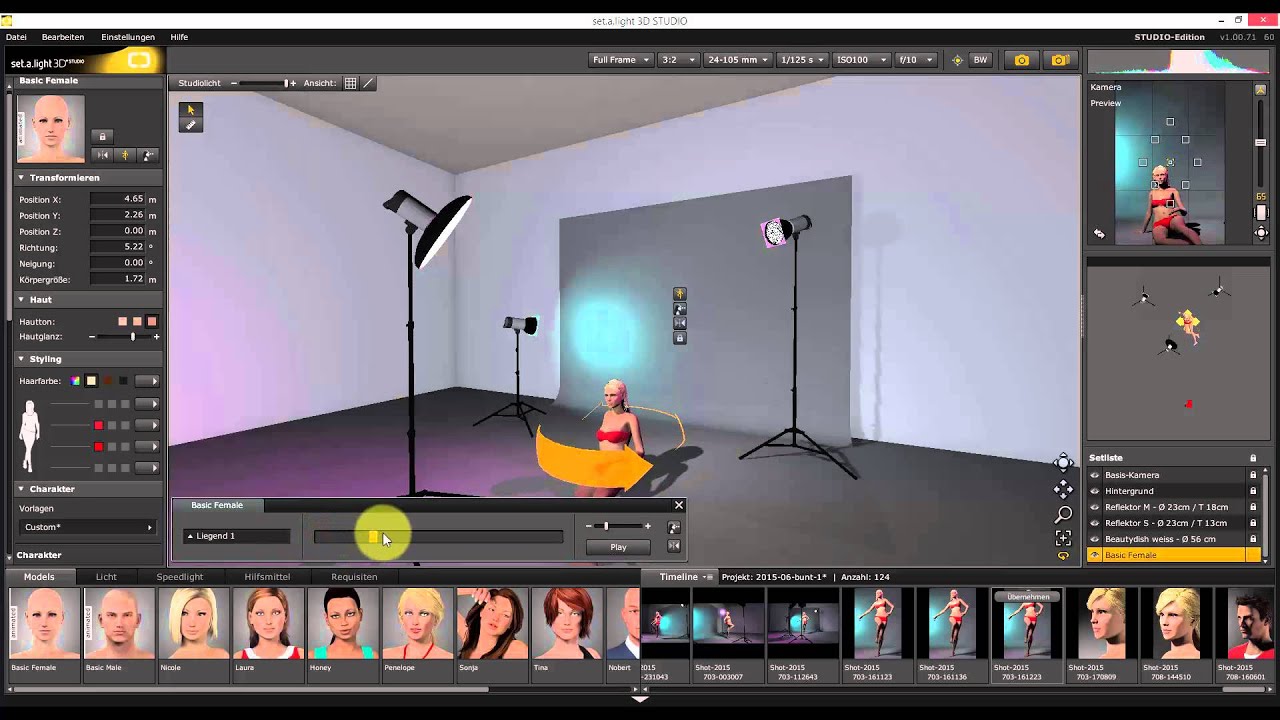
To modify the movable model, you have to select it first.
Now you can open the pose controller by using these two buttons or the P-key.
Position your model by using the slider. The menu offers you various pose settings.
With several models positioned in the studio, you can select and operate the appropriate model by using these tabs right here.
By the way, here you can adjust the model flexibly and let them age, for example.
www.elixxier.com
Не удается загрузить Youtube-плеер. Проверьте блокировку Youtube в вашей сети.
Повторяем попытку...
Повторяем попытку...
Доступные форматы для скачивания:
Скачать видео
-
Информация по загрузке:






![1 A.M Study Session 📚 [lofi hip hop]](https://imager.clipsaver.ru/lTRiuFIWV54/max.jpg)




![[4K FULL HD] Relaxing Water Background | 1 HOUR | Calm Water Wallpaper (No Sound)](https://imager.clipsaver.ru/y9PTNTSpGJs/max.jpg)
