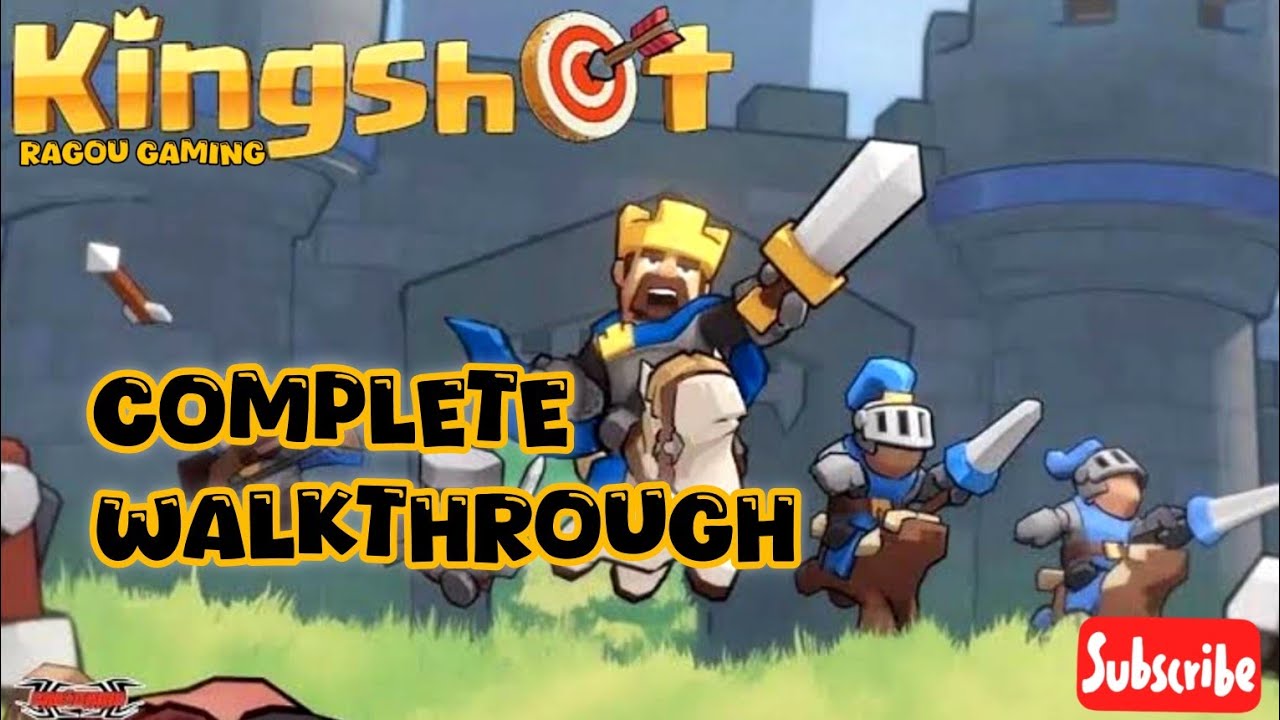
Complete Walkthrough of KingShot
Автор: Ragou Gaming
Загружено: 2025-06-09
Просмотров: 60
Описание:
Kingshot game walkthrough
Hey there, gaming enthusiasts! Welcome back to our channel. In today’s tutorial, I’ll be showing you a complete step-by-step walkthrough of how to install, launch, and start playing the exciting new mobile game Kingshot! Whether you're new to mobile games or a seasoned player looking to get started quickly, this guide is for you. So, grab your phones and let’s dive right into it!"
🌟 Step 1: Open Play Store
"First things first, head over to your mobile device and open the Google Play Store. This is where all the magic begins."
🔍 Step 2: Search for Kingshot
"In the search bar at the top, type in ‘Kingshot’. Wait for the search results to load and look for the one that says Kingshot – Smash Your Way to Victory! It should have a vibrant icon with bold lettering."
📥 Step 3: Install Kingshot
"Once you’ve found it, tap on the Install button. The download size isn’t too heavy, but make sure you have a stable internet connection to avoid interruptions. Once installed, tap Open to launch the game."
✅ Step 4: Grant Permissions
"As soon as the game launches, you’ll be greeted with a prompt:
‘Kingshot wants access to your Google account’
This is important for saving your progress and syncing your game data."
"Here, you’ll be shown a screen to ‘Select what Kingshot can access’. For the best experience, simply tap ‘Select All’, then scroll down and tap ‘Continue’."
⏳ Step 5: Initial Loading
"Now, the game will begin setting things up in the background. This might take a moment depending on your device and connection speed, so hang tight. You’ll soon be launched into the game interface."
🚨 Step 6: Update Prompt
"Before diving into gameplay, you’ll get a pop-up message saying:
‘Tips: A new update is available. Download now? We recommend using Wi-Fi.’
You’ll see two options at the bottom:
1. Contact GM
2. Update
Tap on ‘Update’."
"This is crucial as the update may include bug fixes, new features, and performance enhancements. Once again, wait patiently for the update to complete."
🧠 Step 7: Tutorial Mode
"Once the update is complete, the game will guide you through a tutorial. This is a hands-on introduction where you’ll learn the basic controls, game mechanics, and objectives."
"You’ll be taught how to aim, shoot, use special powers, and handle in-game items. Make sure to follow every instruction carefully, as this sets the foundation for your success in Kingshot."
Tips during tutorial:
Take note of the angle and power meter while aiming.
Use bounce shots strategically to hit multiple targets.
Pay attention to the character skills – some give you extra damage or double shots.
🎯 Step 8: Start Playing
"Once you complete the tutorial, you’ll be taken to the main game dashboard. From here, you can start real matches, explore tournaments, upgrade characters, and more!"
🎁 Bonus Tips for Better Gameplay
"Before we wrap up, here are a few extra tips to help you dominate in Kingshot:"
Always check for daily rewards. Log in every day to collect bonuses like coins, gems, or energy.
Complete missions and challenges to earn XP and unlock new features.
Join a guild or team to access multiplayer modes and team battles.
Use power-ups wisely. Don’t waste them on easy levels.
Watch ads for extra rewards if you’re okay with it—it’s a quick way to gain more currency.
Keep your game updated for new content and smoother performance.
Play in short bursts to avoid burning out—it's a strategy game, not a sprint!
"Thanks for joining us today for this full walkthrough of Kingshot! If you found this guide helpful, make sure to like, comment, and subscribe for more mobile game tutorials and tips."
Narrator (enthusiastically):
"Stay tuned for more tips and tricks to elevate your gameplay experience. Until next time, happy smashing! 🎯🎮"
Повторяем попытку...
Доступные форматы для скачивания:
Скачать видео
-
Информация по загрузке:


![Play kingshot [part 1]](https://imager.clipsaver.ru/mm5ya2D3wsU/max.jpg)



![🔴 EXPRESS BIEDRZYCKIEJ | PROF. MAREK MIGALSKI, PŁK KRZYSZTOF PRZEPIÓRKA [NA ŻYWO]](https://imager.clipsaver.ru/QpXyIdmmEXw/max.jpg)