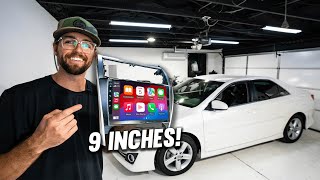
Amazing Head unit for Camry 2012 to 2014 | Full Installation I Roadanvi I Apple CarPlay
Автор: Genius Hacks
Загружено: 2021-11-23
Просмотров: 146608
Описание:
Roadanvi for Toyota Camry 2012 2013 2014 Car Stereo Bluetooth Radio for Car Navigation CarpPay Android Auto 1280x720 IPS Touch Screen 4GB+64GB
IGO: https://www.dropbox.com/s/25nvduso7wd...
Sygic:https://www.dropbox.com/s/h4jaz10z3a0...
Waze:https://www.dropbox.com/scl/fi/fqqtjl...
Here is the link to the radio
For Toyota Camry 07-11 (4G+64G)
https://amzn.to/3ZHuwEc
For Toyota Camry 07-11 (8G+128G)
https://amzn.to/3BwZGUJ
For Toyota Camry 12-14 (4G+64G)
https://amzn.to/4awjYgU
For Toyota Camry 12-14 (8G+128G)
https://amzn.to/4pRx90s
For Toyota Camry 15-17 (4G+64G)
https://amzn.to/4gLIWcw
For Toyota Camry 15-17 (8G+128G)
https://amzn.to/3BnVDKA
Fuse Box Adaptor https://amzn.to/3u9civG this is for after market back up camera.
I can answer any questions you have.
How to Install Netflix
Go to https://apkpure.com/netflix/com.netfl... on your chrome. Then install it.
Back up camera
I think these are good. Either this https://amzn.to/3OKlM7K or https://amzn.to/3a3VSNG
Features & details
If you phone is not charging,
Try this
You need to check if you are using the original car usb or our usb harness. For the factory usb port, please check the photos I sent
1. connect the unit with No. 3 9:20 seconds (the usb is what I hold in my hand),
2. then connect with No. 3 and No.11 9:38 seconds (original car usb)
3. finally connect with No. 11 and the original USB cable, so your factory usb port will work.
【Vehicle Compatibility & Specifications】For Toyota Camry 2012 2013 2014; MTK8259 CPU, 3G/4G network and wifi, built-in DSP, 4*50W
【Carplay & Android Auto】You can connect your phone to the head unit via Bluetooth or USB Cable. Controlled by Siri to make phone calls and use CarPlay & Android Auto apps directly.
【Your Favorite Function】Support almost all Navigation apps like Wave, sygic, google maps, with built-in wifi hotspot and integrated 4G solution.AM/FM RDS radio, bluetooth music, video, Surf Internet, PIP, Games
【Safer Driving】 Online & Offline Navigation, get driving directions without the need for Internet, Roadanvi offers a truly safe driving experience that lets you access navigation, you can easily Get driving directions, with live traffic and road alerts, save time and drive smart.
【What's in the box】1.Audio Output,2.AUX in & Cam in,3.SIM Slot Cable,4.Dual USB Cable,5.GPS Ant,6.Microphone,7.4G Ant,8.User Manual,9.Power Cable,10.Canbus,11.USB Adapter
4G Card Slot
Built in 4G full Netcom card slot, convenient for car owners to change cards at will, plug and play, easy access to the Internet
Bluetooth
BT 5.0
Bluetooth wireless audio streaming, stable connection to your smartphone or Bluetooth device. Support common audio formats: MP3, WMA, AAC, FLAC, APE, WAV and other common audio formats
DSP Stereo
DSP
The DSP use ST 7851 power amplifier 30 Equalize Adjust , Built in professional-grade DSP fiber output , and the audio transmission is ultra-low loss. It perfectly integrates the DSP and the car machine.
radio
AM/FM Radio
Built in AM/ FM tuner radio choose your favorite radio station get the latest news.
Tuning Range: 87.5 - 108.0 MHz"
navigation for car
Apps
Download from google store thousands of Apps ,such as YouTube, FB, Shopify, etc. Which can provide you with some entertainment items.
Roadanvi UI
Roadanvi Unique UI
Roadanvi designed the UI interface with a purple theme. Simple pages, when you find the functions by tapping or sliding the screen during operation.
Split Screen:
Free combination of apps
HD Toyota Camry Screen
10.2" capacitive LCD touchscreen: display with a resolution of 1280 x 720 (RGB).This unit has touchscreen controls with interactive icons and graphics, Menus on screen for making function choices, audio adjustments, and setting up the system.
You can switch and run two apps on screen side by side: So go ahead listening to music through your favorite app, whilst navigating(google map only),or making phone call with your browser open onother menu at the same time
2.5D curved screen: with the characteristics of scratch resistance, high temperature resistance and waterproof.
#toyota #headunit #install
Повторяем попытку...

Доступные форматы для скачивания:
Скачать видео
-
Информация по загрузке: