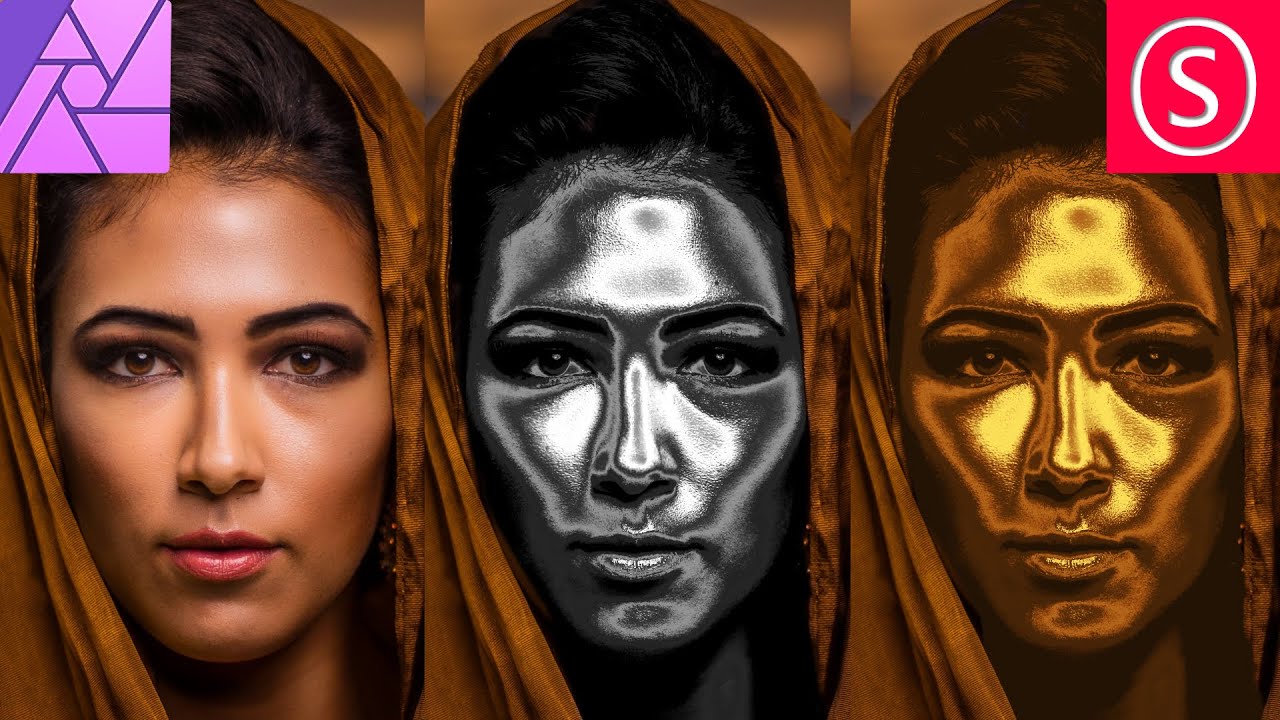
How to create a Gold or Chrome Effect - Affinity Photo Tutorial
Автор: Olivio Sarikas
Загружено: 2021-05-15
Просмотров: 9676
Описание:
Beginner Tutorial: Give any Object or Skin a Gold or Chrome Effect with Affinity Photo. No other Plug-ins required. Use Adjustment Layers, a Curve and a Gradient map for this very simple Effect.
► Sample Images:
Portrait: https://unsplash.com/photos/f49XhYbpiA0
Gold: https://unsplash.com/photos/Y9U4XZYbSQ4
► File with all Layers (for Supporters):
/ 51290765
Inspired my PiXimperfect "Midas Touch"
• The “Midas Touch” Filter in Photoshop! (Go...
► My Facebook group: / oliviotutorials.superfan
► My Newsletter: https://www.oliviotutorials.com/newsl...
► My Affinity Photo Creative Packs: https://gumroad.com/sarikasat
► My Patreon Page: / sarikas
► All my Social Media Accounts: https://linktr.ee/oliviotutorials
Повторяем попытку...
Доступные форматы для скачивания:
Скачать видео
-
Информация по загрузке:


