QuickBooks Tips: Learn how to categorize vehicle expenses correctly
Автор: Funchess Bookkeeping LLC
Загружено: 2025-02-19
Просмотров: 404
Описание:
If you use your vehicle for business, tracking expenses correctly in QuickBooks Online ensures you maximize deductions. Here’s how:
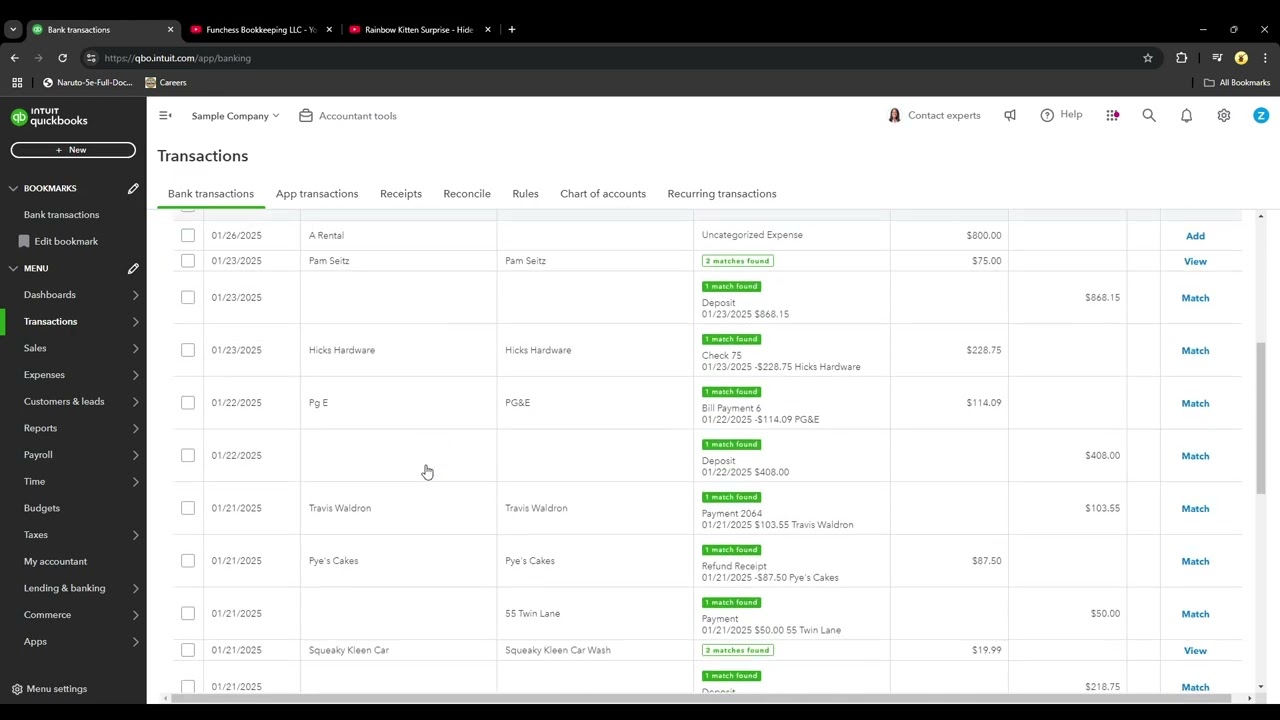
Go to the Transactions tab and select Expenses.
If your bank feed is connected, locate the transaction and categorize it accordingly.
If entering manually, click New Expense and enter the details.
Under Category, select the appropriate expense type:
Fuel → Auto: Gas
Repairs & Maintenance → Auto: Repairs
Insurance → Auto: Insurance
Lease Payments → Auto: Lease
Attach receipts and save the transaction.
Note: The New Expense option is only needed if entering transactions manually. If your bank is connected, expenses will be imported automatically and just need to be categorized correctly.
Business owners must choose between tracking mileage or actual vehicle expenses—not both. If you’re already tracking gas, repairs, and insurance in QuickBooks, mileage tracking isn’t necessary for tax purposes.
Call or text me for help 407-455-0957.
#QuickBooksTips #VehicleExpenses #Bookkeeping #TaxDeductions #SmallBusinessFinance
Повторяем попытку...
Доступные форматы для скачивания:
Скачать видео
-
Информация по загрузке:


![[2026] Feeling Good Mix - English Deep House, Vocal House, Nu Disco | Emotional / Intimate Mood](https://image.4k-video.ru/id-video/cxLdtvzf2sI)



![[Full Tutorial] Complete Year of Bookkeeping for Trucking Companies in Under 1 Hour!](https://image.4k-video.ru/id-video/LmABR-kQ7v8)


