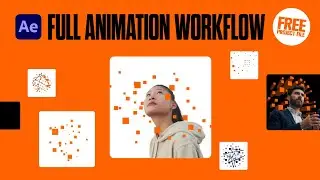
Extended Tutorial: 99% Procedural Kinetic Type Loop in After Effects
Автор: The Video Shop - Long Play
Загружено: 2025-09-18
Просмотров: 504
Описание:
In this After Effects tutorial, I’ll show you how to build a seamless looping kinetic type animation, inspired by this post I saw on the motion design subreddit:
/ help_anyone_knows_how_to_do_this
We’ll go step by step through setting up text animators, adding procedural controls, and using expressions to handle anchor point shifts, time remapping, and distribution.
The end result is a flexible looping setup you can duplicate and tweak endlessly—no messy keyframe wrangling required.
If you’re into kinetic typography or just want to expand your After Effects expression skills, this is a really fun project to dive into.
Enjoy!
(And if you know a cleaner way to procedurally switch text justification, let me know in the comments - I couldn’t quite crack it)
*This is a longer version of a tutorial I posted to The Video Shop. This is the first time I’m trialling two versions, based on feedback that some viewers hate anything superfluous, but others prefer a deeper dive.
*Let me know if it works for you, and if you have any suggestions for improvements.
=============================================================
FREE RESOURCES & AFFILIATE LINKS:
► Download the FREE After Effects project file for this tutorial: https://thevideoshop.gumroad.com/l/bc...
► Explore more free project files from my Gumroad: https://gumroad.com/thevideoshop
=============================================================
RECOMMENDED TOOLS (Affiliate Links):
Get $50 off Motion Array: https://bit.ly/3Vsv4LV
Get $50 off Artlist: https://bit.ly/43UKqgU
(This video isn't sponsored, but using these links means I may receive a small commission at no extra cost to you. Your support helps me create more free tutorials)
=============================================================
EXPRESSIONS:
(replace any instances of ">" or “<” with "greater than" or “less than” sign)
► Text Layer Anchor Point:
useExtents = false;
st = thisLayer.text.sourceText;
t = time;
if (st.numKeys > 0){
idx = st.nearestKey(time).index;
if (st.key(idx).time > time) idx--;
if (idx < 1) idx = 1;
t = st.key(idx).time;
}
r = sourceRectAtTime(t, useExtents);
x = r.left; y = r.top;
sign = 1;
[ x*sign, y*sign ]
► Text Precomp Position:
n = parseInt(thisLayer.name.split(",")[1]);
yStep = thisComp.layer("control").effect("Y")("Slider");
[value[0], value[1] + (n-1)*yStep]
► Text Precomp Time Remap Value:
n = parseInt(thisLayer.name.split(",")[1]);
offsetFrames = thisComp.layer("control").effect("time(frames)")("Slider");
fps = thisComp.frameDuration;
loopDurFrames = 240;
loopDurSec = loopDurFrames * fps;
tFrames = time / fps;
tFrames -= (n-1) * offsetFrames;
loopFrame = (tFrames % loopDurFrames + loopDurFrames) % loopDurFrames;
loopFrame * fps
=============================================================
CHAPTERS:
00:00:00 - Original Reference
00:00:00 - Comp and Text Settings
00:00:36 - Tracking Animator
00:01:38 - Duplicate Animator
00:02:02 - Source Text Keyframes
00:02:24 - Text Layer Anchor Point Expression
00:03:04 - Expression Breakdown
00:03:59 - Keyframing Tracking Animators
00:05:16 - Precompose Text Layer
00:05:53 - Slider Controls
00:06:25 - Text Precomp Position Expression
00:06:37 - Expression Breakdown
00:06:59 - Time Remap Expression
00:07:10 - Expression Breakdown
00:07:58 - Duplicating and Distributing Text Layers
00:09:24 - Final Animation
00:09:47 - Exploring this Setup
=============================================================
CONNECT & SUBSCRIBE:
► Subscribe for more After Effects tutorials and motion design tips: / @thevideoshoplondon
► Have questions about kinetic type, text animators, or After Effects animation? Let me know in the comments!
► Find me online: https://linktr.ee/TheVideoShop
=============================================================
#aftereffectstutorial
#kinetictypography
#textanimation
#textanimators
#animation
#AfterEffectsTips
#learnaftereffects
#motiondesign
#learnmotiondesign
#learnanimation
Повторяем попытку...

Доступные форматы для скачивания:
Скачать видео
-
Информация по загрузке: