ycliper

Популярное

Музыка Кино и Анимация Автомобили Животные Спорт Путешествия Игры Юмор

Интересные видео

2025 Сериалы Трейлеры Новости Как сделать Видеоуроки Diy своими руками

Топ запросов

смотреть а4 schoolboy runaway турецкий сериал смотреть мультфильмы эдисон
Скачать

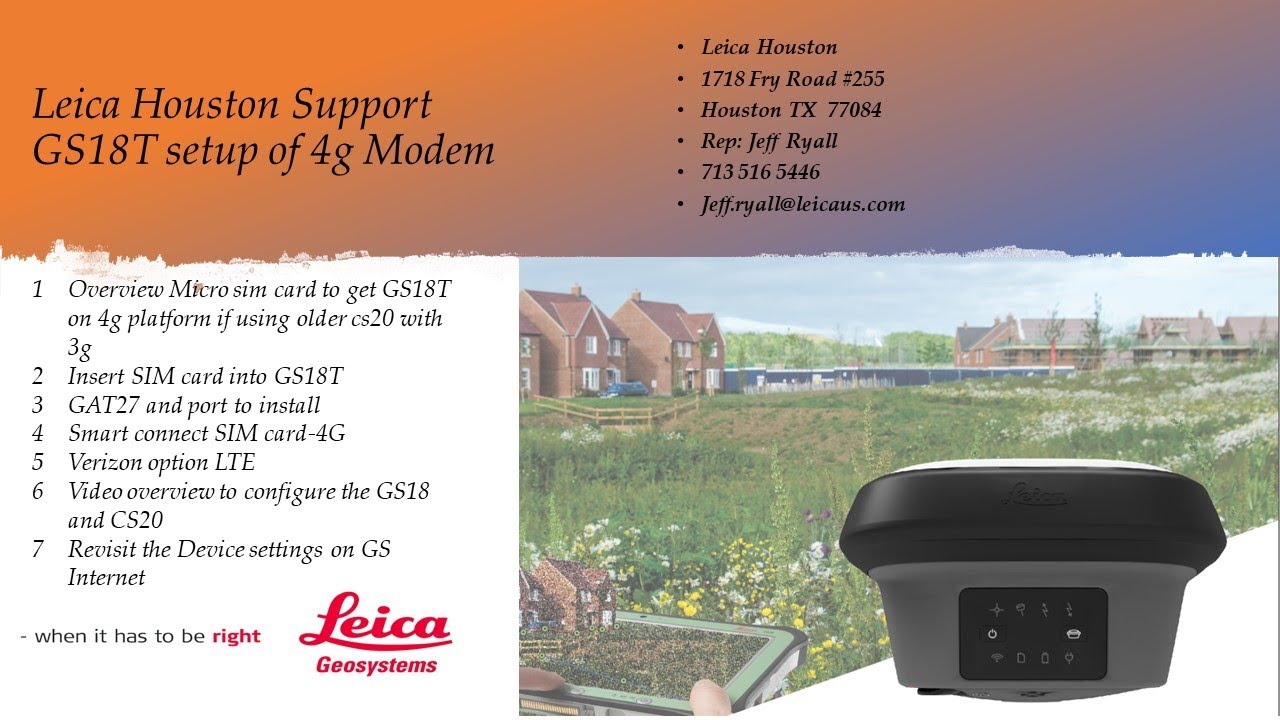
Leica GS18T Micro sim configuration using 4g or LTE and Leica CS20 Data Collector: Updated 5 17-21

Автор: Jeff Ryall

Загружено: 2021-05-17

Просмотров: 4881

Описание: Overview of different APN settings for different vendor sim cards

Smartnet-Smart-connect (AT&T) SIM card APN is m2m005125.attz
AT&T Direct SIM Card APN is broadband
Verizon Direct SIM card APN is vzwinternet
T Mobil SIM Card APN fast.t-mobil.com


00:00. Overview Micro sim card to get GS18T on 4g platform if using older cs20 with 3g
01:40. Physically Insert SIM card into GS18T
02:30 GAT27 external modem antenna and port to install (4g) Critical
03:25 Smart connect SIM card thru Leica Smartnet -4G AT&T APN for Smart connect is "m2m005125.attz" if you get your SIM from AT&T Directly use APN "broadband"
04:45 Overview of what is required for Verizon Micro Sim option : LTE
05:45 . Overview to configure the GS18 and CS20-Bluetooth cs20-GS18T
07:00. Switch Work profiles IMAX and NEAR
07:20 Configuration settings for RTK network, server and NTRIP username and password
09:20 Selection of Mountpoints MSM_IMAX & MSM_NEAR
11:15. Configure GS18T modem (GS connections)
13:00. Enter APN for sim card to access internet
Smart-connect SIM card APN is m2m005125.attz
AT&T Direct SIM Card APN is broadband
Verizon Direct SIM card APN is vzwinternet
13:40. Start streaming RTK corrections
View 1D and 2D quality and also view GNSS data corrections GPS (US) Glonass (RUS) , Bei Dou (CHN)and Galileo (EUR)- also triple frequency L5 and Alt-Boc
14:45 Switch workstyle from IMAX to NEAR and check settings for NEAR solution via GS18 modem

Note#1: It is strongly recommended to back up settings and format the cs20 before setting up the GS18T with new workstyle and micro sim settings. Formatting will start on a fresh slate to ensure the new Connections thru GS18 4g will work . Please refer to other videos on backing up settings, and formatting in the cs20 firmware upload video

Note #2: If you are using the GS18T as a Radio rover using the internal Satel radio- when you setup the GS18T Radio setting under Settings-Connections-All Other connections-"GS Connection" tab "GS Internet" please disable the Internet thru GS18- then it will allow you to use the GS Radio device under "RTK Rover" settings. As only one device to the GS18T sensor can be used at a time. This just means when you are running GS18T in UHF radio modem cannot be on internet, thus if using FTP transfer, will just have to switch to the Network workstyle to send/receive via FTP .

Не удается загрузить Youtube-плеер. Проверьте блокировку Youtube в вашей сети.
Повторяем попытку...
Leica GS18T Micro sim configuration using 4g or LTE and Leica CS20 Data Collector:  Updated 5 17-21

Поделиться в:

Доступные форматы для скачивания:

Скачать видео

  • Информация по загрузке:

Скачать аудио

Похожие видео

Обзор использования SIM-карты в камере Leica GS18: конфигурация сенсора и советы: видео 3 из 3

Обзор использования SIM-карты в камере Leica GS18: конфигурация сенсора и советы: видео 3 из 3

Leica GS18T

Leica GS18T

Leica CS20 3g or CS15 Data Collector: How to Interface a AT&T ZTE Velocity Wi-fi  for 4g Internet

Leica CS20 3g or CS15 Data Collector: How to Interface a AT&T ZTE Velocity Wi-fi for 4g Internet

Для Чего РЕАЛЬНО Нужен был ГОРБ Boeing 747?

Для Чего РЕАЛЬНО Нужен был ГОРБ Boeing 747?

Первый тахеометр с искусственным интеллектом: практический обзор Leica TS20

Первый тахеометр с искусственным интеллектом: практический обзор Leica TS20

Неизвестный Бюджетник УНИЖАЕТ ФЛАГМАНЫ 2026 Года. Убийца Xiaomi, Samsung и Apple

Неизвестный Бюджетник УНИЖАЕТ ФЛАГМАНЫ 2026 Года. Убийца Xiaomi, Samsung и Apple

Видео 1 из 2 по полевой трансформации Leica Field One Step — полевые учения с камерами GS18 и CS20.

Видео 1 из 2 по полевой трансформации Leica Field One Step — полевые учения с камерами GS18 и CS20.

Point 2 Point: Leica GS18 Base using NTRIP correction v10 Firmware-for RTK rovers and Drones

Point 2 Point: Leica GS18 Base using NTRIP correction v10 Firmware-for RTK rovers and Drones

Cudy TR3000 + LTE USB модем — прошивка OpenWRT, Podkop и VLESS xHTTP | 2026

Cudy TR3000 + LTE USB модем — прошивка OpenWRT, Podkop и VLESS xHTTP | 2026

I'm blown away by the Leica GS18I GNSS Receiver

I'm blown away by the Leica GS18I GNSS Receiver

Tips& Tricks with the Leica CS20

Tips& Tricks with the Leica CS20

Почему работает теория шести рукопожатий? [Veritasium]

Почему работает теория шести рукопожатий? [Veritasium]

Leica GS18T RTK Working style (Part1)

Leica GS18T RTK Working style (Part1)

Телефон определяет то кто вы? Если да, то есть проблема

Телефон определяет то кто вы? Если да, то есть проблема

Leica GS18T CS20 Smartnet Configuration

Leica GS18T CS20 Smartnet Configuration

Complete DGPS Survey Tutorial | Leica GS18 RTK  | Full Setup & Practical Video of DGPS Surveying

Complete DGPS Survey Tutorial | Leica GS18 RTK | Full Setup & Practical Video of DGPS Surveying

Leica UHF Radio Video 1 of 5: Cs15 & GS14 RTK UHF Base setup with Satel EZPRO 35 watt UHF radio

Leica UHF Radio Video 1 of 5: Cs15 & GS14 RTK UHF Base setup with Satel EZPRO 35 watt UHF radio

Leica GS18: P2P (Point to Point) with NTRIP FW v9.0  (rev 2)

Leica GS18: P2P (Point to Point) with NTRIP FW v9.0 (rev 2)

Не используй DNS провайдера! Защищённые DOT, DOH DNS + VPN + Keenetic

Не используй DNS провайдера! Защищённые DOT, DOH DNS + VPN + Keenetic

A Gas Pump Computer from 1993!

A Gas Pump Computer from 1993!

© 2025 ycliper. Все права защищены.


  • Контакты
  • О нас
  • Политика конфиденциальности


Контакты для правообладателей: [email protected]