Aspire 5 A515 switch out of S Mode, Install NVMe SSD, Install HDD & Memory
Автор: Cadillac Computer Center
Загружено: 2021-04-27
Просмотров: 42568
Описание:
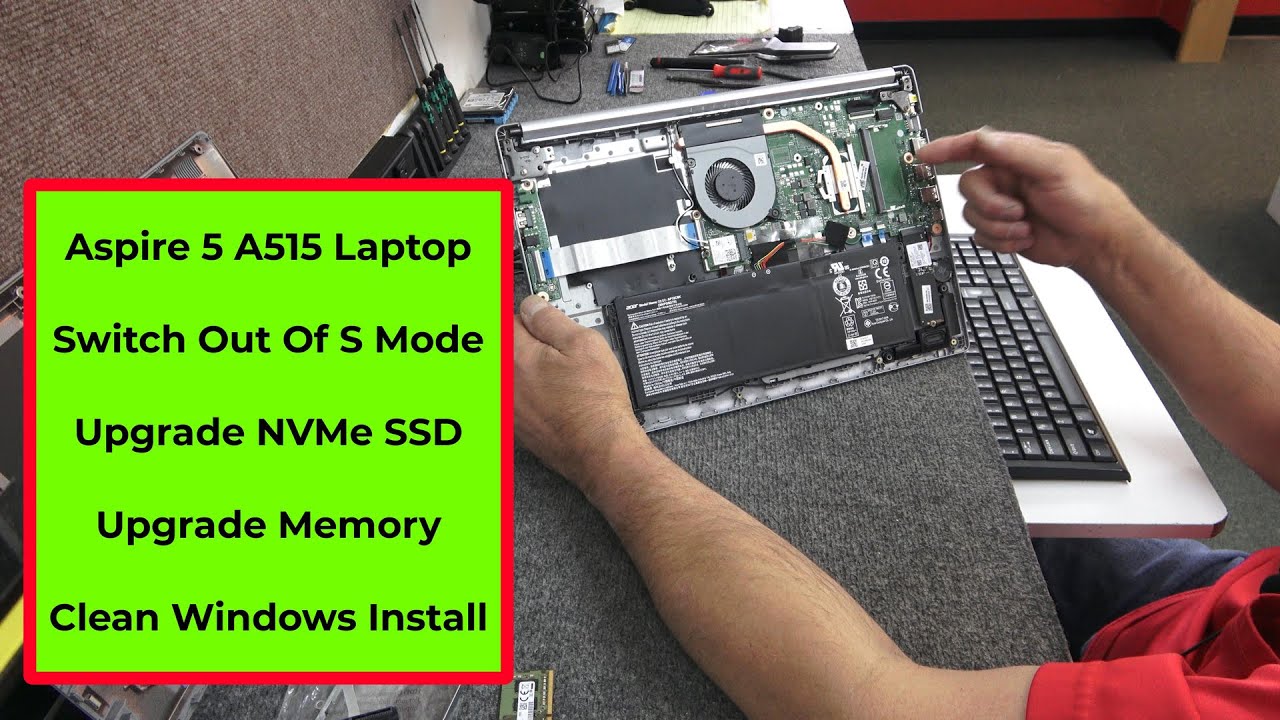
I will be opening up a brand new Acer Aspire 5 A515 series laptop to upgrade memory, upgrade NVMe SSD, install 2.5" SATA SSD and also switching out of Windows 10 S Mode. Model# A515-55-35SE
---Always protect yourself from static discharge when performing a project like this.
---Always use good quality tools to prevent damage
Time Stamps---
0:37 Overview
4:36 Opening up laptop
7:14 Disconnecting battery
9:38 Install M.2 NVMe SSD
11:58 Install 2.5" HDD
19:42 Install Windows 10
28:10 Switch out of S Mode
Tools Used:
Blue Triangle Plastic Spudger Tool:
https://www.amazon.com/gp/product/B06...
Magnetic Tip #0 / PH0 Phillips Screwdriver
How to Create Windows 10 USB Install Drive
• Create USB windows 10 Install Flash Drive
Parts Installed:
1x 4GB DDR4 2666MHz Memory Module
1x Samsung 970 EVO Plus M.2 NVMe SSD Gen3 x4 500GB
1x Seagate Barracude 2.5" SATA6 HDD 1TB
Thank you everyone for watching and your support! Dale
Повторяем попытку...
Доступные форматы для скачивания:
Скачать видео
-
Информация по загрузке:


![Best of Driving Deep House [2026] | Chill Vocal Mix to Boost Focus, Maximize Concentration #7](https://image.4k-video.ru/id-video/CDnUiT9PNWc)