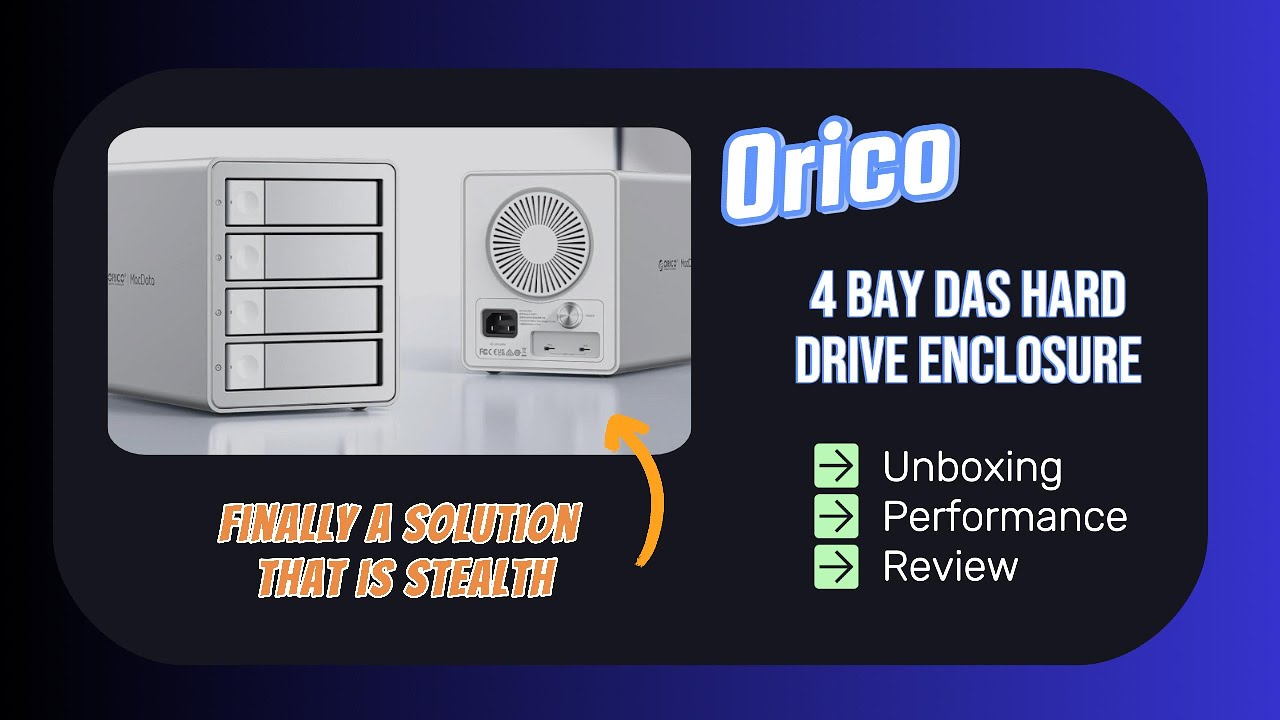
Unboxing, Performance, and Review of the Orico 4 Bay HD DAS Enclosure.
Автор: Greg | The 2th Preneur
Загружено: 2025-03-22
Просмотров: 5271
Описание:
Unboxing, Performance, and Review of the Orico 4 Bay HD DAS Enclosure.
It is an Orico MacData Vault 4Big DAS Studio Enclosure, #9948C3.
I was looking for a non-NAS (DAS) enclosure that could house my 4 external hard drives into one clean and neat solution connecting it to my new Mac Mini M4.
See my similar unboxing and review of the CenMark 4 Bay DAS Enclosure here: • CenMate 4 Bay Hard Drive DAS (non-RAID or ...
See my recent SSD 3rd party internal storage solution upgrade for your Mac Mini M4 in this video here: • Upgrade your M4 Mac Mini’s internal SSD to...
One of my requirements is I wanted to make sure the individual hard drives mount to my Mac Mini as if I connected them individually. This is because I have a BackBlaze online cloud backup subscription and it will back up connected hard drives to your computer, but will not back up any NAS systems connected to the computer. This enclosure is simply a DAS (Direct Attached Storage) with no NAS built in.
‼️ My second requirement and my biggest concern is the cooling fan noise. I know the hard drives can heat up and cooling is important, but I wanted it to be quiet like my Mac Mini M4. The Orico unit is very quiet. I’ve put it behind my desk on the floor in hopes to keep the fan/air noise to a minimum, and I can barely hear it. It is not distracting when I need to concentrate on some work while at my desk.
The Orico Data Vault is an all aluminum enclosure with a USB 3.1 Gen 2 10Gbps connection. Esthetically it is beautiful and matches the aluminum look of my Mac Mini M4. The drives are hot swappable and it can accommodate both 3.5” and 2.5” hard drives. Maximum capacity is 88TB!
✅ Another cool feature that sold me was you can daisy chain several enclosures together or connect another peripheral via the extra USB C port.
🔥 Performance: It does quite well. I did some before and after speed tests with two hard drives that were connected individually to my Mac Mini. One was a 3.5” 10 TB hard drive and the second was a 2.5” SSD drive. Be sure to check out the video to find out the results.
😊 Overall I’m happy with the results. I maintained my clean and neat desktop getting the hard drives off the desk. The performance is good, however transferring some files back and forth didn’t seem to take too long.
💰 I purchased this enclosure with my own money. Orico did not give me this unit to test nor did they approach me to make a video about this unit. I found this enclosure on Amazon, and I did this all on my own accord.
Purchase link: https://amzn.to/4iADSYy
🔥 Let me know in the comments if you have any questions, I’d be happy to reply.
✅ Please Like, Comment, and Subscribe. 🫶🏼
@Gregthe2thpreneur
@Gregthe2thpreneur
@Gregthe2thpreneur
Chapters:
0:00 Intro
1:49 Features
2:51 Unboxing
4:52 Installation of the Hard Drives
8:48 Power and USB C connections
9:27 On the Desktop
10:02 Individual HD Speed Test
10:32 Initial Connection
11:07 Speed Tests
13:17 Conclusions
14:52 Outro
I am an affiliate for Amazon and do earn a small commission at no increase cost to you. Thank you for helping me support and grow my channel.
Thank you for watching my video. I appreciate you being here!
#orico #oricomacdatavault #oricoharddriveenclosure #4BigDASStudio #harddriveenclosure #DAS #4bayenclosure #4bayharddriveenclosure #NAS #nonNAS #noRAID #externalstoragesolutions #externalharddriveenclosure #harddrive #9948C3
❌ Do not duplicate, manipulate (with or without AI), or use any of my videos without my prior written authorization.
Повторяем попытку...
Доступные форматы для скачивания:
Скачать видео
-
Информация по загрузке: