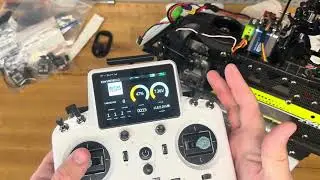
Control SpeedyBee Meteor LEDs with your Transmitter Using Pinio Resource Remapping on a Pavo Pico!
Автор: Ricky Gode
Загружено: 2024-12-11
Просмотров: 1908
Описание:
Weight: 57.1g
Frame: Pavo Pico
FC: BetaFPV F4 2-3S 20A AIO FC V1 with ELRS Firmware (3.5.1)
BetaFlight 4.4.1
Motors: 1102 | 14000kv red and black
Batteries: 2S 550mAh HV
Props: GemFan 45mm TriBlade
vTx: Walksnail Avatar HD Mini 1s Lite (Firmware 38.43.8)
Tx: RadioMaster TX16S (v2.10.5)
I soldered a wire from the Boot Pad on the Meteor LED control board to the TX1 pad on the BetaFPV F4 2-3S 20A AIO FC V1. Then I configured a momentary switch on my radio using the t5 switch. In the BetaFlight CLI I typed in
resource SERIAL_TX 1 NONE
resource PINIO 1 A09
set pinio_box = 40,255,255,255
"resource SERIAL_TX 1 NONE" (this frees up the TX1 pad on the flight controller for pinIO)
"resource PINIO 1 A09" (A09 pin was linked to TX1 pad and now it is linked to pinIO 1)
"set pino_box = 40,255,255,255" (the first entry 40 is "user1" to be visible in the modes tab to setup a switch to toggle and is using pinIO1 which is controlling the A09 pin which leads to the TX1 pad.
After typing these three lines, I went into the modes tab and found the user1 mode and configured the momentary switch I setup in my Transmitter to activate it.
Повторяем попытку...

Доступные форматы для скачивания:
Скачать видео
-
Информация по загрузке: