WirelessDV - Digital FPV Downlink tested - Review and commented flights
Автор: RCSchim
Загружено: 2015-07-03
Просмотров: 23151
Описание:
►SUBSCRIBE: http://goo.gl/szFJv
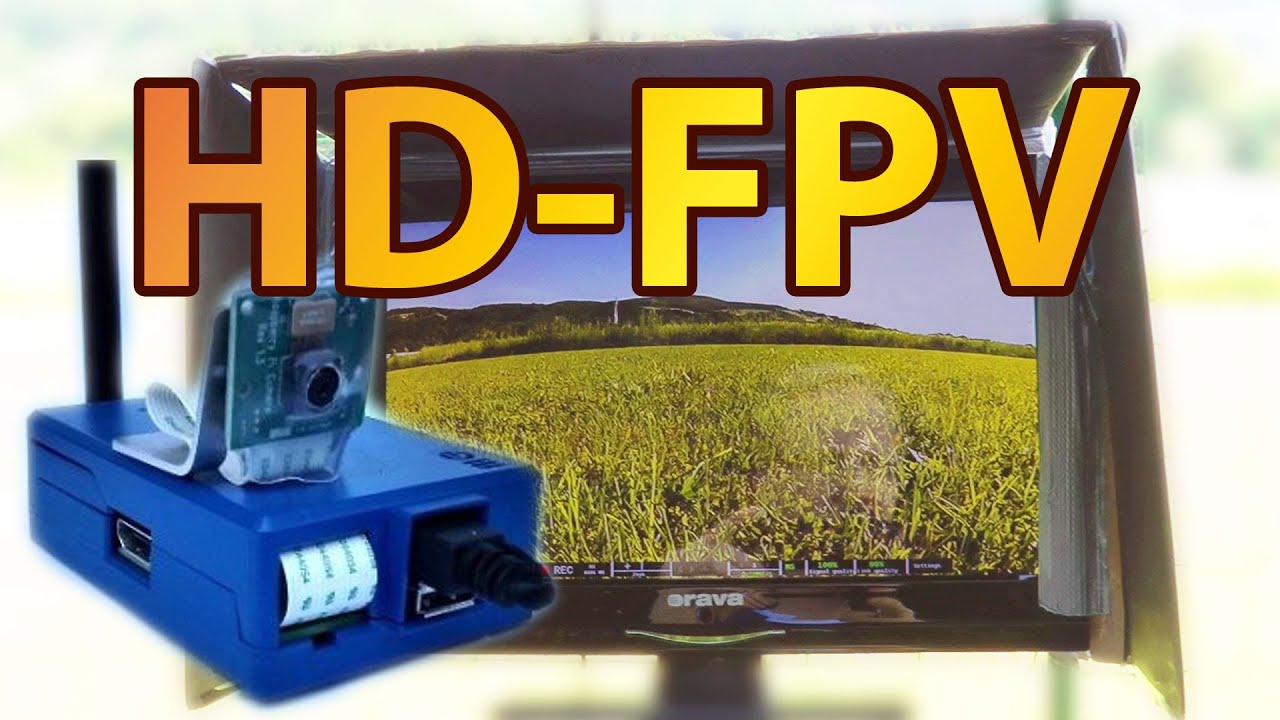
A few month ago I got in contact with nice FPV hobbiests from Spain. They are very passionate about FPV and also good engineers and programmers. They developed a RaspberryPi based HD video transmission with very little latency (120ms).
Their video transmission works very solid and even if the link goes down under bad signal conditions it is re-aquired fast. They transmit using EU legal transmission power and achive good range (said to be 3km with std. antennas). I couldn't test it fully here (only 500m allowed in AT) but I will try a ground test. I would say on a copter in even non perfect conditions you can expect around 1 km for sure - maybe more.
If you still have some antennas from 2.4 analog video - you can use them and get more range with directional antennas. I tested Circular wireless SPW antennas and got more stable video with them. I will also test my helical antenna and see what the ground range is.
Good thing: if you get bad signal it's not like analog video where it gets grainy but here you start getting wrong colors and artifacts - but still the horizon and some structures are recognizable. Needs some getting used to - but works pretty well.
To the system:
you have a "PC" on both sides. It's a RaspberryPi mini PC with some sort of Linux on it. They optimized boottimes and stability. Had no single crash, but sometimes you need to turn it on a 2nd time to get video link.
In the future you can also hook up an USB device and route the signals to your APM flight-controller (pixhawk also works but with apm firmware). That means you don't need a "normal" radio anymore - you could use a gamepad to control your multicopter (see the joystick demo video down below)!
VERDICT:
Definitely worth a look, maybe not fully ready for the masses and nothing you could race with, but a good step in the right direction.
At the moment (and after flying many flights also with the DJI Lightbridge) I´m not totally convinced by HD transmission. We need good highres goggles and monitors before such systems make sense. Lightbridge on Fatshark DomHD already looked good, but it only used 800x600. HeadplayHD could be good for that - but the screen FOV is really huge - not sure if this will be as good as we think.
On the other hand I flew with my "Facebox" DIY goggles lately and as videosource the Easystar2 with RuncamHD liveout. Vivid colours, huge (but not extreme) FOV and enough sharpness to see details while flying - and: very stable and smooth video on 5.8 using SPW and helical antennas on a diversity.
Some facts I found in forums from vendor:
WiDV has nothing to do with the gstreamer application , this are the main reasons:
1. WiDV has bidirectional transmission, and receives feedback from the transmitter unit, if the transmitter enters in an area where the wifi channel is busy it request the receiver to change to another channel, and the change is done without any disruption. gstreamer cannot do any automatic change of channel.
2. In case of software reload for any malfunction, WiDV reloads in few seconds, and the video link is restablished inmediately, while gstreamer needs long time to reload, and the video will be totally lost. Compare the size of gstreamer image with WiDV image, is much bigger than WiDV.
3. WiDV has a processor supervisor, that looks after at the function of the video processor, if there is any failure, it reloads the unit, and the video link is restablished, in case of any malfunction of the video processor of gstreamer the unit hungs and the video is totally lost.
4. The delay time is 120 ms on WiDV with gstreamer counting with the wifi transmitter is much more than that. Also the total delay time of dji digital unit is 340 ms,
5. WiDV has a serial link for telemetry , and shows the telemetry on the screen, and also send the telemetry to an external computer with software like mission planner. gstreamer has nothing similar. and cannot draw the telemetry on the screen.
Thread on RCGroups:
http://www.rcgroups.com/forums/showth...
SD Card access on Windows PC:
http://www.paragon-software.com/home/...
Get wideangle cam here (but maybe they will ship wideangle version as default cam!)
http://www.watterott.com/de/Raspberry...
Joystick Settings Demo
• WiDV One: Joystick settings
DIY Alternative?
http://www.cardboard-car.com/top-stor...
►EQUIPMENT: http://goo.gl/QNzck
►►find infos on all my copters here in my Hangar: http://goo.gl/l5GfrE
related Playlists:
►my TOP Videos: http://goo.gl/MHfr1D
►Product Reviews: http://goo.gl/mZkwHr
-
►TBS Discovery http://goo.gl/7Vu9Ow
►FACEBOOK me: http://goo.gl/O3e7l
►visit my BLOG: http://RCSCHIM.blogspot.com
Повторяем попытку...
Доступные форматы для скачивания:
Скачать видео
-
Информация по загрузке:


