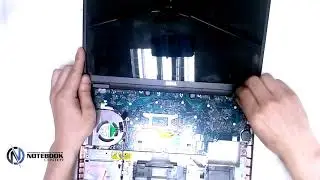
Dell Latitude E5470/E5570 Disassembly and cleaning /How to apply thermal paste
Автор: Andriy Mikhailovich Tech
Загружено: 2022-01-24
Просмотров: 20779
Описание:
🛒 Amazon:
Buy a Thermal Paste: https://amzn.to/3ZM8OMo
Buy a Screwdriver Set: https://amzn.to/3yhzx7S
Buy a Hard Drive: https://amzn.to/3mpvhQN
Buy a Fast SSD drive: https://amzn.to/3JfFVCM
00:00 Introduction
00:14 Unscrew the bolts from the laptop cover
01:13 Remove the laptop cover
01:43 Disconnect the battery cable
01:53 Remove the RAM
02:09 Remove the battery
02:25 Unscrew the M2X3 bolts
03:03 Unscrew the M2X5 bolts
04:12 The bolt is unscrewed but not removed
06:10 SSD M.2 disconnect
06:44 Train screen matrix
07:49 Wifi adapter disconnect
08:23 Two bolts are on the side of the laptop case
08:45 Disconnect the matrix cable
09:12 Remove the cover
09:23 Unscrew the cooling system
10:11 Disconnect the cooling system power cable
10:35 Erase the old thermal paste Part1
11:30 Erase the old thermal paste Part2
12:14 Apply a new thermal paste
12:36 Screw back and connect the cooling system
13:01 Connect the cables to the motherboard
13:42 Replace the laptop cover
14:02 Connect the train of the matrix
14:25 Wifi adapter put back
15:28 SSD M.2 put back
15:45 Connect the battery
15:57 Close the laptop tightly
Hi friends!
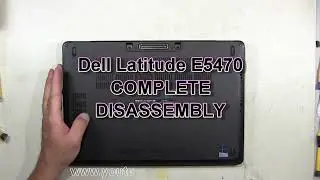
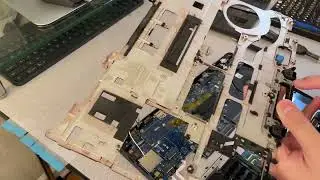
In today's video, I will show how you can disassemble and clean Dell Latitude E5470 / E5570 laptops.
And also how easy it is to change the thermal paste.
#e5470#e5570#laptop
Creative Commons Attribution 4.0 license for the use of the track Almost in F - Tranquility (artist: Kevin MacLeod): https://creativecommons.org/licenses/...
Source: http://incompetech.com/music/royalty-...
Artist: http://incompetech.com/
🔔 Subscribe to my YouTube channel
https://www.youtube.com/c/AndriyMikha...
🛍 Become a sponsor of my channel
Buy Me a Coffee: https://www.buymeacoffee.com/andriytech
My Patreon: / andriytech
Повторяем попытку...

Доступные форматы для скачивания:
Скачать видео
-
Информация по загрузке: