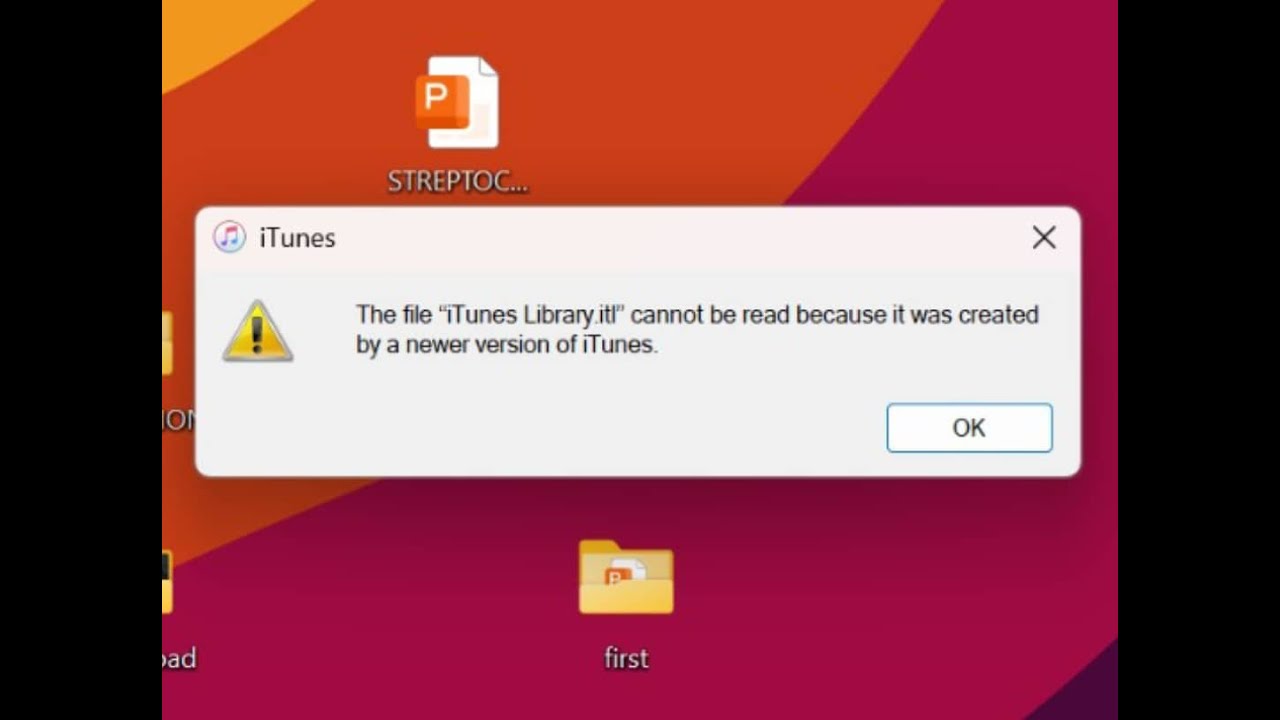
Solution to Itunes Error 'Itunes Library itf' Cannot be read because it was created by newer version
Автор: Jiggy Distro
Загружено: 2025-04-24
Просмотров: 244
Описание:
This error typically occurs when you try to open an iTunes library file created by a newer version of iTunes on an older version. Here are some steps to resolve the issue:
Upgrade iTunes:
Ensure you are using the latest version of iTunes compatible with your operating system. Newer versions can read older library files, but the reverse is not true.
Rename the Library File:
Locate the iTunes Library.itl file on your computer. On Windows, it is usually found in `C:\Users
\[Your Username]\Music\iTunes. On Mac, use Finder and navigate to~/Music/iTunes/`.
Rename the file to iTunes Library.old to create a backup.
Use a Previous Library File:
Check the "Previous iTunes Libraries" folder within the iTunes directory. Copy the most recent backup file and paste it into the main iTunes folder. Rename it to iTunes Library.itl.
Rebuild the Library:
If no previous library file is available, you may need to rebuild your library manually by re-importing your media files into iTunes.
Alternative Solutions:
If you have an iTunes Library.xml file, you can import it into a new library. Note that this may reset certain metadata like "Date Added"
#Itunes
Повторяем попытку...
Доступные форматы для скачивания:
Скачать видео
-
Информация по загрузке: