touchAble 2 User Guide : First Contact - Control Ableton Live with iPad
Автор: TouchAble App
Загружено: 2013-11-22
Просмотров: 26863
Описание:
TouchAble App for iPad is available worldwide exclusively through the iTunes App Store http://www.itunes.com/app/touchable
User Guide First Contact: • touchAble 2 User Guide : First Contact - ...
User guide Clips module: • touchAble 2 User Guide : Clips Module - ...
User Guide Midi Clip Editor: • touchAble 2 User Guide : MIDI Clip Editor ...
User Guide The Browser: • touchAble 2 User Guide: The Browser - Cont...
User Guide Mixer Module: • touchAble 2 User Guide: Mixer module - C...
User Guide Devices Module: • touchAble 2 User Guide: Devices Module - ...
User Guide Keys&Pads: • touchAble 2 User Guide: Keys&Pads Module ...
User Guide XY PAD Module: • touchAble 2 User Guide : XY Pad Module - ...
User Guide Template editor: • touchAble 2 User Guide: Template Editor Mo...
User Guide External Midi Mapping: • touchAble 2 User Guide: Midi mapping an ex...
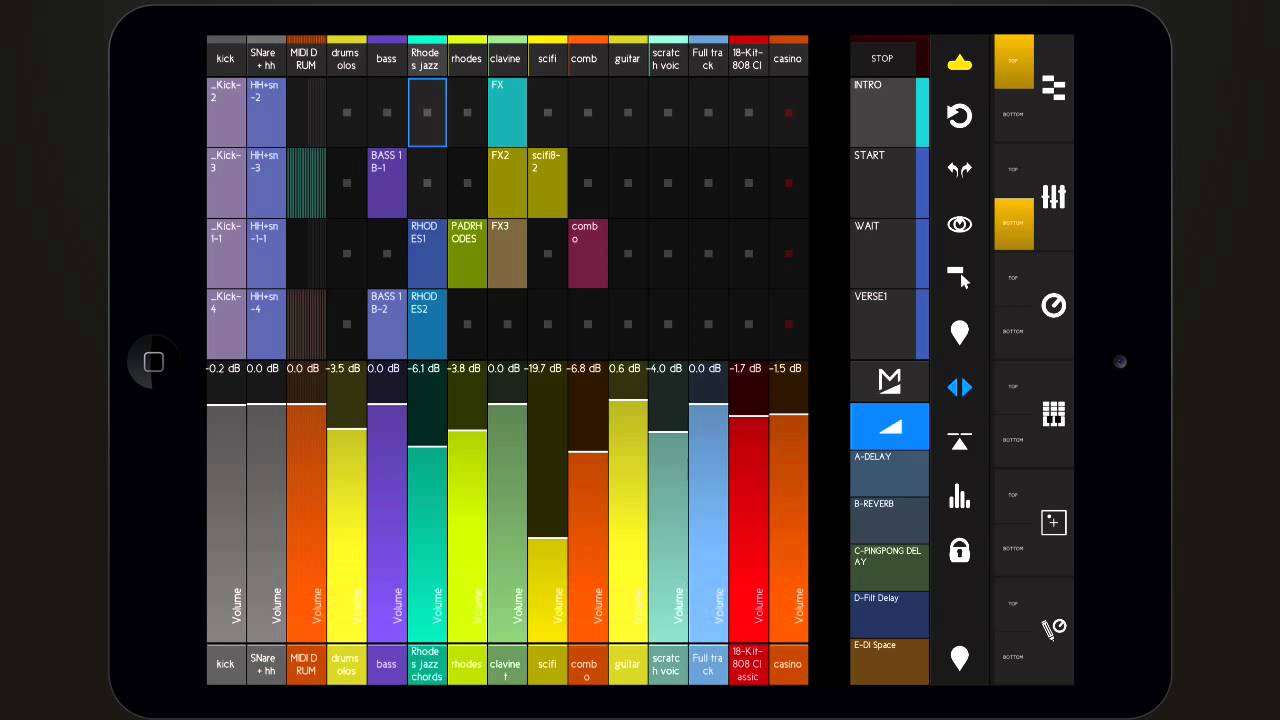
To enable control over several parts of Live at the same time, the Main View of touchAble is split into 2: Top & Bottom.
The Main Menu on the right allows you to show a combination of Modules in Top & Bottom view or a single Module in one full screen view.
To switch to another Module simply tap the Top or the Bottom button of the module you want to use, and the old module in that view will be exchanged with the new one.
To switch to the full screen mode of a given Module, tap on the big button to the right of the Top & Bottom buttons of the respective Module. The app will remember which of the Modules were selected before and will take you right back to them if you tap the full screen button again.
Use the icon located on top of each module side bar to show or hide the transport bar. The transport bar contains a number of controls and status displays for the currently active Live set.
Use the arrows icon to show or hide the main menu at anytime.
Повторяем попытку...
Доступные форматы для скачивания:
Скачать видео
-
Информация по загрузке: