Family Tree Maker 2017: People Workspace Part 2: The Person View Tab
Автор: Gone Researching
Загружено: 2019-03-17
Просмотров: 5481
Описание:
Gone Researching Tips, Tricks, and How-to
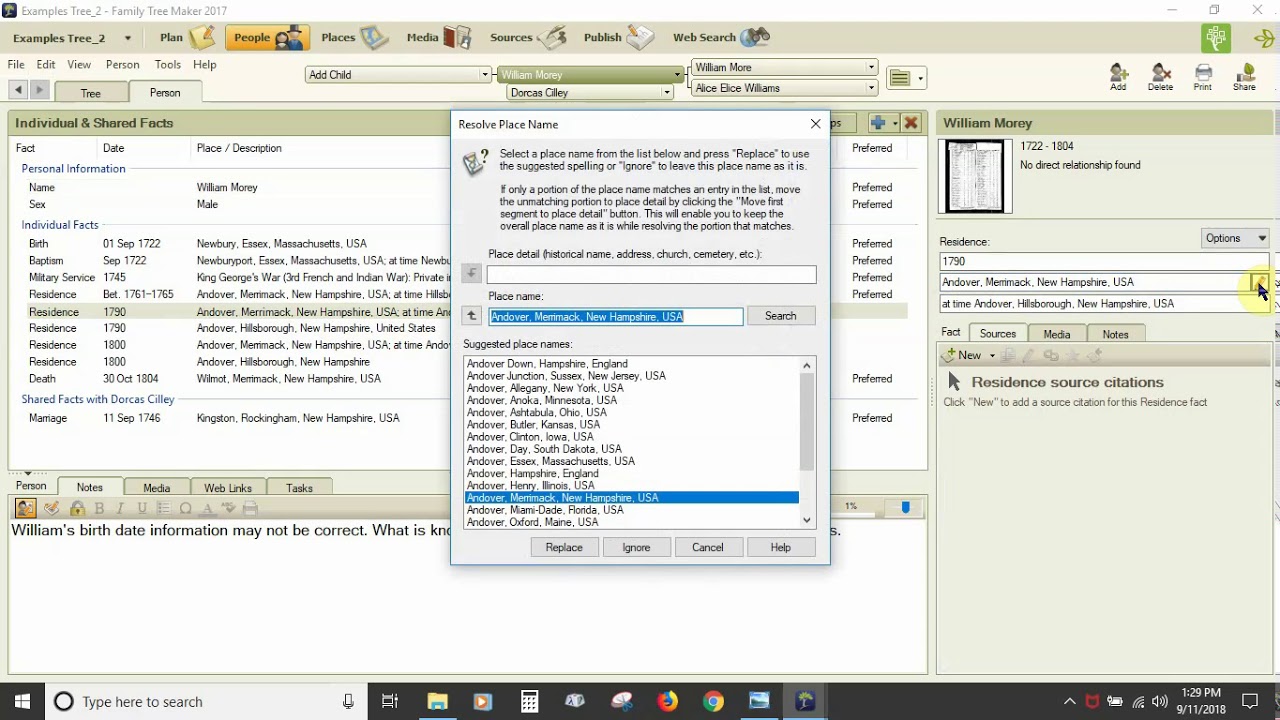
Family Tree Maker 2017: People Workspace Part 2: The Person View Tab. This video takes a look at the Family Tree Maker 2017 People Workspace's Person View Tab and specialized Person Menu in the menu toolbar so that users have a visual guide and overview of how the workspace is organized. See the prior video in the series People Workspace Part 1: The Tree View Tab for an overview of the People View Tab and People Toolbar.
The majority of the video also applies to Family Tree Maker 2019.
00.00.00 Intro
00.01.42 People Workspace
00.02.45 Person View Tab in the People Workspace
00.03.18 People Toolbar in Person View Tab
00.04.56 Individual & Shared Facts Panel [Data Panel] Facts & Timeline Tabs in the Person View Tab
00.09.23 Editing/Information Panel for Facts or Time Tabs of the Individual & Shared Facts Panel [Data Panel] in the Person View Tab
00.18.32 Individual & Shared Facts Panel [Data Panel] Relationships Tab in the Person View Tab
00.19.08 Editing/Information Panel for Relationships Tab of the Individual & Shared Facts Panel [Data Panel] in the Person View Tab
00.20.27 Person Panel [Data Panel] in the Person View Tab
00.24.08 Reminder: Panels are Resizable
00.25.20 Person Menu in the People Workspace
Повторяем попытку...
Доступные форматы для скачивания:
Скачать видео
-
Информация по загрузке:



![Organizing, Visualizing, [[Linking]] Family Ancestry In Obsidian](https://image.4k-video.ru/id-video/vCPaO0Wv8Lg)