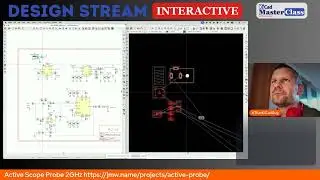
How to make a circuit in Kicad
Автор: sharetripllc
Загружено: 2025-06-17
Просмотров: 165
Описание:
This video provides a comprehensive tutorial on how to create a circuit and add components in KiCad. The presenter starts by explaining the two main parts of a component: a symbol and a footprint (2:01).
Key takeaways from the video:
Managing Libraries (2:48): KiCad comes with a wide variety of default libraries, but you can also create your own custom libraries when specific components are not available (3:15). The video demonstrates how to create a new global library (13:35-14:58).
Adding Components (2:29, 2:34): You learn how to add components to your schematic from existing libraries (26:46-27:15) and how to import and modify symbols from other libraries into your custom ones (15:56-16:52, 23:29-23:46).
Working with Footprints (31:01): The video explains the concept of footprints and their association with symbols (31:01-31:43). It guides you through creating a new footprint library (34:23-35:38) and saving modified footprints (36:48-37:13).
Updating and Troubleshooting (39:45): The tutorial covers how to update symbols from the library to reflect changes (39:45-40:20). It also addresses common issues such as unconnected pins due to grid misalignment when creating symbols (50:37-57:00).
Schematic to PCB Layout (48:58): The video shows the process of creating a new project from a template (43:38-44:37), wiring components in the schematic, and updating the PCB layout from the schematic (48:58-50:23).
Bill of Materials (BOM) (41:47): The importance of including manufacturer part numbers in the Bill of Materials for a functional design is highlighted (41:47-43:19).
Visualization (57:16): The video demonstrates how to customize the color of nets in the layout for better visual organization (57:16-57:59) and briefly shows the 3D viewer (59:52-1:00:00).
Повторяем попытку...

Доступные форматы для скачивания:
Скачать видео
-
Информация по загрузке: