Nail Salon POS HOW TO USE HOME
Автор: Nail Salon POS
Загружено: 2021-03-15
Просмотров: 911
Описание:
Main functions
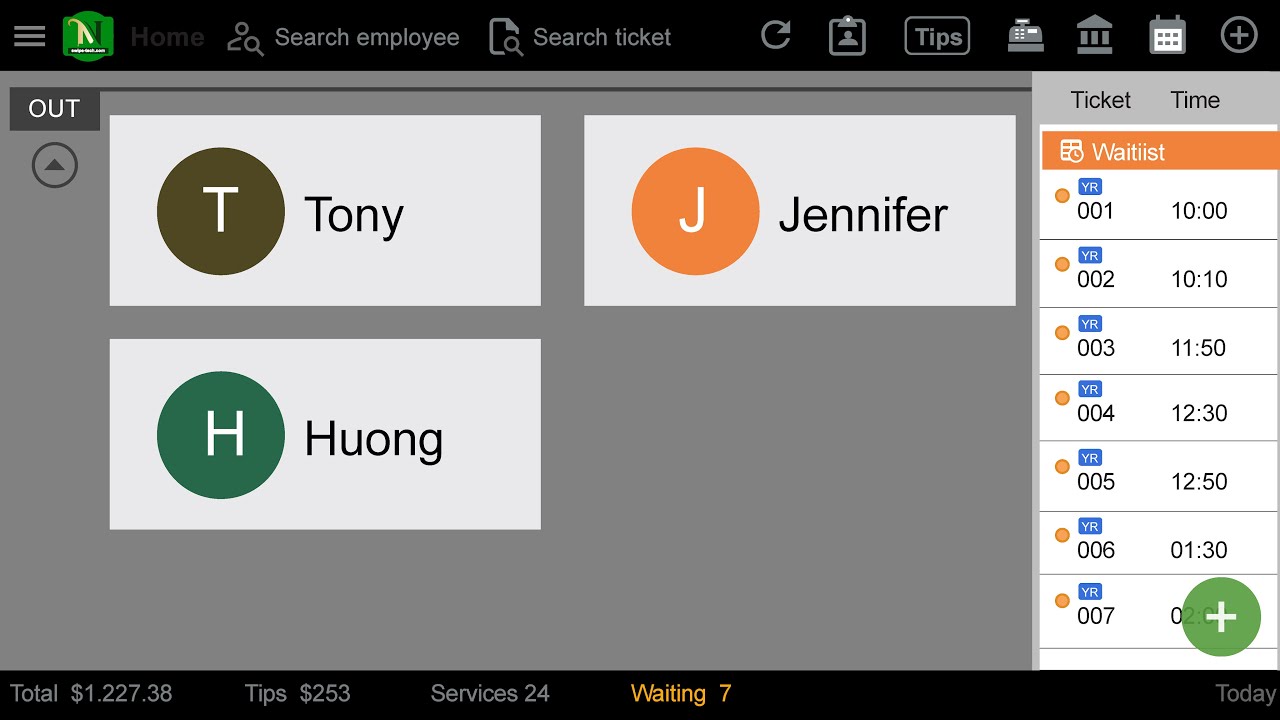
Home
1. Tap Home
2. Tap on Name of Employee
3. Pick Item
4. Add name of Employee (if needed)
5. Tap on these options:
5.1 Tap Save if you want to save for later then on Waitlist will be show all the tickets not pay yet
5.2 Tap Pay to get payment. You can choose the way to pay as Full amount, split amount, custom mount by cash, credit cards, Gift card ...
6. Tap Report to see reporting with password. There are 3 options: Daily Report, Employee Daily Report or Clover Report
7. Tap Tips with password, put tip to change as 3 ways depend on Employee, Items, Manual
8. Tap Cash Drawer to open Cash Box
9. Tap Bank icon to Close out
10. Tap Ticket in Waitlist to edit and pay. With Paid Ticket you will see detail information as transaction, add and split tip, print ticket…
Call support
470-437-2214 * 888.889.6609 or 470-343-5510
Повторяем попытку...
Доступные форматы для скачивания:
Скачать видео
-
Информация по загрузке: