How to Upload an EP or Album on Distrokid and Schedule it for Future Release
Автор: Jiggy Distro
Загружено: 2025-01-09
Просмотров: 246
Описание:
To upload an EP or album on DistroKid and schedule it for a future release, follow these steps:
Log into your DistroKid account: If you don't have one, you'll need to sign up and create an account.
Start the upload process: Click on the "Upload" button and select the type of release (EP or album).
Add your music files: Upload the audio files for your EP or album. Make sure you have all the necessary metadata, such as track titles, artist name, album title, and artwork1.
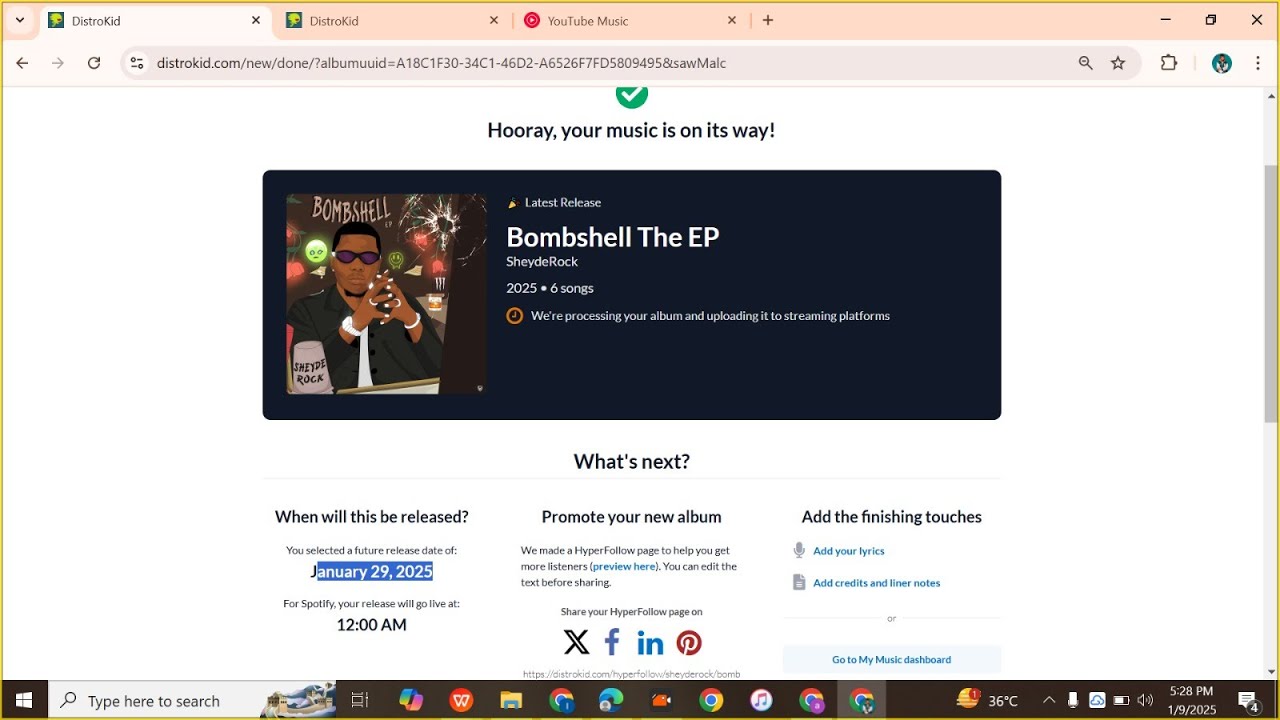
Set a future release date: If you have a Musician Plus or Ultimate plan, you can set a custom release date. Choose the date you want your music to go live2.
Choose streaming services: Select the streaming services where you want your music to be available.
Review and submit: Double-check all the information and submit your release.
Your music will be scheduled to go live on the date you specified. Make sure to plan ahead, as setting a release date too close to the current date might cause delays due to review queues on streaming services
#Distrokid
Повторяем попытку...
Доступные форматы для скачивания:
Скачать видео
-
Информация по загрузке: