NovaStar "How to Troubleshoot LED Screen Blackout & Flickering Issues | Full Guide to Fix Problems"
Автор: LEDSCREENPARTS
Загружено: 2022-04-26
Просмотров: 1792
Описание:
Comprehensive Guide to Troubleshooting LED Screen Blackout and Flickering Issues
In this detailed tutorial, we cover common troubleshooting techniques for resolving LED screen blackout and flickering issues. Whether you are facing full-screen blackouts, partial screen blackouts, or persistent flickering problems, this video will guide you step-by-step to identify the root cause and implement solutions effectively.
Key Topics Covered in This Video:
Understanding LED Screen Blackout Issues
Full Screen Blackout: A complete loss of display across the screen.
Partial Screen Blackout: When only a section of the screen goes black, which can involve cabinets, modules, or specific output ports.
Root Causes of Blackout:
Power issues (screen and sending card power)
Brightness value set to zero or in blackout mode
Faulty or disconnected Ethernet cables
Incorrect video input source selection
Network and video source connection issues
Receiving card firmware and configuration issues
Troubleshooting Steps:
Step 1: Check receiving card indicator status to understand the operational mode.
Step 2: Verify screen power and brightness settings.
Step 3: Inspect video cables and connectors for connectivity and compatibility.
Step 4: Ensure correct input source selection (HDMI, DVI, or SDI).
Step 5: Update or reload receiving card configuration files (RCFGX) or firmware if necessary.
Screen Flickering Issues
Fixed Flickering Position: When flickering occurs in a fixed position, this may point to problems with output ports, receiving cards, or specific cabinets.
Random Flickering: Unpredictable flickering that can be traced back to hardware or signal issues, including sending cards, video source, or cables.
Tools for Troubleshooting Flickering:
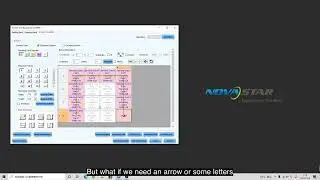
Screen Control Function: This tool is used to test the screen by sending patterns directly from the receiving card to diagnose hardware issues.
Test Tool: This allows you to send test patterns from the control PC to the LED screen to check pixel alignment and detect abnormal cabinets or modules.
Steps for Diagnosing Flickering:
Step 1: Use Screen Control to check if the issue persists when no external signal is used.
Step 2: If the issue is fixed, the problem lies with the receiving card or firmware.
Step 3: If the problem moves to a different output port after switching, check for issues with Ethernet cables or connections.
Step 4: Check the video source, cables, and sending cards for potential issues.
Step 5: Verify receiving card hardware and RCFGX files for discrepancies.
Advanced Troubleshooting Techniques:
Using the Screen Control Tool: This function allows the sending of test patterns directly from the receiving card to identify hardware issues. It helps determine whether the issue lies with the receiving card or the video source.
Using the Test Tool: By sending test patterns from the control PC, this tool helps identify specific problems with individual cabinets or modules, especially useful for pixel-level issues.
Blackout Issues can be caused by a range of factors including power, cable, or configuration issues. Proper troubleshooting requires a step-by-step approach, checking the screen power, video source, and hardware integrity.
Flickering Problems often require the use of diagnostic tools like Screen Control and Test Tool to accurately pinpoint whether the issue is with the hardware, cables, or video sources.
By following these troubleshooting steps, you'll be able to quickly diagnose and fix LED screen blackout and flickering issues with confidence.
Screen blackout, LED screen flickering, troubleshooting screen blackouts, screen control tool, test tool, LED screen power issues, receiving card troubleshooting, video input source issues, RCFGX files, firmware updates, LED screen diagnosis, NovaStar troubleshooting.
Contact us today for a quote or expert consultation:
🌐 Website: www.ledscreenparts.com
✉️ Email: [email protected]
📲 WhatsApp: +86 13316541431
In this video, learn how to quickly troubleshoot LED screen blackout and flickering issues. We cover full-screen and partial screen blackouts as well as screen flickering problems. Discover how to use diagnostic tools like Screen Control and Test Tool to identify issues with your receiving card, video source, and hardware. Follow our easy troubleshooting steps and fix your LED screen problems fast!
Повторяем попытку...

Доступные форматы для скачивания:
Скачать видео
-
Информация по загрузке: