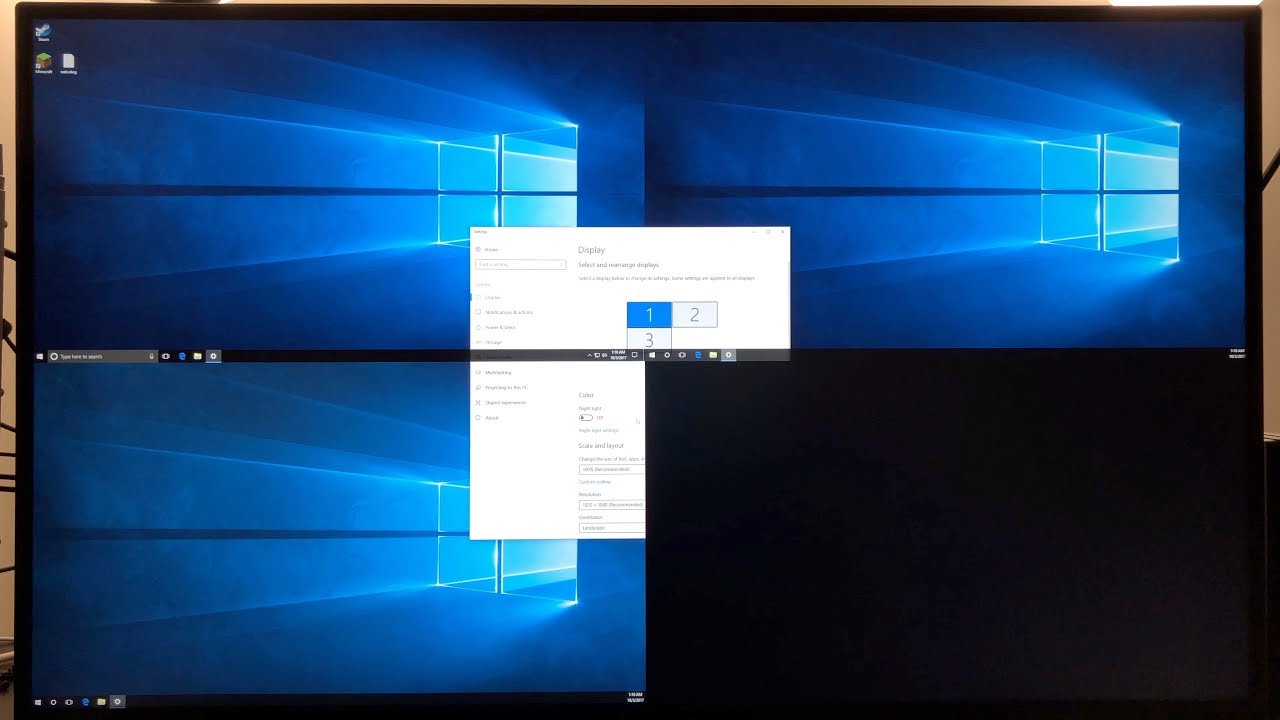
LG 43UD79-B 43" 4K monitor. Demo of one PC, hooked up with three cables.
Автор: James Beatty
Загружено: 2017-10-03
Просмотров: 19047
Описание:
Please note, the boundary between virtual monitors distorts a bit when moving windows across them. Look closely at my video and you'll see what I mean. I would advise heavily against such a setup for moving images, such as found in movies or games.
Anyways, for any odd computer where outputting four 1080p signals, and merging them into one 4K screen is required. The monitor will see each cable as a separate PC, and the PC will see each cable as going to four different monitors. I was unable to hook up four connections at once due to a lack of a DP-to-HDMI cable to utilize. As the graphics cards together only had a pair of HDMI connections, and the monitor only had one DisplayPort connection.
I strictly used the infrared remote control, as shown in my "Epic Review," and the monitor's built-in configuration software. Frankly, I've NEVER installed the monitor's app on any of my computers, as I prefer running very clean (junk-free) operating systems. So everything I've done in my 43UD79-B videos can be done with strictly the infrared remote control.
If you'd like to get rid of the top user interface bars, how (and if) that's doable depends on a lot of factors, depending on your OS and graphics card(s). Just use any online guide based on your OS and graphics card(s) setup, based on a four monitor setup and it should (probably) work.
Повторяем попытку...
Доступные форматы для скачивания:
Скачать видео
-
Информация по загрузке: