How to use the import wizard for item data uploads
Автор: Digit
Загружено: 2026-03-03
Просмотров: 12
Описание:
Ready to populate your Digit workspace in record time?
In this video, we dive deep into the Import Wizard, showing you how to move your entire item catalog and Bill of Materials (BOM) from a spreadsheet into the platform.
What You’ll Learn:
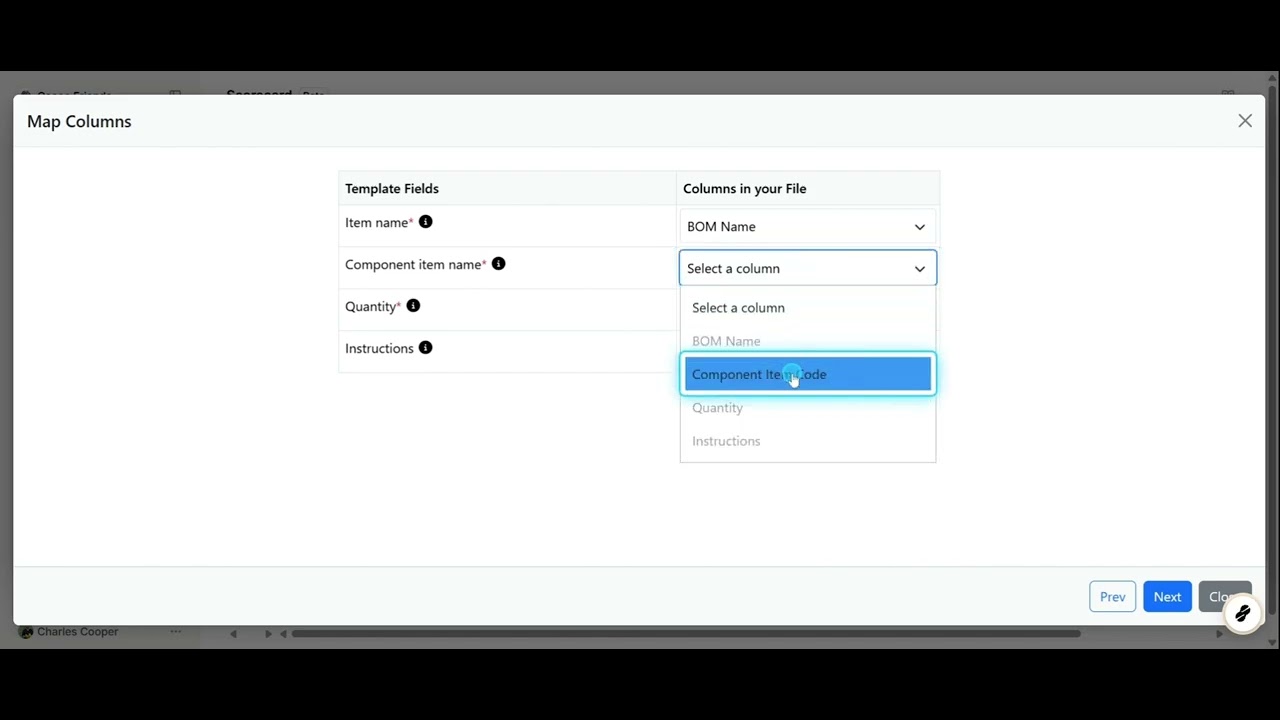
The Data Prep: How to use the Digit template or map your existing spreadsheet headers to Digit’s supported fields.
Mapping Required Fields: Understanding red asterisks and how to match your "Cost" column to Digit's "Standard Costing."
The Validation Engine: How to spot and solve errors highlighted in red before they ever touch your database.
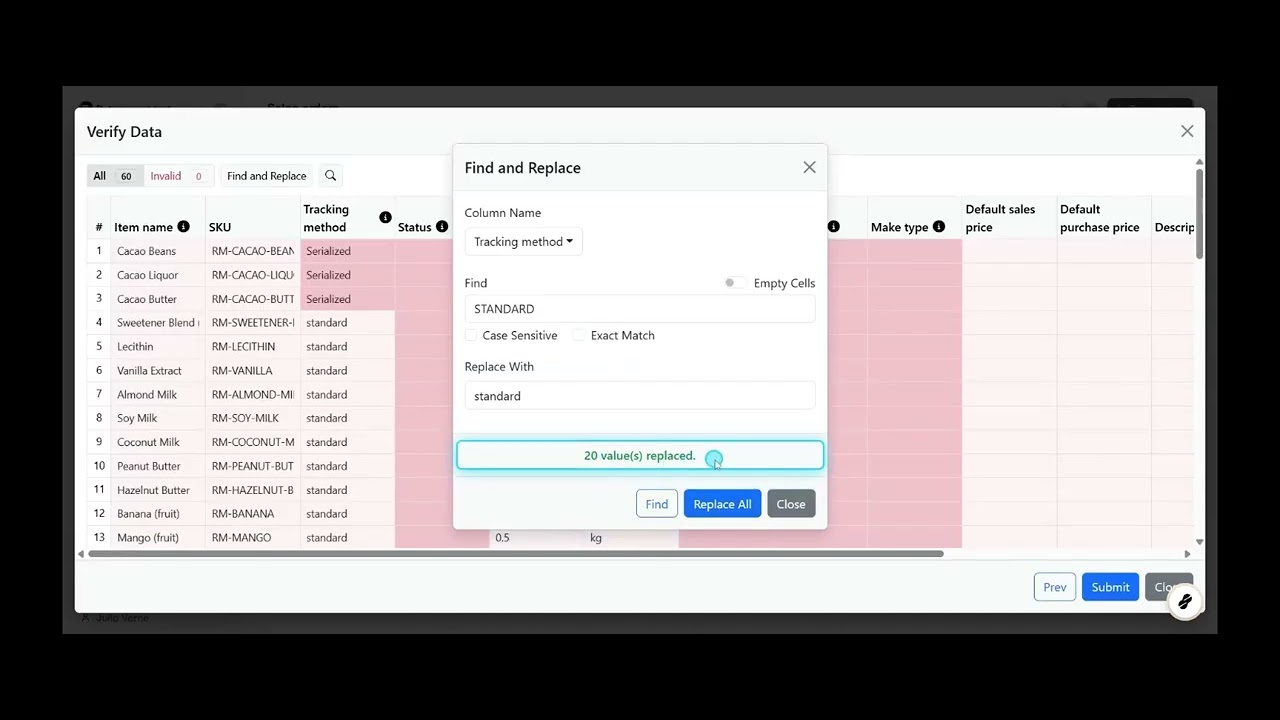
Advanced Bulk Editing: * Find & Replace: How to fix case-sensitivity issues (e.g., converting "TRACKING" to "tracking") across hundreds of rows.
Exact Match vs. Partial Match: Using the search tool to clean up specific data strings.
The Cell Helper: Selecting a single valid value and applying it to all similar cells in one click.
The Tooltip Guide: How to use built-in helpers to understand exactly what values Digit expects for each field.
Verification: Confirming your data has successfully populated on the Items page.
Video Highlights:
0:02 – Accessing Item & BOM fields
0:38 – Uploading and mapping your file
1:11 – Navigating the Validation step
1:43 – Pro Tip: Using Find & Replace for formatting
2:19 – Bulk updating via the Cell Helper
3:02 – Final submission and verification
👉 Try Digit for free: https://app.digit-software.com/sign-up
Повторяем попытку...
Доступные форматы для скачивания:
Скачать видео
-
Информация по загрузке: