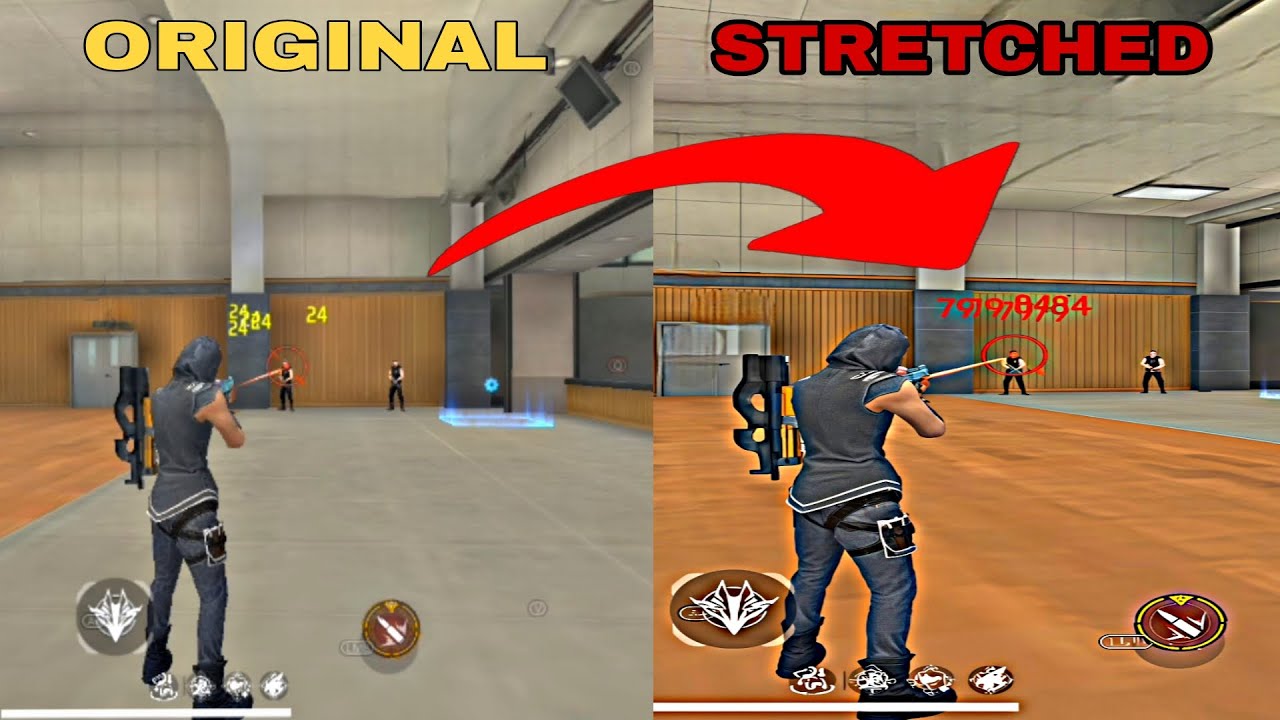
Get Stretch Resolution on BlissOS | Perfect DPI And Resolution For BlissOS
Автор: ROMx86
Загружено: 2025-09-20
Просмотров: 4064
Описание:
How to Set Custom Resolutions on Bliss OS | Set Any Resolution and DPI Easily with Single Click
📺STRETCHED & *HD+ RESOLUTION LISTS 🔥
768 x 768 / 900 x 768 / 800 x 768 / 800 x 800 / 960 x 768 / 1024 x 768
1080 x 1080 / 1280 x 1024 / 1440 x 1080 / 1600 x 1200 / 1680 x 1050
1920 x 1080 / 1920 x 1200 / 2560 x 1080 / 2560 x 1440
The resolution isnt limited to the above presets.
If the GPU & display monitor panel can handle. You can set literally any custom resolution from 0x0 up to 9999x9999.
You cant show more pixels than exist physically of the Monitor Panel native resolution but you can downscale/upscale resolutions.
While Gaming on BlissOS Keymapping plays a important role. Only Keymapping that Works Correctly on BlissOS is K2er.
As you all know K2er is a mobile app. So its keymapping controls are more optimzed for mobile screen resolutions not PC monitor standards.
If you run your games in mobile like resolutions on BlissOS that will help to control recoil & aiming is closer to a real phone making headshots easier.
Mobile-Like Resolution List For BlissOS 🔥
720 × 1600 / 1080 × 1920 / 1080 × 2160 / 1080 × 2280 / 1080 × 2340
1080 × 2400 / 1440 × 2560 / 1440 × 3200 / 1600 × 2560
Also,
If you want to change resolution & dpi on mobile too with single touch.
Install Pixels Resolution App
Then, Just Run this command from adb folder cmd ▶ adb shell pm grant com.tribalfs.pixels android.permission.WRITE_SECURE_SETTINGS
or Activate Shizuku, Open aShell/aShellYou App, Grant Shizuku Permission
Paste above command in aShell App Terminal DONE then
Run Pixels Resolution App on Mobile and change desired resolution.
Watch these videos to do it easily
• Mobile to PC Screen Mirroring | Play Games...
• Bliss OS Kernel Codes to Get High Performa...
You can also set resolution + refresh rate from grub kernel parameter.
You need to modify the kernel command line to include display resolution parameters.
video=WIDTHxHEIGHT or video=WIDTHxHEIGHT@Hz
drm_mode=WIDTHxHEIGHT@Hz (if kernel supports DRM mode forcing)
Example: video=1440x900@60 or drm_mode=1440x900@60
Also You can set from Grub2Win: gfxpayload=WIDTHxHEIGHT in the GRUB config.
Apps LINK ▶ https://sub4unlock.io/LS12Z
Password = romx86
📌 Stay Connected : Don't Forget to
👍 Like the video if you enjoyed it
💬 Comment your questions
🔔 Subscribe and hit the bell icon for more content
Join ▶ / discord
TAGS (ignore):
fhd+ resolution on bliss os
stretched resolution on bliss os
mobile view on bliss os
play ff on bliss os
best android os for free fire
best android os for low end pc gaming
best android os for playing andrioid games
HASHTAGS (ignore):
#stretched #resoluton #blissos #androidos #freefire #keymapping #androidos
Повторяем попытку...
Доступные форматы для скачивания:
Скачать видео
-
Информация по загрузке:


