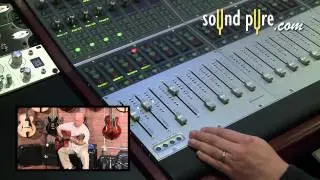
How to record and re-amp guitar with Apogee Ensemble
Автор: Apogee Electronics
Загружено: 2015-02-02
Просмотров: 12351
Описание:
Learn more about Apogee Ensemble: http://www.apogeedigital.com/products...
Apogee Ensemble has a lot of great innovative new features… one of those is the Guitar I/O section.
Directly connect your guitars and other instruments to Ensemble using the two front panel ¼” inputs.
The inputs’ Class A JFET circuits reproduce the feel and tone of a vintage tube amp for more realistic modeling.
Ensemble also features two Apogee outputs giving you many more options for capturing and shaping the sound of your guitar.
In this tutorial we are going to show you all the possibilities you have with Ensemble for recording guitar
Direct recording is of course the quickest and easiest.
Simply plug in… and load your favorite virtual amp in your recording software.
The great thing about this is that the signal you record is clean, so you are free to switch amps to better suit the song you are working on.
You can now also re-amp and record that same signal through your favorite amp.
In the Maestro output tab select “From Software” on the Guitar output you are using.
This sends the “direct” signal you already recorded out of Ensemble’s guitar output
You will also want to check “Unity Gain” this lowers the output the same amount you boosted on the guitar pre amp. So you will want to leave the pre amp set with the same gain setting you recorded the direct signal with. Now it is just like you plugged your guitar directly to your amp.
Connect Ensemble’s guitar output to the input of your amp.
Mic your amp and connect it to one of Ensemble’s eight mic pre amps.
In your recording software, assign the output of the track with the “Direct” guitar recording to Ensemble’s guitar output, which is output 11 or 12 depending on if you are using G1 or G2
Create a new audio track, and select the input that you connected your mic to.
Arm the track
Push play
You should now hear the direct recording go through your amp,
and if you listen with headphones to the signal coming through the Mic to Logic you can move the mic and tweak the sound to your liking.
Once you get the sound you want, start the track from the beginning and hit record.
You will now have your original direct recording along with the re-amped version.
You can also record a direct signal and your amp at the same time on two separate tracks.
Set up two tracks in your recording software
On the first track set the input to 11 which is G1 on Ensemble
On the Second track set the input to Input 1 which of course will be Ensemble’s first Mic Pre amp channel
In the Maestro output tab select “THRU”
This sends the guitar signal directly to the G1 Output allowing you to bypass the converter and go directly into your Guitar amp.
While at the same time sending the same signal through to the A to D converter as well
Connect your guitar to the G1 Input
Connect the G1 Output to your amp
Connect a mic to channel 1 of Ensemble and mic your Amp with it.
Arm both tracks and dial in your sound on both channels
Now just hit record and capture a direct “Dry” signal and your amp tone at the same time.
When finished recording you can change the virtual amp on the track with the “Direct/Dry” recording or even re-amp that sound through a different amp.
Повторяем попытку...

Доступные форматы для скачивания:
Скачать видео
-
Информация по загрузке: