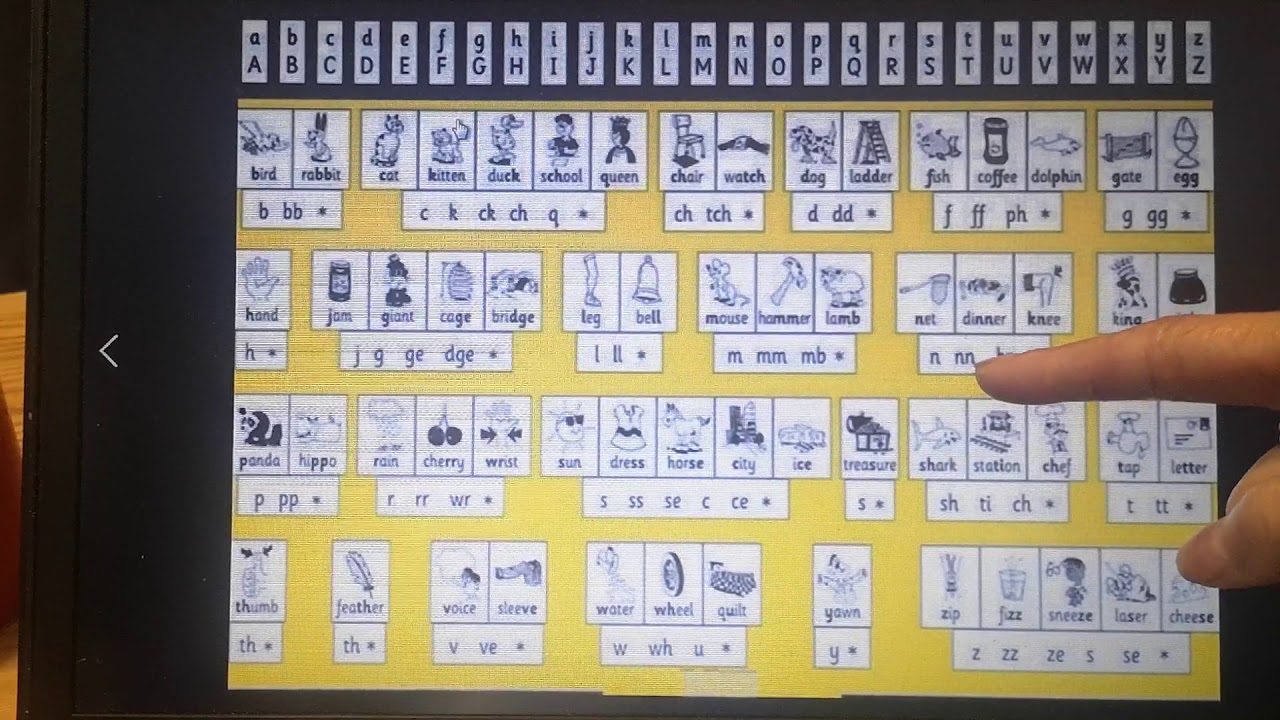
THRASS UK PHONICS 1004SIO User Guide 02 - Picturechart and AUTORUN
Автор: THRASSUK
Загружено: 2010-08-06
Просмотров: 6404
Описание:
THRASS UK is licensed to serve customers in Europe, Africa, the Middle East, South America, Central America and the United States of America. For courses and resources, visit http://www.thrass.com and click on a country to be directed to the correct website.
The aim of the SIO v1.4 Software User Guide (Ref. 100414 http://www.thrass.co.uk/vaug.htm ), dated 14 April 2010, is to provide a good introduction to the seven different, but related, applications in the latest version of the SOUND IT OUT software published by THRASS UK. The seven applications include the interactive Picturechart (iPC), Levels 1-5 and the interactive Word Bank (iWB).
There is a hidden AUTORUN menu accessed through the interactive Picturechart (iPC). The menu allows you to see and hear the keywords in an automatic slide show of the large picture screens.
To reveal the hidden AUTORUN menu, click the far left of any large picture screen in iPC. Click WORDS to see and hear the automatic slide show of the keywords. The sequence runs in keyword order (N). Click R for Reverse Order.
At any time during the programme, you can use the AUTORUN menu in iPC to sound out the keywords automatically. Click SOUNDS to hear the phonemes followed by the keyword. Click U (U-Turn) to go back to the Picturechart.
Повторяем попытку...

Доступные форматы для скачивания:
Скачать видео
-
Информация по загрузке:








![[4K FULL HD] Relaxing Water Background | 1 HOUR | Calm Water Wallpaper (No Sound)](https://imager.clipsaver.ru/y9PTNTSpGJs/max.jpg)



