Chrome "Aw, Snap!" - The Error Code Tells You Exactly What Broke
Автор: Ctrl+Alt+Fixed
Загружено: 2026-08-01
Просмотров: 76
Описание:
Chrome shows a sad face and "Aw, Snap! Something went wrong while displaying this webpage", usually
with an error code underneath. Most guides tell you to clear your cache and reinstall Chrome. That is
guessing. The code under the message is a diagnosis, and Chrome has three built-in tools that narrow
it down in about a minute.
WHAT THE CODES MEAN
STATUS_ACCESS_VIOLATION - the tab tried to touch memory it was not allowed to. On Windows this is most
often other software injecting itself into Chrome: some antivirus products, some screen overlays and
recording tools.
Out of memory, or Error code 5 - that tab genuinely ran out of room. Usually one heavy page, not your
whole PC.
STATUS_INVALID_IMAGE_HASH - Chrome refused to load a DLL something tried to inject. Almost always
security software.
Different codes, different causes. Treating them all the same is why the usual advice misses.
TOOL 1 - CHROME'S OWN TASK MANAGER (Shift+Esc)
This is the one almost nobody knows about. It lists every tab and extension separately with its memory
footprint, CPU and process ID, so instead of guessing which page is the problem you can read it off
the screen. If one tab is using several times what the others use, you have found it. You can end that
one tab without touching the rest of the browser.
TOOL 2 - chrome://crashes
Chrome keeps its own crash list. Worth knowing before you look: if it says you have no recent crashes,
that often means crash reporting is switched off, not that nothing crashed. The page says so in small
print and people miss it.
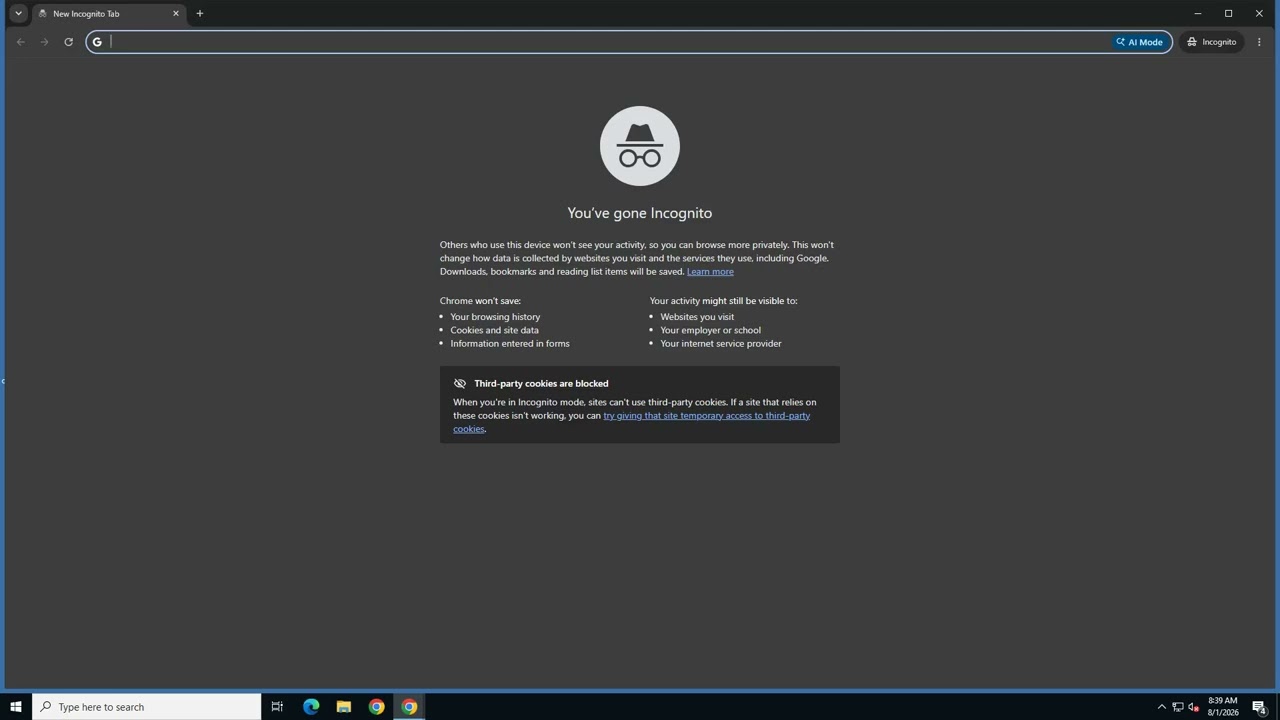
TOOL 3 - INCOGNITO
Incognito starts with your extensions disabled. If the page that keeps crashing behaves in an incognito
window, an extension is involved and you can re-enable them one at a time to find it. If it still
crashes there, extensions are not your problem and you have ruled out a whole category in ten seconds.
WHAT TO DO ABOUT EACH
Out of memory - close the heavy tab, or restart the browser. Chrome's Memory Saver helps if you keep
many tabs open.
Access violation on many pages - suspect software that hooks into Chrome. Update it first. Turning
security software off entirely is not the fix and not a good trade.
Only one site crashes - it is that site, not you.
Every page crashes even in a fresh profile - that points at the installation or the graphics driver,
and that is the moment reinstalling is actually reasonable.
HOW THIS WAS FILMED
The crash in this video is real, and I caused it deliberately with chrome://crash - a debug address
built into Chrome that the developers use to test exactly this path. It kills the current tab and
nothing else. Nothing was damaged and no data was lost, which is why I could film a genuine crash page
with a genuine error code instead of a mock-up. You can try it yourself.
One small warning if you do: typing chrome://crash into the address bar will autocomplete to
chrome://crashes, which is a completely different page. Press Delete before Enter.
Filmed on Windows with Chrome 150.0.7871.187.
CHAPTERS
0:00 The code under the message
0:40 Only one tab died
1:14 STATUS_ACCESS_VIOLATION
1:32 Out of memory / error code 5
1:46 STATUS_INVALID_IMAGE_HASH
2:06 Tool 1: Chrome's Task Manager
2:49 Tool 2: chrome://crashes
2:57 Why that page looks empty
3:14 Tool 3: incognito
3:45 Fixing the memory case
4:18 What NOT to do
4:56 Is it Chrome or the machine?
5:19 When Chrome won't even open
5:58 How I caused the crash
6:40 What this is NOT
7:32 Recap
SOURCES
Chrome Help - what to do when a page crashes:
https://support.google.com/chrome/ans...
Chromium docs on renderer crash codes:
https://www.chromium.org/for-testers/
Narration is a synthetic voice. No person is depicted, impersonated or recreated, and no footage is
generated or altered.
Повторяем попытку...
Доступные форматы для скачивания:
Скачать видео
-
Информация по загрузке: