HOW TO CHANGE THE SAMSUNG MICROWAVE CLOCK FROM 12 hours to 24 hours and vice versa
Автор: skopioeye
Загружено: 2023-01-30
Просмотров: 16524
Описание:
In this video, I will show you how to change the Samsung microwave clock from 12 hours to 24 hours and 24 hours to 12 hours.
In summary, the steps are:
Make sure the microwave is turned on
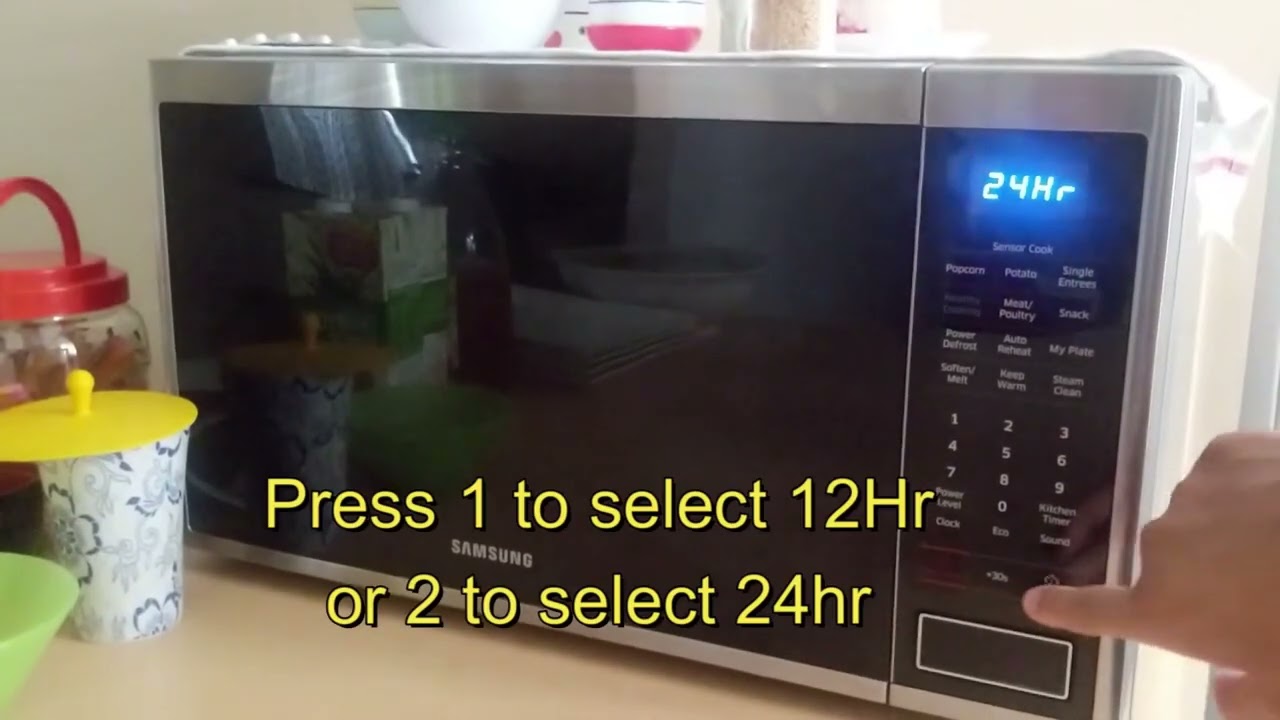
Press the CLOCK and 0 buttons at the same time for 1 second
it will display 12 hr or 24 hr if that's the one you want to select press the START button to confirm
you can also press 1 for 12hr or 2 for 24 hr
LINKS:
Video captured and edited using Wondershare Filmora 12 - https://bit.ly/37XPF22
Voiceover Microphone - https://amzn.to/3FXtqrC
Samsung Microwave - https://ebay.us/S4khEL
OUTLINE:
00:00 - Intro
00:12 - Press Clock + 0
00:20 - Press 1 to select 12 Hr or 2 to select 24 Hr
00:25 - Press Start to confirm selection
If this video helped, give it a like, subscribe to the channel, click the THANKS button and feel free to donate to help me create more useful content https://bit.ly/37C0uF2
Affiliate compensated
#howto #samsung #microwave
Повторяем попытку...
Доступные форматы для скачивания:
Скачать видео
-
Информация по загрузке: