Using LaserWeb with the LaserPecker L1/L1Pro
Автор: David Harpe
Загружено: 2021-01-31
Просмотров: 6200
Описание:
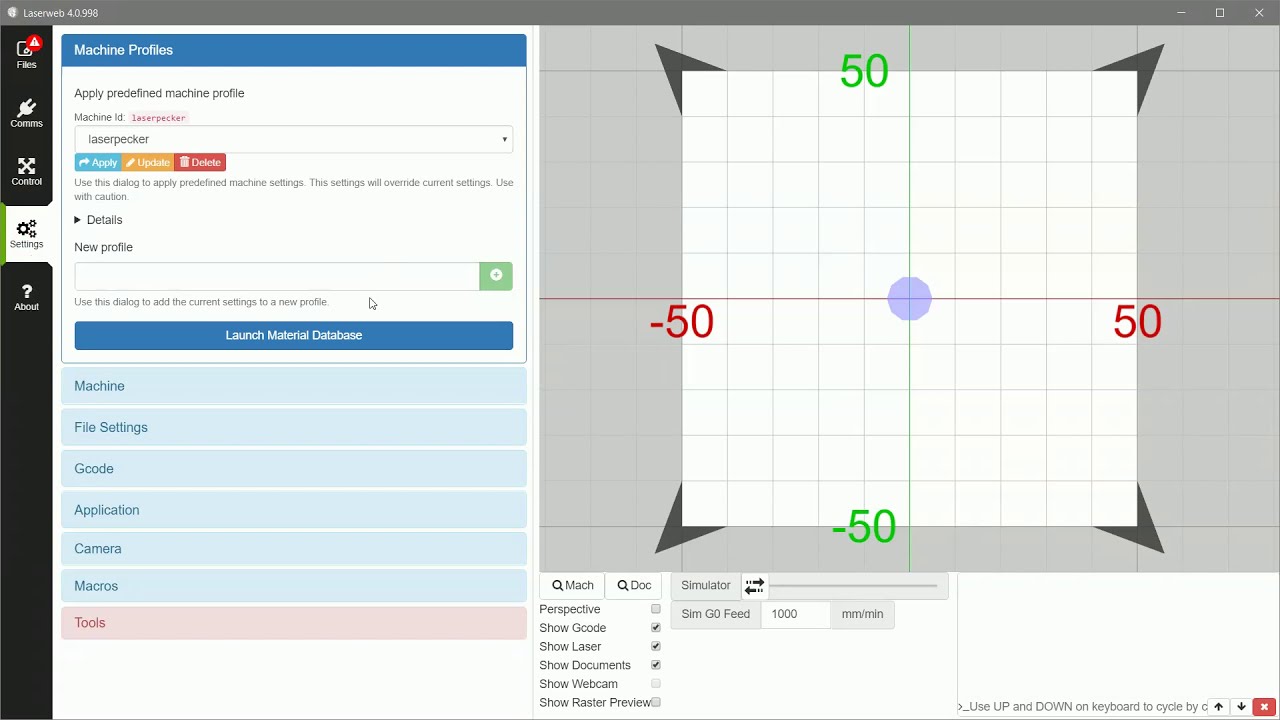
This is a demo which shows you how to set up the free LaserWeb software (https://github.com/LaserWeb/LaserWeb4...) for use with the LaserPecker L1/L1Pro engravers.
This demo walks you through setting up LaserWeb, creating a gcode file, using dropbox to transfer it to your iphone, then transfer it from dropbox to the correct folder on your iphone so you can load it in the LaserPecker App.
Here's an index:
00:00 Configure Laserweb with the following setup:
Settings----Machine:
Dimensions 100x100
Origin Offsets (important!) X: -50, Y: -50
Tool head: 0.15 (if L1Pro, 0.3 otherwise)
Settings----GCODE :
GCODE Generator: Marlin
GCODE START:
M05 S0
G90
G21
G1 F2000
G4 P0
GCODE END:
M05 S0
G1 F2000
G1 X0 Y0
TOOL ON:
G4 P0
M03
TOOL OFF:
G4 P0
M05 S0
G1 F2000
LASER INTENSITY: S
(save the profile)
05:37 Load a document into LaserWeb, set parameters, save gcode file
12:12 Open up the gcode file in notepad. Replace G0 with G1 (IMPORTANT!)
13:00 Upload gcode file to dropbox for transfer to your iphone
13:56 Download file from dropbox, save in the correct folder on your iphone to have it show up in the LaserPecker Application
15:00 Load the gcode file into LaserPecker and etch!
I hope this helps!
Dave
Повторяем попытку...
Доступные форматы для скачивания:
Скачать видео
-
Информация по загрузке:


