Using Equatio Inside Your D2L LMS Course
Автор: Everway
Загружено: 2024-09-13
Просмотров: 168
Описание:
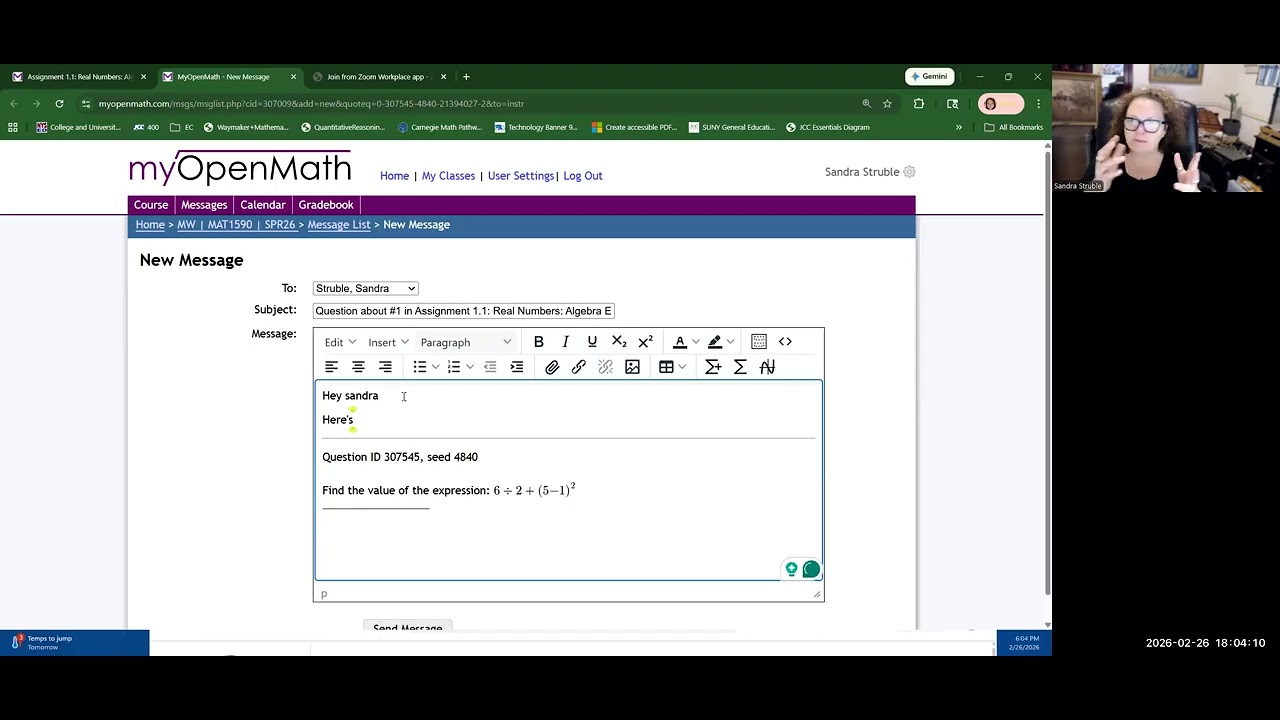
Making Math & Science content inside your D2L course has never been easier. As a content creator, simply select the Equatio Chrome Extension in the upper right corner of your browser and you will receive the full Equatio toolbar experience where all the Equatio input methods are available to you in D2L. When you are finished making your math inside the extension, select the ‘Insert Math’ button and the content you created will insert right into the box in D2L. In instances where there are multiple places where math can be inserted, it is always a best practice to click in the box ‘first’ to direct Equatio where to insert your created content before pressing ‘Insert Math.’
Think of all the places the Brightspace Editor is available in D2L: from Discussions, Assignments, Quizzes, HTML Documents, Surveys, & more. Equatio is widely considered to be the top digital and accessible math content creator on the market today and now you can utilize this Universal Design for Learning tool right inside your LMS. Equatio’s top features include: ‘Prediction’ from within the Equation Editor, the Desmos Graphing Calculator, Handwriting Recognition, Speech to Math, a Whiteboard tool, the Screenshot Reader and more.
If your job is to solve problems in D2L, than we can assist there as well. Use the Screenshot Reader to scan the math problem. Click and drag to pull a box around the problem you wish to solve. Equatio will audibly play your math. Select ‘More Options,’ and then ‘Edit With Equatio.’ The problem will will then appear in your editor. Show your work using multiple lines, until a solution is reached. Then Insert the Math back in to the appropriate box.
We can help you make Math and STEM content just about anywhere now inside of D2L with the simple click of a button.
Повторяем попытку...

Доступные форматы для скачивания:
Скачать видео
-
Информация по загрузке:



![Best of Deep House [2026] | Melodic House & Progressive Flow](https://imager.clipsaver.ru/Il-ZpBuC8tA/max.jpg)