Sketchup | Toposurface
Автор: DesignTech Academy
Загружено: 2024-11-10
Просмотров: 26
Описание:
In this tutorial,
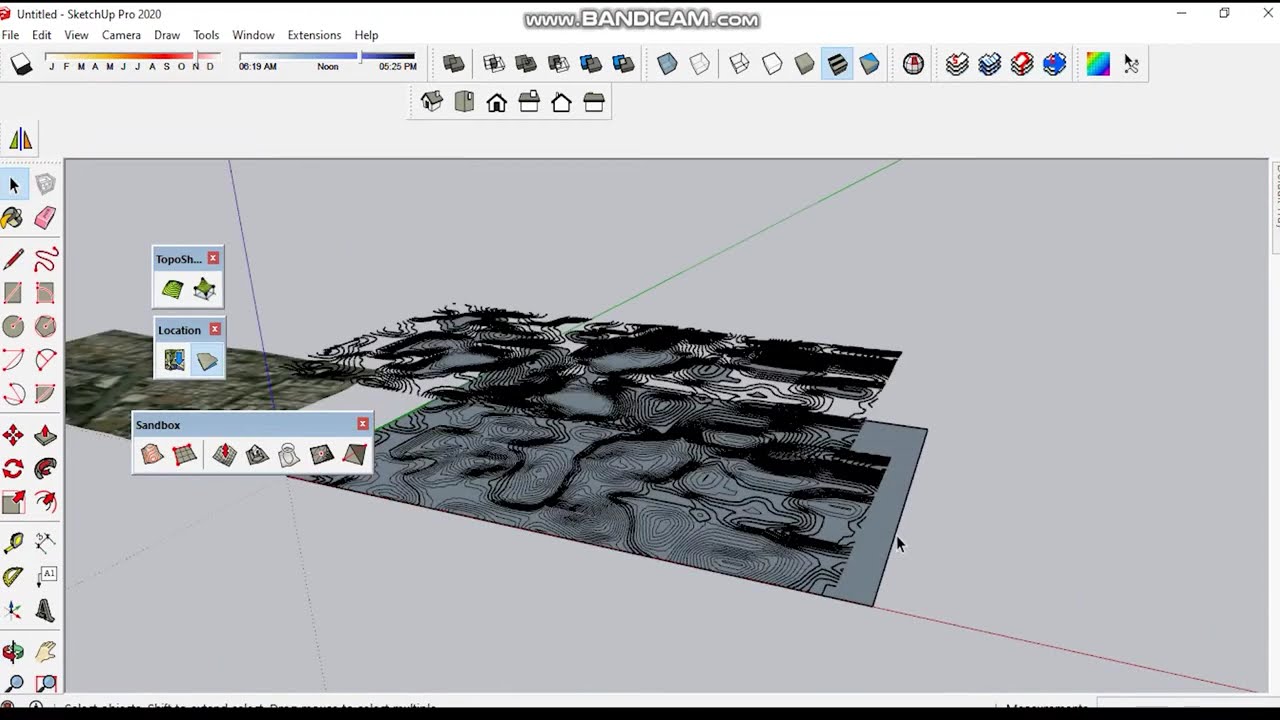
In this SketchUp tutorial, we’ll explore how to create and modify a Toposurface to represent terrain, landscapes, and site modeling. Whether you're designing a site plan, landscape, or building project that requires a realistic ground surface, SketchUp’s TopoSurface tool can help you easily shape and manipulate the terrain to fit your design needs.
What You’ll Learn:
What is a Toposurface in SketchUp?: Understand the importance of a Toposurface for modeling terrain, slopes, and natural features in your projects.
Creating a Basic Toposurface: Learn how to generate a topographic surface from a set of points or from contours to represent natural landforms.
Editing the Toposurface: Step-by-step guide on how to edit and adjust your Toposurface using vertex manipulation, contour lines, and elevation tools.
Importing Elevation Data: How to import elevation data (such as DEM files) or use existing reference materials (like topographic maps) to generate a more accurate Toposurface in SketchUp.
Using Sandbox Tools: Explore SketchUp’s Sandbox Tools to manipulate your topography and terrain, including tools for smoothing, stretching, and pushing/pulling surfaces.
Best Practices for Working with Toposurfaces: Tips for optimizing your Toposurface modeling, maintaining accuracy, and organizing your terrain for easy use in larger projects.
This tutorial is ideal for SketchUp users, architects, landscape designers, BIM professionals, and anyone involved in site planning and topographic modeling.
Welcome to DesignTech Academy, your go-to channel for expert tutorials and training on interior design software and 3D modeling tools. Whether you're a beginner or a seasoned designer, we offer step-by-step guides to help you master software like AutoCAD, SketchUp, 3ds Max, Revit, V-Ray, Lumion, Enscape, Corona Render, and many more. 🚀
🔔 Don’t Forget to Subscribe!
If you want to stay updated with weekly tutorials on interior design software and 3D visualization, make sure to hit the subscribe button and click the bell icon to never miss an update.
👉 Subscribe here: [https://shorturl.at/FWVaz]
Stay Connected with Us!
Follow us on Instagram: [@DesignTechAcademy]
Watch More:
AutoCAD: [http://surl.li/vdrgtq]
SketchUp : [http://surl.li/dulhkw]
3Ds MAX : [http://surl.li/ezuuof]
3Ds MAX V-Ray : [http://surl.li/biizdf]
3Ds MAX Corona: [https://shorturl.at/EYmn0]
SketchUP: [http://surl.li/odjtal]
SketchUP V-Ray : [http://surl.li/ermcie]
SketchUP Enscape:[https://shorturl.at/MRr6n]
Revit Architecture: [Link to Revit playlist]
Lumion: [https://shorturl.at/q5wBp]
Twnimotion: [https://shorturl.at/zBvre]
#SketchUp
#SketchUpTutorial
#Toposurface
#TerrainModeling
#SiteModeling
#BIM
#LandscapeDesign
#Topography
#SketchUpForBeginners
#SketchUpTips
#SandboxTools
#3DModeling
#SketchUpBestPractices
#RevitForSketchUp
#ArchitecturalDesign
Повторяем попытку...
Доступные форматы для скачивания:
Скачать видео
-
Информация по загрузке:

![🔴 EXPRESS BIEDRZYCKIEJ | MAREK BOROWSKI, DR MAŁGORZATA BONIKOWSKA [NA ŻYWO]](https://image.4k-video.ru/id-video/m1kIolgdDbI)