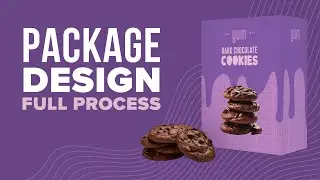
CorelDRAW Package Design: Master Perspective & PowerClip
Автор: CorelDraw Tips
Загружено: 2021-01-27
Просмотров: 8481
Описание:
🚀 Support the Channel! 🚀 If you’re planning to upgrade or buy CorelDRAW, please consider using my official affiliate link below.
It costs you nothing extra, but it helps me keep creating free tutorials for you! 🎨🖌️
👉 Get CorelDRAW Here: https://corel.sjv.io/c/6797136/222881...
Thank you for being part of this community! 🙌✨
Ready to create stunning package mockups that give your clients (or yourself) a clear view of the final product?
In this professional CorelDRAW tutorial, we show you exactly how to transform 2D graphics into realistic, three-dimensional package designs. Whether you're designing for printing, digital mockups, or signage, mastering perspective and precision tools is essential for a high-quality finish.
This video focuses on key techniques to elevate your graphics design skills:
*Mastering Perspective:* Learn how to apply realistic perspective to flat graphics, making your package design appear true to life.
*PowerClip Mastery:* Utilize the PowerClip tool for precise placement and manipulation of designs within complex packaging templates.
*Color Matching with the Eye Dropper:* Discover how to use the Eye Dropper tool to ensure accurate color selection for professional printing results.
This comprehensive guide takes you through the entire process of applying graphics to a package template, providing valuable tips for any designer working with CorelDRAW for commercial projects.
*Want to learn more?*
For more free CorelDRAW tutorials and advanced design tips, visit our website!
[Link: https://coreldrawtips.com]
If you enjoyed this tutorial, hit the subscribe button and turn on notifications so you don't miss our latest graphics and design content. Leave a comment below if you have any questions or requests for future videos!
Повторяем попытку...

Доступные форматы для скачивания:
Скачать видео
-
Информация по загрузке: