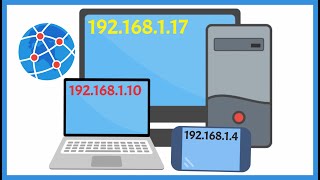
How to Assign IP Address in Windows CMD & Settings Method 💻
Автор: CoreSah Networks
Загружено: 2025-11-10
Просмотров: 447
Описание:
In this video, I’ll show you two easy methods to assign or change your IP address in Windows — using CMD and Network Settings. Perfect for fixing connection issues, setting up networks, or learning the basics of IP configuration.
3️⃣ Step Summary (Quick)
✅ Open Command Prompt as Admin
✅ Type ipconfig to view current IP
✅ Use netsh interface ip set address name="Ethernet" static [IP] [MASK] [GATEWAY]
✅ Or go to Network Settings → Adapter → Properties → IPv4
4️⃣ Call to Action
👍 Like, 🔔 Subscribe, and 💬 comment if you want more networking tricks!
5️⃣ Social/CTA Line
Follow for more Windows & Networking tips every day 💡
#WindowsTips #Networking #CMD #IPAddress #TechShorts #NetworkSetup #ComputerBasics #Windows10 #Windows11 #ITtraining #Shorts |#coresahnetworks
Повторяем попытку...

Доступные форматы для скачивания:
Скачать видео
-
Информация по загрузке: