Installation of EDS File in EcoStruxure Hybrid DCS Via Extensions | Schneider Electric Support
Автор: Schneider Electric
Загружено: 2019-11-13
Просмотров: 1910
Описание:
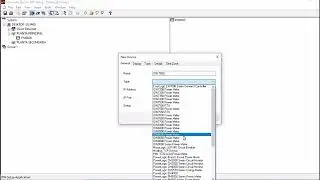
Schneider Electric presents How to Video for how to use the Extensions section of the System Server Configuration Wizard to install and remove the Electronic Data Sheet (EDS) files in the Control Participant. ►Learn More: https://www.schneider-electric.com/en...
Once installed, you can use these extensions to configure topological entities in the Topology Explorer. The software provides silent and manual installation modes. For the installation of EDS files (manual mode only), installation files are provided to facilitate the installation.You can install extensions only in the VM of the system server. Each time you make a change in the Virtual Machine or Extensions sections of the system server configuration wizard and you start the system server, the extensions that appear in the Extensions section are reinstalled.
The software transfers or installs automatically to clients that use a VM the extensions that are installed in the VM of the system server. If the installation of an extension does not complete successfully or if you cancel it, the VM does not start.
►Click here to subscribe to Schneider Electric: http://www.youtube.com/subscription_c...
Connect with Schneider Electric:
►Global Website: http://spr.ly/SchneiderElectric
►Discover our Services: http://spr.ly/SE-Services
►Visit our Blog: http://spr.ly/SE-Blog
►Job Opportunities: http://spr.ly/SE-Careers
►LinkedIn: / schneider-electric
►Facebook: / schneiderelectric
►Twitter: / schneiderelec
►Instagram: / schneiderelectric
Повторяем попытку...

Доступные форматы для скачивания:
Скачать видео
-
Информация по загрузке: