Give me 6.25 Minutes and I'll improve your Urban Diagram by 180%
Автор: Studio TakeShape
Загружено: 2026-01-07
Просмотров: 182
Описание:
Most urban analysis presentations look bad — not because the thinking is weak, but because the visual language is unclear.
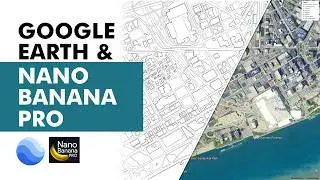
In this video, I break down a practical, presentation-ready workflow using Photoshop + Google Earth to create clear, layered urban plans that architecture students can actually use for:
Urban study sheets
Site analysis diagrams
Context mapping
Before–after comparisons
Competition & portfolio presentations
This is not theory.
This is about visual clarity, hierarchy, and communication.
What you’ll learn in this video:
How to extract usable base maps from Google Earth
Cleaning satellite imagery for presentation use
Creating readable road networks, blocks, and zones
Highlighting buildings, movement, and influence radii
Color-coding logic that doesn’t look childish
Turning messy data into a sharp urban plan graphic
Everything shown here is architecture-studio tested — the kind of workflow that actually survives juries and reviews.
Who this video is for:
Architecture students (urban design, thesis, competitions)
Anyone struggling to present site analysis clearly
Designers who want their drawings to look intentional, not accidental
If your urban sheets currently look overcrowded, flat, or confusing — this video fixes that.
Tools used:
Adobe Photoshop
Google Earth
R.E.N.D.E.R _S.E.R.I.E.S
Day 1 - / dnj-1l6zcj3
Day 2 - / dnrtqlitkog
Day 3 - / dnzbpsctzfj
Day 4 - / dnhkamtzrky
Day 5 - / dnjuy-bzzvb
Day 6 - / dnrdnx4znpw
Day 7 - / dny-ooqzmfi
Day 8 - / dn26kvd5mnp
Day 9 - / dom7mnlektz
Day 11 - / doe9glgkuyq
Day 13 - / dow-dz2ks90
Day 15 - / dpp4rqoe937
Result: https://www.behance.net/takeshape
Повторяем попытку...

Доступные форматы для скачивания:
Скачать видео
-
Информация по загрузке:


![Мы получили 2,5 млн рублей чтобы сделать экзоскелет, и это наконец закончилось [2/2]](https://image.4k-video.ru/id-video/X3uZq2joiW8)


![Генеральный план Google Earth в Photoshop [Самый быстрый способ]](https://image.4k-video.ru/id-video/vYd9OhHCDuM)




