Unboxing Brother TD2130N Printer
Автор: Brother Workshops
Загружено: 2021-02-26
Просмотров: 2276
Описание:
One of Brother's unsung heroes is the TD2130N. It is classified as a desktop printer but it is not only spacious for loading large paper roll, it is also small enough to be moved around your work environment. Hospitals and many healthcare organizations are using this printer to print medicine labels, and patients' wristbands.
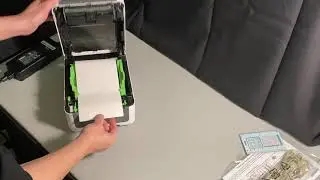
In this 5-minute short video, you can see how easily to 1) unbox, 2) connect to power, 3) load a large roll of paper, and 4) print the printer setup sheet. I also put alone side the TD2130NHC model with battery attachment, WiFi module, and an LCD screen.
Although it prints only 1" to 2" label and paper rolls, the TD2130N model supports 300dpi resolution. The TD2120N model look exactly the same as this model except it prints at 203dpi. The myth about the 203dpi is that it is the minimum requirement to print barcodes that can be scanned easily.
You can add 1) a battery to make it mobile, 2) a WiFi module or a bluetooth module to support mobile printing, 3) a label peeler, 4) an automatic cutter, and 5) a LCD screen. I personally think that just having either a WiFi or a bluetooth module will be sufficient if you wish to print anything directly from your iOS or Android devices.
Do you know that their 2"x1" label roll contains 2,650 labels? Their continuous paper as shown in the video is 500 ft. long. Let's say you run a small retail business, you can print 1,500 receipts without changing the paper.
The N in TD2130N stands for network version. This means that you can plug the printer to your Ethernet network and everyone can share the printer. If you see a model TD2130NW, that means it also supports WiFi, which optionally can be upgraded later.
The user's guide can be found here. https://download.brother.com/welcome/...
Повторяем попытку...

Доступные форматы для скачивания:
Скачать видео
-
Информация по загрузке:




![TOP 5 Best Thermal Label Printer [ 2025 Buyer's Guide ]](https://image.4k-video.ru/id-video/bLux92BhxQ8)


