PPP Loan Application - Step 1: Registration
Автор: Liberty SBF
Загружено: 2021-03-02
Просмотров: 6958
Описание:
Applying for a PPP Loan application with Liberty SBF Step 1: Registration
Applicant enters following fields and clicks “Start Your Application”:
1. Email Address
2. Primary Contact: First Name
3. Primary Contact: Last Name
4. Primary Contact: Phone Number
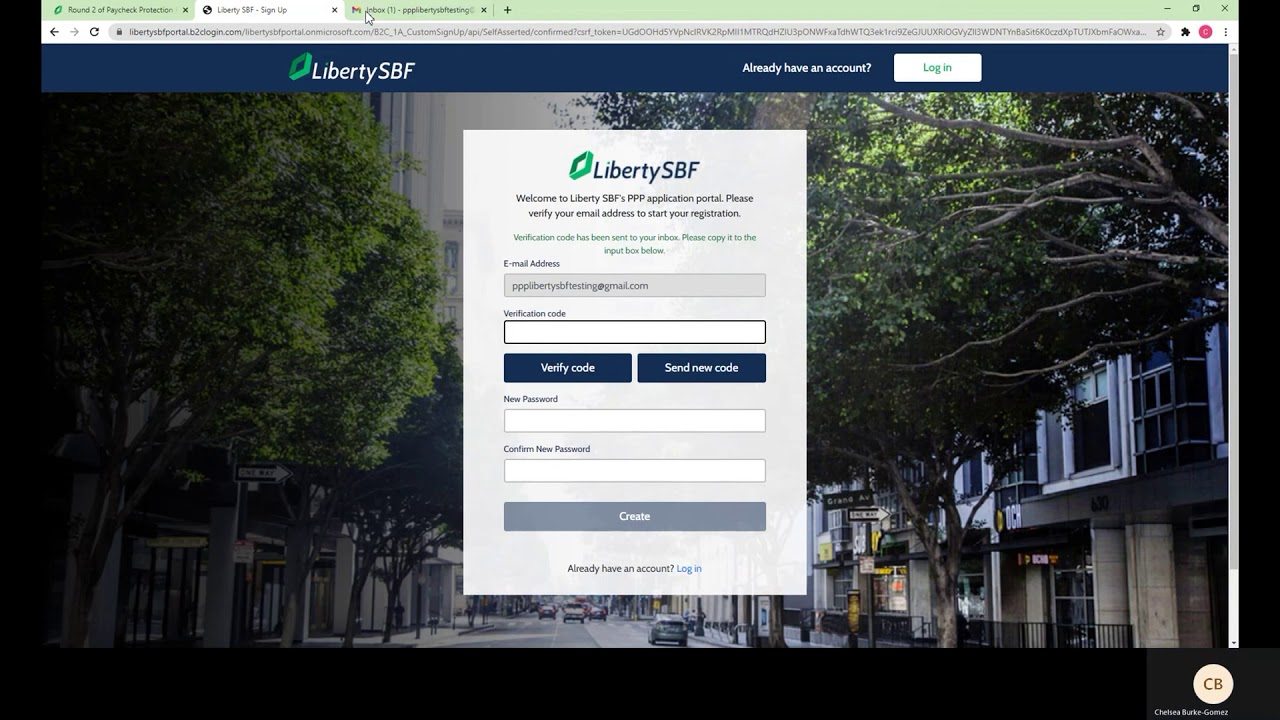
Next, borrower is redirected to portal registration page:
1. Borrower must click “Send Verification Code” which will go to the prepopulated email address
o Sender: Microsoft on behalf of Liberty SBF
o Subject Line: “Liberty SBF Portal account email verification code”
2. Borrower copies emailed code into “Verification Code” field and clicks “verify code”
3. Borrower then creates new password and is prompted to the application
PPP Funds are going fast. Don’t miss out. Apply today: www.sbapaycheck.com
Повторяем попытку...
Доступные форматы для скачивания:
Скачать видео
-
Информация по загрузке: