R tutorial: Subsets and histograms
Автор: DataCamp
Загружено: 2016-11-10
Просмотров: 9333
Описание:
Learn more about exploratory data analysis with baseball data: https://www.datacamp.com/courses/expl...
Now that you’ve prepared the dates appropriately, it’s time to start exploring your data.
You’ll begin by exploring the “start_speed” variable.
This variable indicates the velocity of each pitch thrown as it leaves the pitcher’s hand.
It’s important to note that the velocity measurements are in miles per hour, and the variable is entered as a numeric scale variable in R.
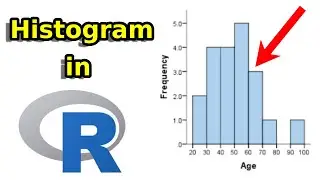
You’ll begin by using a histogram to visually explore the velocity of Greinke’s pitches.
In later exercises, you’ll describe the data numerically.
A histogram is a basic visualization tool for exploring the characteristics of your data.
Using all of the “start_speed” data, it’s easy to plot a histogram in R with the code here and get a very basic looking plot.
You’ll improve on the look of this plot in the exercises.
You can also indicate where the overall average start speed is on your histogram using the abline() function.
In this case, you’ll want to tell R that to draw a vertical line using the “V is equal to” parameter.
We want to make V equal to the mean start speed in the greinke data set.
Let’s also color the line red so it’s easy to see on our histogram.
Something else to notice about this figure is that it can be useful in identifying multi-modal distributions.
This could indicate some separation in velocity related to the type of pitch thrown.
This is easy to see here, where it looks like Greinke has a higher velocity distribution for fastballs, and a separate, lower velocity distribution for off-speed pitches.You can identify pitch type in the data with the pitch type variable, and make a separate histogram of each pitch type.
Here, let’s just create a histogram for sliders, represented by the “SL” code in the pitch type variable.
First, we’ll use the ifelse() function to make a new variable called “slider.”
The ifelse() function simply tells R that if the pitch type variable is equal to “SL”, then we want our new variable to be equal to one.
Otherwise, we make the variable equal to zero.
Notice that the ones in the new variable line up perfectly with the “SL” code in the pitch type variable.
You could also make a variable called “not slider.”
In this case, you would tell R that we want this variable equal to one if pitch type DOES NOT equal slider, and zero otherwise.
You can see the desired results here.
Any pitch type that is not a slider is equal to one in the “not slider” variable.
And any pitch type that is a slider is equal to zero.
Now that we’ve made a new variable to indicate a pitch was a slider, we can use this to easily subset our data.
The subset() function is an easy way to do this.
Naming the new data set “greinke_sl”, we tell R to keep any data where the “slider” variable is equal to one.
Notice here that our new data includes only sliders.
Further, note that within the subset() function, you already denote what data is being subset, and therefore when you give R the condition for the sub-setting, you do not have to use the data name and the dollar sign to choose your vector.
Granted, the original ifelse() was not necessary, as we could have also subset by the “pitch_type” variable in the first place, and ended up with the same result.
This makes subset() pretty convenient when we want to work with specific portions of our original data.
Finally, when making a histogram of just sliders, we can see that the distribution of a single pitch type is much closer to a normal distribution than what we saw with all pitch types.
Throughout the next few exercises, you’ll be performing similar operations to examine Greinke’s fastball velocity, and compare July to other months of the year.
Now start exploring your data.
Повторяем попытку...

Доступные форматы для скачивания:
Скачать видео
-
Информация по загрузке: