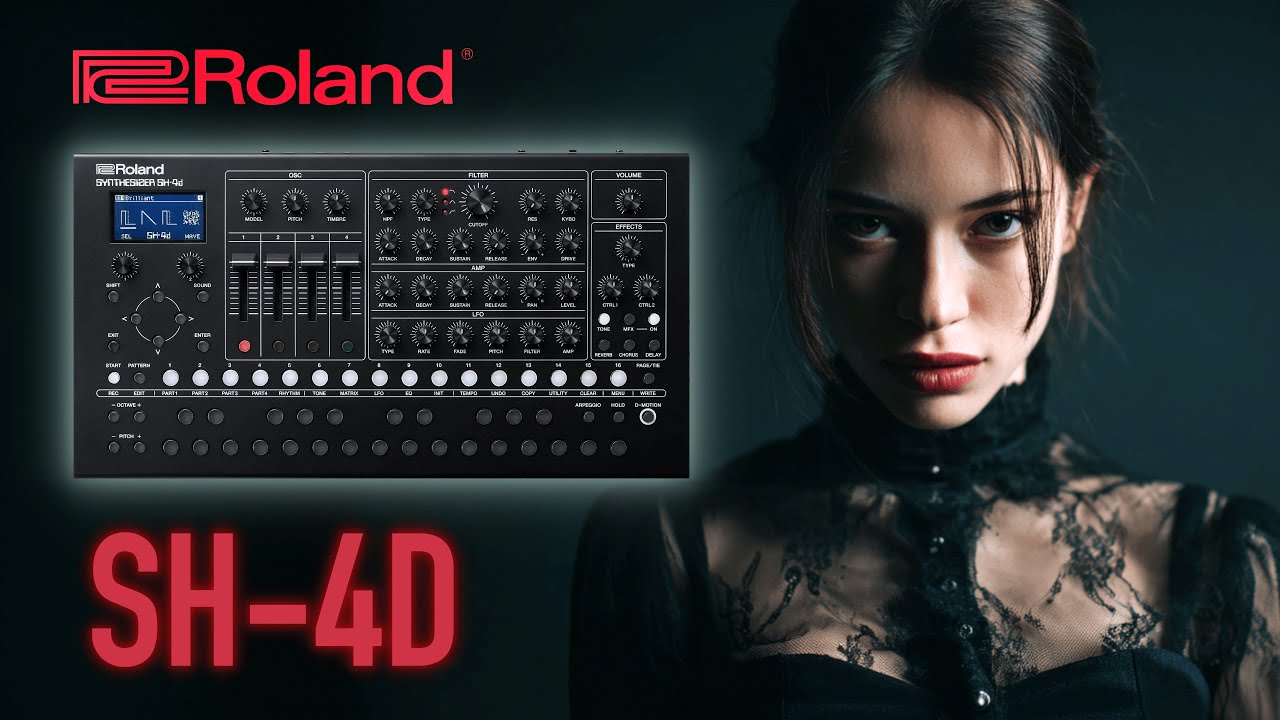
🎹 Roland SH-4D Techno Project #4: 16 New Hypnotic & Aggressive Patterns! 🚀🎵
Автор: Another Machines
Загружено: 2024-06-03
Просмотров: 3341
Описание:
#roland #rolandsh4d #techno
🎹 Roland SH-4D - Techno Project #4 🎹
🌟 Discover the Future of Techno! 🌟
Unleash the full potential of your Roland SH-4D with the Techno Project #4.
This pack features 16 meticulously crafted patterns, ranging from hypnotic grooves to aggressive rhythms, perfect for any techno enthusiast or professional producer.
🔥 What's Inside? 🔥
🎵 16 New Patterns: Dive into a diverse collection of sounds designed to inspire and elevate your tracks.
🌀 Hypnotic Grooves: Mesmerizing patterns that create a deep, immersive experience.
💥 Aggressive Rhythms: Hard-hitting beats that bring energy and intensity to your music.
🎧 Why Choose Techno Project #4? 🎧
Authentic Sound: Each pattern is carefully crafted to deliver an authentic techno experience.
Versatility: Whether you’re producing for a club night or a personal project, these patterns will fit seamlessly into your workflow.
Easy Integration: Designed specifically for the Roland SH-4D, these patterns are easy to load and use.
📦 What You Get 📦
Instant digital download
High-quality patterns ready to use
Detailed instructions for installation
🚀 Take Your Techno Production to the Next Level! 🚀
Elevate your sound with the Roland SH-4D - Techno Project #4. Perfect for both beginners looking to expand their library and seasoned producers seeking new inspiration.
👉 Get Your Copy Now and start creating unforgettable techno tracks today! 👈
🌟📦 Download Now: 🌟
⬇️⬇️⬇️⬇️⬇️⬇️⬇️⬇️⬇️⬇️⬇️⬇️⬇️⬇️⬇️⬇️⬇️⬇️⬇️
https://anothermachines.gumroad.com/l...
----------------------------------------------------------------------------------------------------------------
INSTALL🚀
-----------------------------------------------------------------------------------------------------------------
Restoring
1. Connect your computer to the SH-4d's USB port via USB cable.
2. While holding down the [START] button, turn the power on.
3. Open the "SH-4d" drive on your computer.
4. Paste backup file (SH4d.SVD) to the "RESTORE" folder on the "SH-4d" drive.
5. Once copying is finished, eject the USB drive from your computer, and press the [ENTER] button.
6. Once the message "Completed. Turn the power off." appears on the screen, turn this unit off.
-The BACKUP contains all the original FACTORY Patterns.
The NEW patterns are located in (BANK 3)
ENJOY!!!
@rolandglobal
MORE INFO: https://www.roland.com/ca/products/sh...
---------------------------------------------------------------------
🔥🔥🔥🔥🔥🔥🔥🔥🔥🔥🔥🔥🔥🔥🔥🔥🔥🔥
ALL MY PROJECTS:
https://anothermachines.gumroad.com
🔥🔥🔥🔥🔥🔥🔥🔥🔥🔥🔥🔥🔥🔥🔥🔥🔥🔥🔥
Become a member of this channel to enjoy benefits:
/ @anothermachines
.............................................................................................................
https://linktr.ee/AnotherMachines
.............................................................................................................
📧 Contact Support: anothermachines@gmail
📸 Follow Us on Instagram: / anothermachines
Roland sh 4d drums
Roland sh 4d factory sounds
Roland sh-4d
Roland sh-4d patterns
Roland sh4d
Roland sh4d rhythm
Roland sh4d sounds
Roland sh4d techno
making techno Roland sh4d
Повторяем попытку...

Доступные форматы для скачивания:
Скачать видео
-
Информация по загрузке:





![ERICA SYNTHS HEXDRUMS [06] // LØSTLVLS](https://imager.clipsaver.ru/TQbUhGZMs64/max.jpg)




![ERICA SYNTHS HEXDRUMS [10] // LØSTLVLS](https://imager.clipsaver.ru/YwU_8U9rmbo/max.jpg)