RageKings BFP4F HACK
Автор: sawtriton sws
Загружено: 2013-02-16
Просмотров: 3821
Описание:
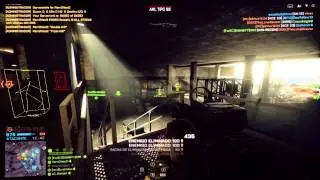
RageKings Battlefield Play4Free Hack / Aimbot.
http://ragekings.com
-Features:
Main
Menu: Allows you to dictate a key that, when pressed, will display the menu.
----
Visuals: Allows you to dictate a key that, when pressed, will toggle the menu and visuals on or off.
----
SShot: Allows you to dictate a key that, when pressed, will take a snapshot of your screen.
----
Aim Key: Allows you to dictate a key that, when pressed, will trigger the aimbot.
----
Map: Allows you to dictate a key that, when pressed, will bring up the map.
----
Load Settings: Allows you to load your saved settings.
----
Save Settings: Allows you to save your currently set settings.
Aimbot
Push and Hold: The 'AimKey' must be held down in order for the aimbot to lock-on.
----
Target Visible: The aimbot will only lock onto visible targets.
----
Lock Target: The aimbot will stay locked onto a target. If the 'Target Visible' feature is activated, the aimbot will not stay locked if the enemy moves behind cover.
----
FOV: The aimbot will lock onto targets depending on the 'Aim FOV' in 'Aimbot2'.
----
X-Hair: The aimbot will lock onto targets closest to the crosshair.
----
Distance: The aimbot will lock onto targets closer to you.
----
Enemy: The aimbot will only aim at enemies.
----
Team: The aimbot will only aim at teammates.
----
Both: The aimbot will aim at enemies and teammates.
----
Auto Fire: The aimbot will automatically fire the current weapon.
----
Auto Fire Tab Delay: Alters the speed of 'Auto Fire'. A lower number will fire faster then a higher number.
----
Aim Prediction: Tells the aimbot how to compensate for distance firing.
----
Max Headshot Velocity: Tells the aimbot how to compensate for headshots if the enemy is running.
----
Max Aim Distance: Tells the aimbot how far to aim.
----
Smooth Aim: Tells the aimbot how fast to move towards its target.
----
Aim FOV: Tells the aimbot to scan for enemy players in degrees around you. For example, a FOV of 10 degrees tells the aimbot to aim at enemies near your crosshair, while a FOV of 360 tells the aimbot to aim for enemies all around you.
ESP
Name ESP: Displays the names of your enemies and teammates.
----
Distance ESP: Displays the distance between you, your enemies, and your teammates.
----
Health ESP: Displays the amount of health of your enemies and teammates.
----
Bone ESP: Displays your enemies in a "skeleton" form.
----
Weapon ESP: Displays weapons dropped by enemies or teammates.
----
Projectile ESP: Displays thrown grenades, mines, and other explosive objects.
----
No Fog: Removes the fog. This allows you to see as far as the map can go, but can hamper performance on low-end computers.
----
Mini Map: Displays a radar showing the locations of your enemies and teammates.
----
Map Size: Allows you to change the size of the radar.
----
X-Hair: Displays a crosshair in the middle of your screen.
----
X-Hair size: Allows you to change the size of the crosshair.
----
Color R,G,B: Allows you to change the color of your crosshair.
----
Color R,G,B Bot Active: No information at this time.
RageList
Rage Bot: Allows you to specify certain players to aim at.
----
Friends List: Players on this list will not be aimed at.
----
Rage List: Players on this list will be aimed at.
----
Friend/Rage: Allows you to aim at players either on your friends list or rage list.
----
Connected: Displays the currently connected users on the server your playing in.
At... www.ragekings.com
Повторяем попытку...

Доступные форматы для скачивания:
Скачать видео
-
Информация по загрузке:


![Battlefield Play4Free - C4 e meu SETUP! [PT-BR]](https://image.4k-video.ru/id-video/WaLo4V47UJ8)



![Немецкие танкисты ПОД ВЕЩЕСТВАМИ оказываются В ТЫЛУ ВРАГА, где их жизнь превращается в АД [пересказ]](https://image.4k-video.ru/id-video/134i4i6HR-o)


