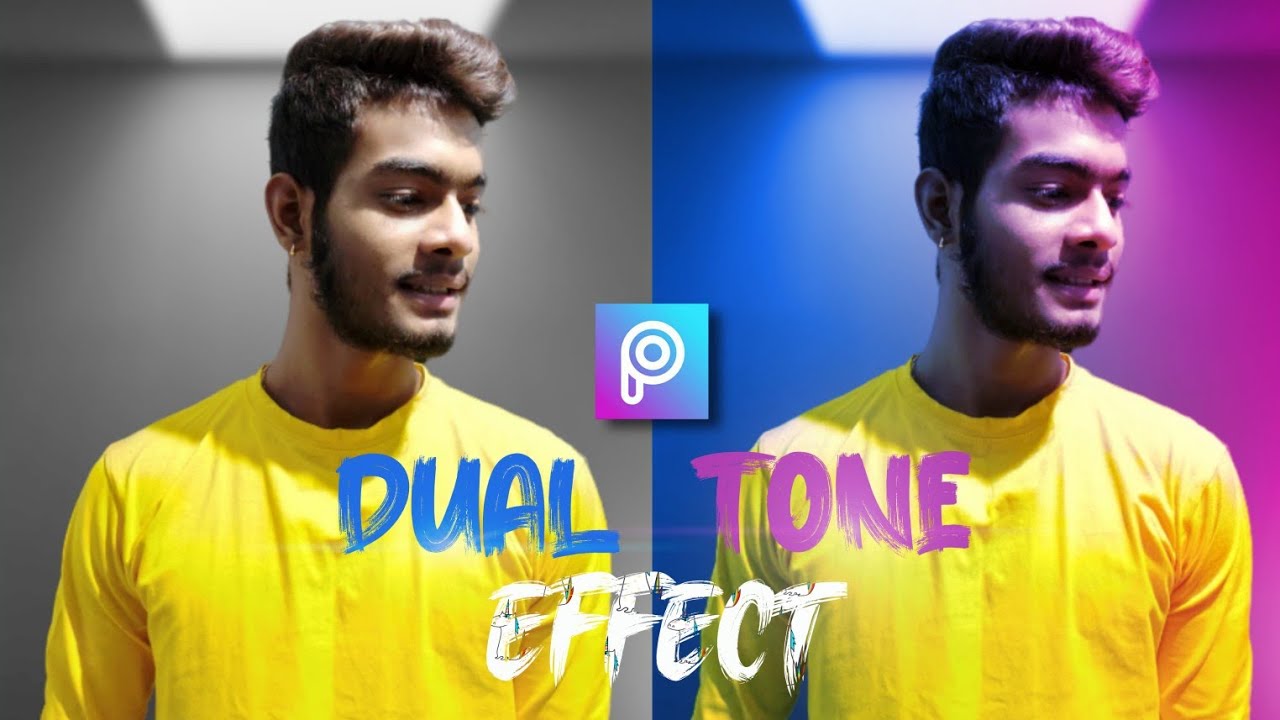
Dual Tone Editing Secrets🔥|| Creative Color Effect in Lightroom || AC EDITION
Автор: ParryJadhav
Загружено: 2020-04-30
Просмотров: 323
Описание:
Dual Tone Editing Secrets🔥|| Creative Color Effect in Lightroom || AC EDITION
How to add dual tone color effect using picsart and lightroom. In this video we will learn the process about making a dual tone effect. First of all open your image in picsart. Now the first step is that use a black and white filter. Second step is make the all background black. 3rd step use some effects and pngs. 4th step add two colour PNG. Now save this image and open it in lightroom application. now inside of lightroom application go to selective tool after that take a gradient tool and make a selection between left and right then you some sliders to make it colourful and the last step is that add some details on it and you are good to go.
I hope you guys this video is helpful for you.
Enjoy (◕‿◕)
=============================
CONNECT WITH ME PERSONALLY
𝗙𝗼𝗿 𝗕𝘂𝘀𝗶𝗻𝗲𝘀𝘀 / 𝗣𝗿𝗼𝗺𝗼𝘁𝗶𝗼𝗻𝘀 𝗥𝗲𝗹𝗮𝘁𝗲𝗱 𝗤𝘂𝗲𝗿𝗶𝗲𝘀 𝗠𝗮𝗶𝗹 𝗮𝘁
[email protected]
=============================
👉website:
https://www.parryjadhav.unaux.com
👉follow me on Instagram:
/ parry.jadhav
👉follow me on Facebook:
/ parry.jadhav.5
👉 subscribe:
/ @parryjadhav
Also:)
👉subscribe to my Vlogging Channel:
/ @parryjadhav4536
THANKS FOR WATCHING...
Credits:
NCS Spotify: http://spoti.fi/NCS
Free Download / Stream: http://ncs.io/mortals
Connect with NCS:
Snapchat: ncsmusic
• / nocopyrightsounds
• / nocopyrightsounds
• / nocopyrightsounds
• / ncsounds
• http://spoti.fi/NCS
#DualTone #Lightroom #Selective #Picsart #ACEDITION
Thank You & Keep Creating ❤️
Повторяем попытку...
Доступные форматы для скачивания:
Скачать видео
-
Информация по загрузке: