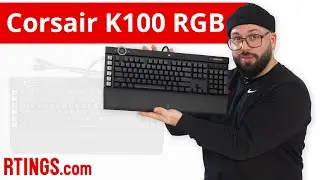
The Gaming Keyboard G.O.A.T - Corsair K100
Автор: Thomas Muehler
Загружено: 2021-03-07
Просмотров: 6669
Описание:
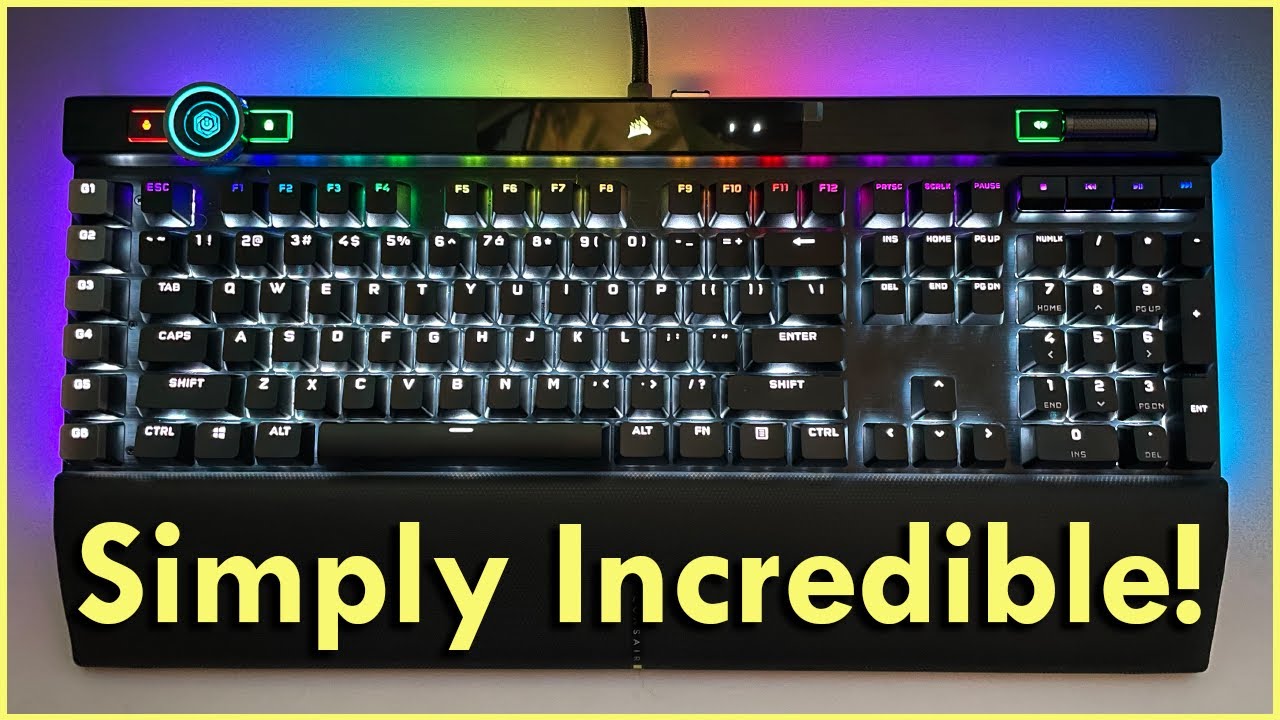
The K100 is Corsair pinnacle offering and is premium from start to finish. The main selling point is the AXON processing which unlocks 4,000 hz key scanning and 8,000 hz hyper polling. It’s goal in life is to take you to the next level by reducing overall latency, while still looking classy AF, and draining your bank account while at it. So, let’s get nerdy.
The specs include two different switches listed below. Along with double-shot PBT keycaps, Dynamic per-key RGB backlighting with 44-zone three-sided RGB LightEdge, Precision-molded PBT double-shot keycaps at 1.5 mm of thickness with standard bottom row layout which helps resist wear, fading, and shine. AXON Hyper-Processing Technology, ICUE control Wheel, Six Dedicated Macro Keys, Support with Elgato Stream Deck, Durable Aluminum frame, USB pass through, dedicated media keys, cable routing, two step vertical step ups, magnetic detachable memory foam palm reset.
A recent update increased the Polling Rate to 8,000 Hz from 4,000 Hz. But the Key Scanning is still 4,000 Hz which means there is still a bottle neck there.
-------------------
Amazon Associates Link:
Corsair K100 OPX Keyboard: (https://amzn.to/3sU0BFi)
-------------------
LINKS:
https://www.maxkeyboard.com/mechanica...
-------------------
SWITCHES:
Corsair OPX:
Uses beam of infrared light to register actuation to deliver hyper-fast and precise keypress registration with zero debounce delay allowing it to reset immediately after lifting past the action point so rapid keypresses are guaranteed to register. 50% more durable than standard optical-mechanical switches. So the last keypress should feel just as smooth and precise as the first.
Linear switch. 150 million keystrokes. Actuation distance 1.0mm. Total travel 3.2mm. Actuation force 45 gram. No debounce.
Cherry MX Speed Silver:
Mechanical Linear switch. 100 million keystrokes. Actuation distance 1.2 mm. Total travel 3.4 mm. Actuation force 45 cn. Bounce time 1 ms.
-------------------
Help grow this channel by following me on Social Media:
TikTok: https://www.tiktok.com/ThomasMuehler
Twitter: / thomasmuehler
Instagram: / thomasmuehler
Facebook: / sirrgallahad
Twitch: / 1sirgalahad
Subscribe To Galahad Plays: / @galahadplaysgames )
-------------------
Timestamps:
Intro: 00:00
The Hook: 00:24
RGB Lighting: 00:57
Keycaps: 01:16
Edge Lighting: 01:30
Back of keyboard/cable routing/rubber feet: 01:39
Kick Stands: 01:44
Magnetic Memory Foam Wrist Rest: 01:50
Double Shot PBT Keycaps: 02:17
Standard Bottom Row: 02:27
Two Switches: 02:46
Cherry MX Speed Switch: 02:58
Corsair Optical Switches: 03:24
Why Optical is better: 03:52
Cons of Corsairs Optical: 04:26
Versus Other Optical Switches: 04:47
Hobo Pauls Message: 05:07
4,000 Hz Polling Rate: 05:22
4,000 Hz Improvements: 05:53
Other Features: 06:06
Does 4,000 Hz Matter? Is 4,000 Hz worth it: 06:32
Issues with higher Hz: 07:57
Possible Fix for Issues: 08:18
Macro Keys: 09:02
Other Keys: 09:28
Glass Panel: 10:15
ICUE Control Wheel: 10:35
USB Passthrough: 11:51
That thick cable tho: 11:56
ICUE Software: 12:23
Conclusion: 12:59
-------------------
As an Amazon Associate, I earn from qualifying purchases. Labelled as "Amazon Associates Link". This allows me to buy more products and make more reviews for you.
#CorsairK100
#CorsairK100Opx
#8000Hzpollingrate
#4000hzkeyscanning
#gamingkeyboard
#Review
Повторяем попытку...
Доступные форматы для скачивания:
Скачать видео
-
Информация по загрузке: