Stop Using Excel Wrong — Build This Smart Task Dashboard Part 1
Автор: BillRosk
Загружено: 2026-02-02
Просмотров: 68
Описание:
Build a Powerful Task & Project Dashboard in Excel (Step-by-Step Tutorial)
Is your task list messy, outdated, or impossible to manage in Excel?
In this step-by-step tutorial, you’ll build a smart Excel task and project system that automatically tracks progress, deadlines, priorities, and project status — without messy sheets or manual updates.
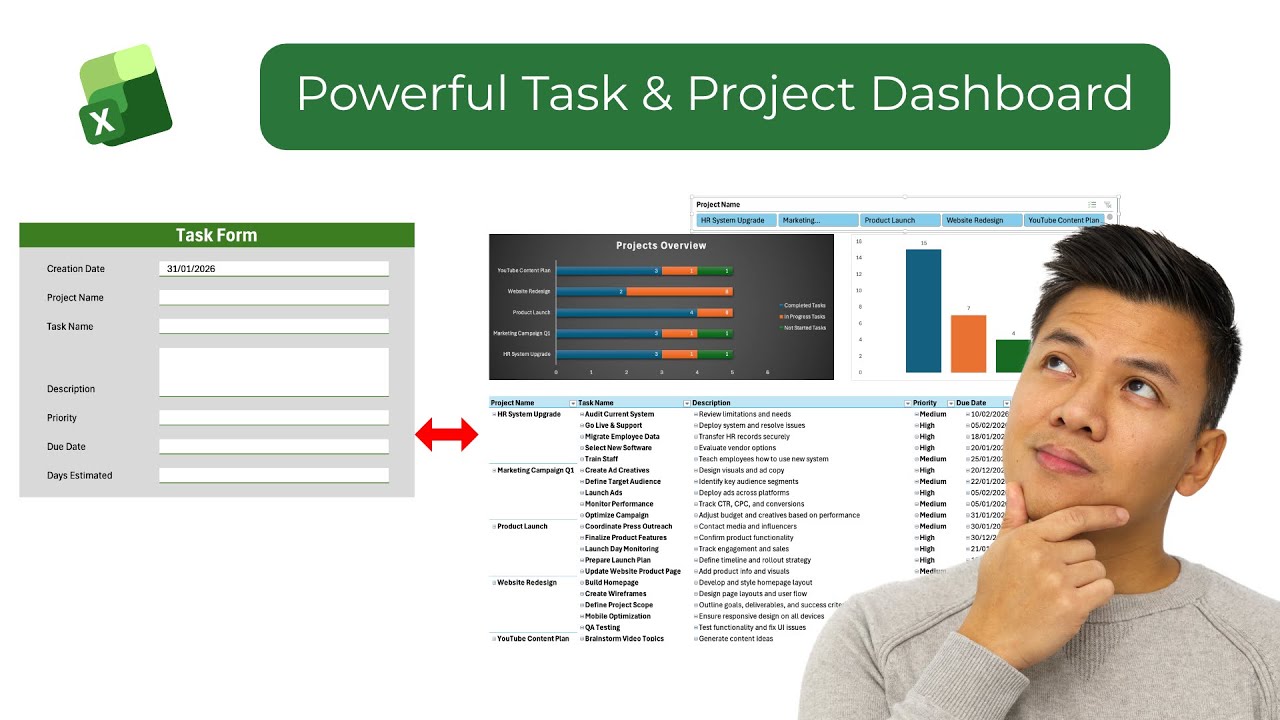
This is Part 1 of a complete Excel productivity system where we build the backend engine that powers a fully automated Project Dashboard (coming in Part 2).
🧠 What You’ll Build
This system runs on 4 powerful sheets:
Task Form – a clean entry form to add tasks in seconds
Task Database – a structured Excel table that stores everything
Project Chart – pivot tables for project tracking
Project Dashboard – a live view of any project (Part 2)
Once you understand this structure, Excel starts working for you.
⚙️ What You’ll Learn
✔ How to create a professional Task Entry Form in Excel
✔ How to use Data Validation dropdowns to prevent errors
✔ How to connect your form to a database using Office Scripts
✔ How to structure a proper Excel Table (Ctrl + T)
✔ How to auto-calculate Task Status (Not Started, In Progress, Completed)
✔ How to build a Due Date Status system (On Track, Due Soon, Overdue, Late)
✔ How to design Excel like a real productivity app
No VBA. No complex formulas. Just smart structure.
▶️ Next Step
This is Part 1 (Backend System).In Part 2, we turn this into a fully automated Project Dashboard with live progress tracking and interactive views.
Make sure you watch Part 2 to complete the system.
👍 If this helped, like the video and subscribe for more Excel productivity systems.
Повторяем попытку...
Доступные форматы для скачивания:
Скачать видео
-
Информация по загрузке:









