2017 NISSAN Pathfinder - Vehicle Information Display
Автор: Nissan Owner Channel
Загружено: 2016-09-06
Просмотров: 99176
Описание:
"This video is copyrighted material of Nissan North America, Inc. and should not be copied, edited, or reproduced without the permission of Nissan.
For information please visit https://owners.nissanusa.com/nowners/. You will find quick reference guides and other useful information about your warranty, Bluetooth® system, and much more!
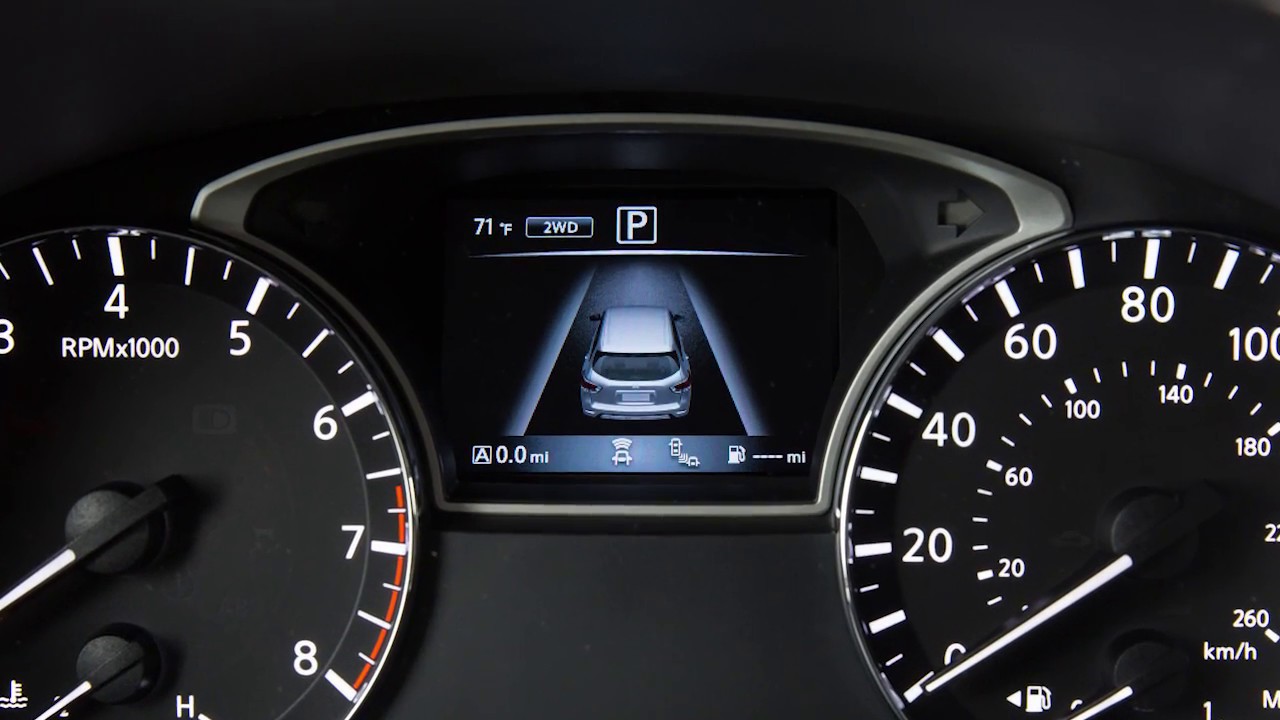
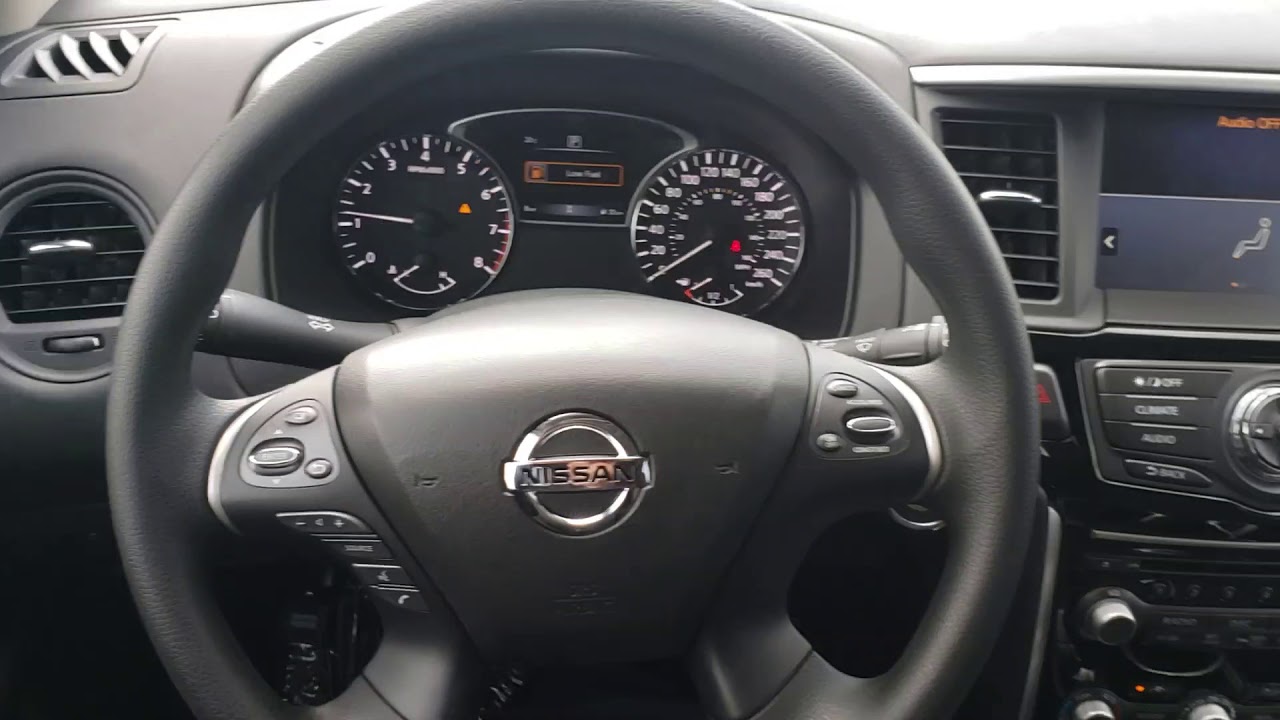
Your vehicle is equipped with a vehicle information system that monitors a host of vehicle functions. Vehicle information is displayed in a monitor located in between the tachometer and the speedometer.
The vehicle information display, displays items such as:
● Vehicle Settings
● Trip Computer Information,
● Drive System Warnings and Settings (if so equipped),
● Blind Spot Warning system (if so equipped)
● Rear Cross Traffic Alert (if so equipped)
● Cruise Control system information (if so equipped),
● Intelligent Cruise Control system information (if so equipped),
● NISSAN Intelligent Key® operation information
● Indicators and Warnings, and
● Tire Pressure Information.
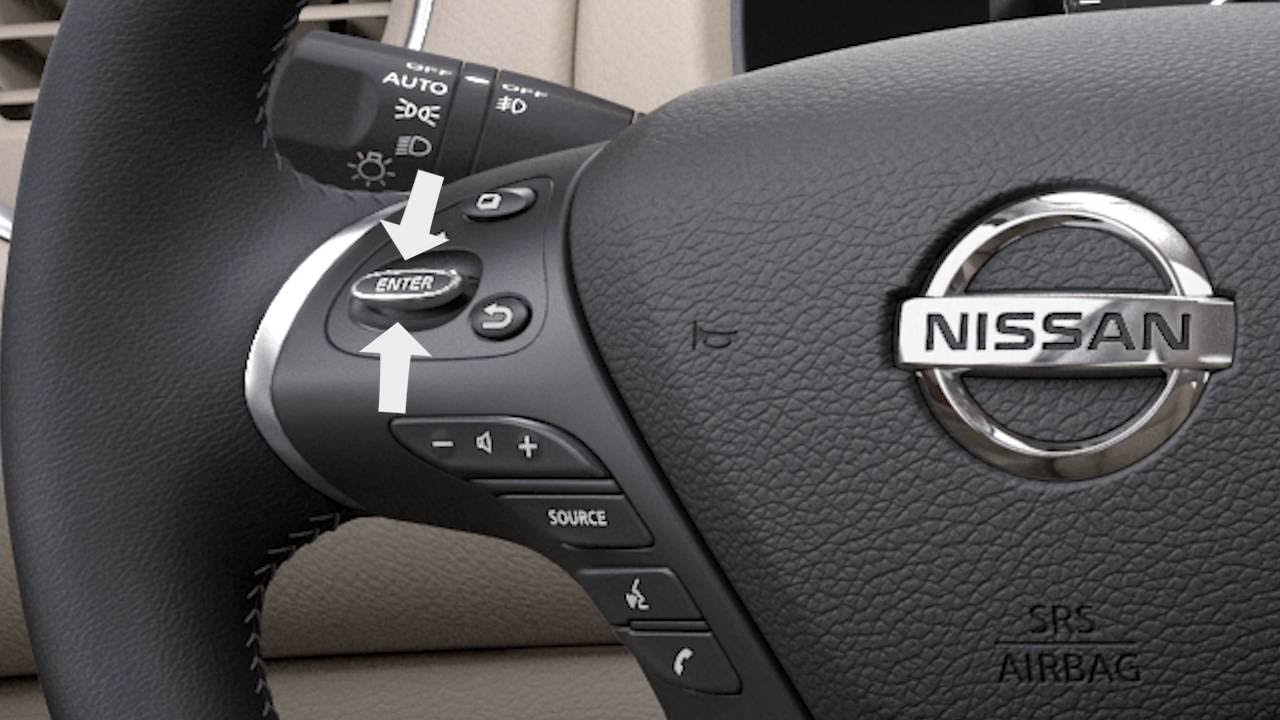
The vehicle information display can be changed using the button with the square icon, the back button, the up/down arrows, and the ENTER button. Push this switch up or down to navigate through items. Press the button with the square icon to enter menu items and press the ENTER button to change or select an item. Press the BACK button to go back to the previous menu.
When the ignition is placed in the ON position, the following screens may be displayed:
● Active System Status (if so equipped),
● Trip Computer,
● Tire Pressure Information,
● 4WD (if so equipped),
● Fuel Economy,
● Distance to empty, and
● Warnings, if there are any present.
The “Settings” mode allows you to change the information displayed in the vehicle information display.
Press THIS square button until you reach the “Settings” mode, and then push this switch up or down to select from the following menus:
● Driver Assistance (if so equipped)
● Vehicle Settings
● Main Menu Selection
● Body color
● Maintenance
● Alarms
● Language,
● Units
● Welcome Effect, and
● Factory Reset
Set the clock using the center display.
The “Main Menu Selection” allows you to choose which items you want displayed on the main menu.
Press the square button until you reach the trip computer mode to reset the average fuel consumption, average speed, distance to empty, and journey time. Now, hold the button down for more than 1.5 seconds.
The odometer and the twin trip odometer are displayed when the ignition is ON. The odometer records the total distance the vehicle has been driven. The twin trip odometers record the distance of two individual trips. You’ll see the TRIP RESET switch on the instrument panel. Push it to change the display from trip A, to trip B, to the total miles odometer, and back again. Press and hold the button for more than one second to reset the selected odometer.
Please see your Owner’s Manual for important safety information, system limitations and additional operating information.
"
Повторяем попытку...
Доступные форматы для скачивания:
Скачать видео
-
Информация по загрузке: