How To Install 9.26 DigiByte Core DigiDollar Testnet
Автор: TheGreenCandle
Загружено: 2025-12-21
Просмотров: 629
Описание:
TESTNET ONLY TESTNET ONLY TESTNET ONLY
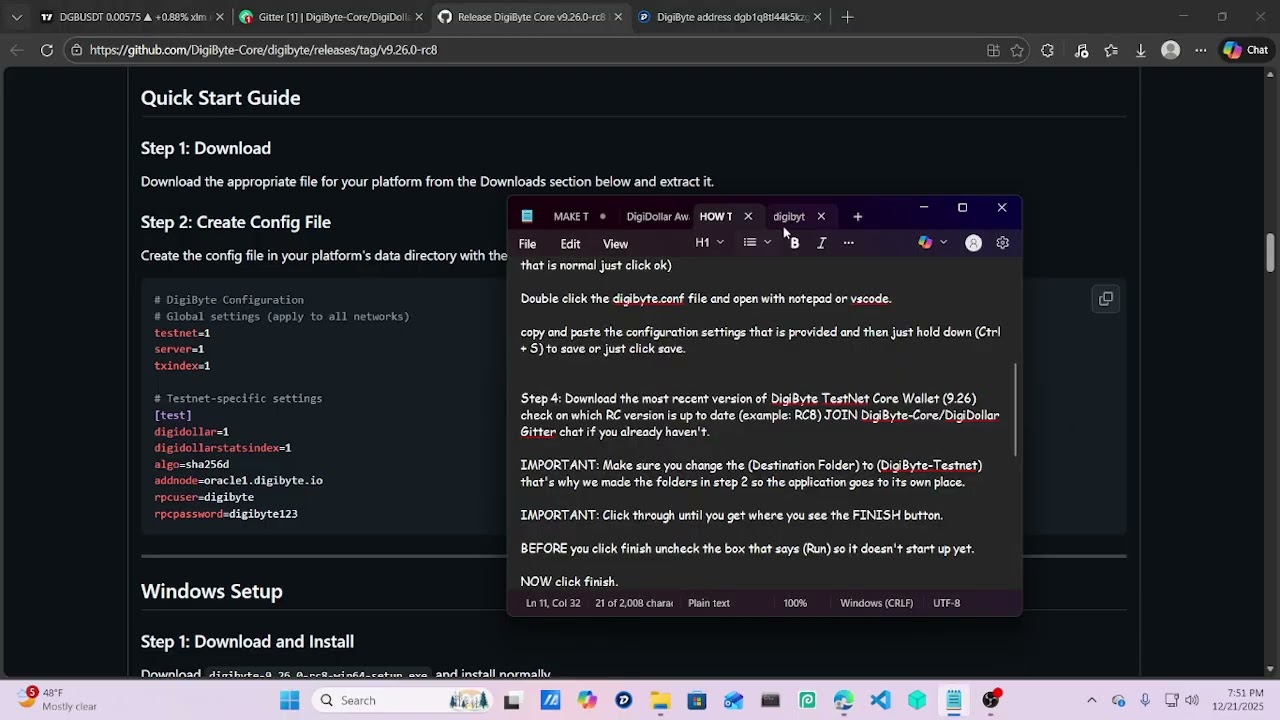
MAKE THESE TWO FOLDERS:
file 1: DigiByte-Testnet
File 2: DigiByte-Testnet-Data
CREATE CONF FILE: digibyte.conf
then add the conf settings
INSTALLER (DESTINATION FOLDER):
C:\DigiByte-Testnet\DigiByte
SHORTCUT PROPERTIES:
Target:
C:\DigiByte-Testnet\DigiByte\digibyte-qt.exe -testnet -datadir="C:\DigiByte-Testnet-Data"
Start in:
C:\DigiByte-Testnet\DigiByte
NOW YOU SHOULD BE IN DGB TESTNET
NOTES: Every time you update to new RC release just you'll have to follow the installer and properties steps.
HOW TO START AFTER CLOSING: Go to DigiByte-Testnet folder in (C:) and double click or right click the shortcut. (ALWAYS OPEN THE SHORTCUT)
WHEN UPDATING TESTNET: DELETE the shortcut and go through the install steps with the new download and then just CREATE A NEW SHORTCUT and make sure Target Field and Start In Field are how they should be. then just open the new shortcut.
more how video explainers coming soon.
FOLLOW ON X: @ESRL_OFFICIAL @JaredcTate @DigiByteCoin @DGBDevs
Gitter Chat Link:
https://app.gitter.im/#/room/#digidollar:gitter.im/$l_htnaKx35NZR0lz2r3TGHg6uy1n9OsZJZAQLxi6wsc
THIS IS TESTNET ONLY!!!!!!!!!!!!!!!!!!!!!!!!!
Повторяем попытку...
Доступные форматы для скачивания:
Скачать видео
-
Информация по загрузке: