Integration Hub Add-On installation in SAP Business One
Автор: Integration Hub and SAP B1 Intercompany Solution
Загружено: 2021-01-26
Просмотров: 1224
Описание:
In this demonstration, we are going to show how to install the Integration Hub Add-On in SAP Business One.
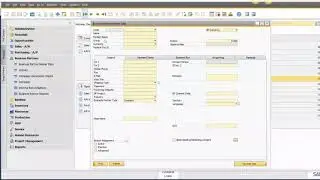
To do this, Right Click on SAP Business One client and select Run as Administrator and login. Once the login is successful, we go to the Administration menu. We select the sub menu Add-Ons and then select Add-On Administration. Now, you can see here we have got a list of Available Add-Ons and we have also got the list of Company Assigned Add-Ons. So, we need to add in the Integration Hub Solution. To do this, we click on the Register Add-On button. We then click on the selection button here to look up and select the registration data file and the installation package. We then navigate to the Integration Hub Add-On folder. For demonstration purpose Integration folder is placed on the Desktop, open the Integration Hub folder and then open the Integration Hub Add-On folder, select and open the 32bit for 32bit SAP Business One Client / 64bit for 64bit SAP Business One Client, and then select the IntegrationSolutions.ard file. Click Open, and you will see here that the Installation Package Data File has also been selected for us. Ensure that the check-box for Assign to Current Company is selected, and then also select the Install as Part of Registration. Click OK to confirm. We get a message on the task bar at the bottom of the screen informing the estimated time the installation will take. Add-On Installation Wizard pops up, click Next. Browse the installation path and click on Install to continue. The task bar at the bottom of the screen displays message indicating successful Add-On installation.
Add-On with name IntegrationSolutions gets added to the list of Company-Assigned Add-Ons. Now, we need to select an option Automatic from the default groups so that this Add-On starts automatically when we log in to SAP Business One. We need to confirm the user preferences as well for the Add-On. To do this, select the User Preferences tab and login with user that has administrator rights, make sure that the Add-On is also set to automatic for this user. We click update to confirm. We get a confirmation message in task bar at bottom of the page that the operation has completed successfully. We click OK.
Now, go to the Add-On Manager and click on the Add-On IntegrationSolutions and click Start. Connection confirmation message appears at the bottom of the screen and script runs to refresh the tables and fields within this database, wait for the script to complete. Once Add-On installation completes, a confirmation message that the installation has been completed appears on the screen. We click OK. Another message appears on the screen informing that the database has been modified click Yes to continue and restart SAP Business One. We click Yes to confirm to close SAP business One. Restart SAP Business One and login to SAP Business One to complete the Add-On installation. Click OK. Once SAP starts, you will see a confirmation message that the IntegrationSolutions Add-On is connected. Integration Hub Tab is added as a sub menu to Administration menu.
This concludes the demonstration on installing the Integration Hub Add-On in SAP Business One.
Thank you for watching.
Повторяем попытку...

Доступные форматы для скачивания:
Скачать видео
-
Информация по загрузке: