Separate Boundary Condition in Ansys Fluent
Автор: FluidXAV
Загружено: 2021-07-18
Просмотров: 7614
Описание:
Separate Boundary Condition in Ansys Fluent
In this video, I will show you a useful tool in Ansys Fluent to separate a boundary condition into multiple walls without returning to your geometry modeler and remeshing.
Watch the full playlist here: [ • Ansys Fluent Tips, UI Tricks & Visualizati... ]
Often, a wall boundary condition imported from your meshing software represents one continuous surface. To assign different conditions to parts of this wall, traditionally, you need to modify the geometry and remesh it.
Here, I demonstrate how to split this single wall into two separate walls directly inside Ansys Fluent.
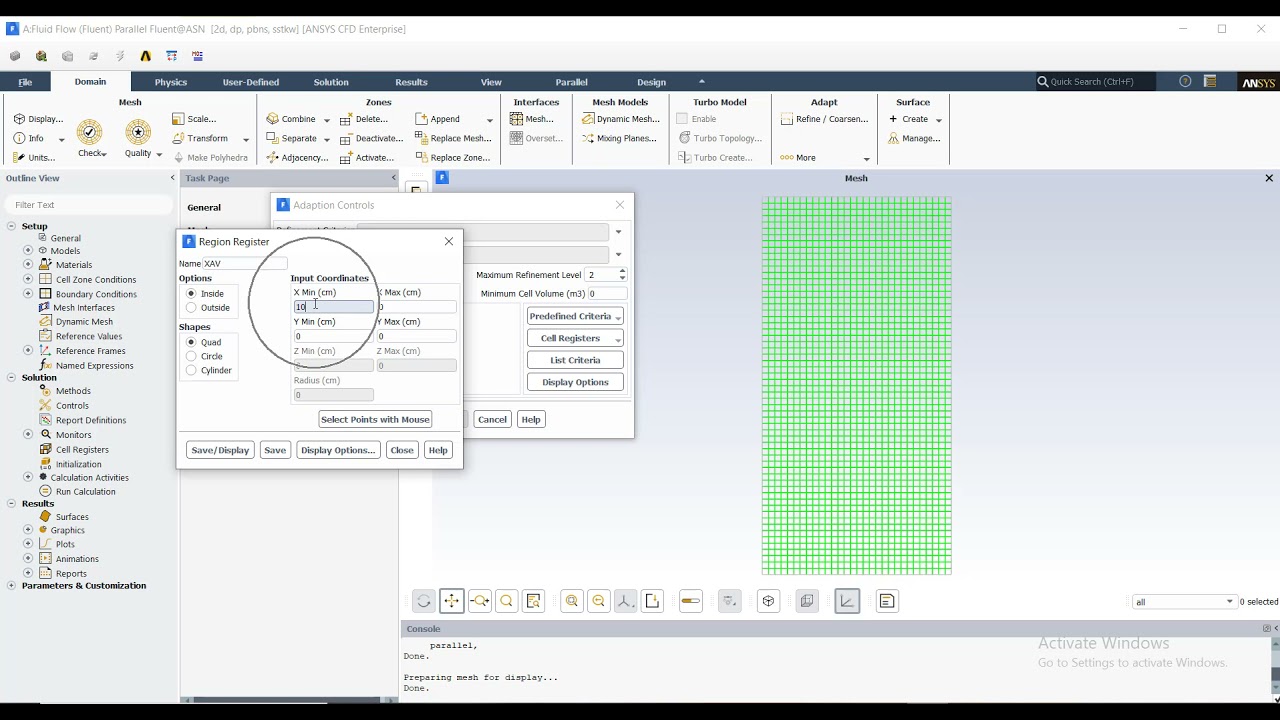
First, understand your geometry’s dimensions and coordinates where the boundary should be divided. Then create a separation region that intersects the existing wall boundary condition.
The Ymin and Ymax coordinates of this region must be exact.
The Xmin and Xmax just need to extend beyond the wall’s X coordinates.
Finally, use this region to separate the wall boundary condition inside Fluent, allowing you to assign different conditions to the new walls.
#AnsysFluent #CFD #BoundaryCondition #FluentTutorial #MeshEditing #EngineeringSimulation #AnsysTips #CFDWorkflow #FluentBoundaryConditions #Simulation
Повторяем попытку...
Доступные форматы для скачивания:
Скачать видео
-
Информация по загрузке: