How to use Super Steady Video | Galaxy S26 Series | Samsung
Автор: Samsung Gulf
Загружено: 2026-02-28
Просмотров: 68
Описание:
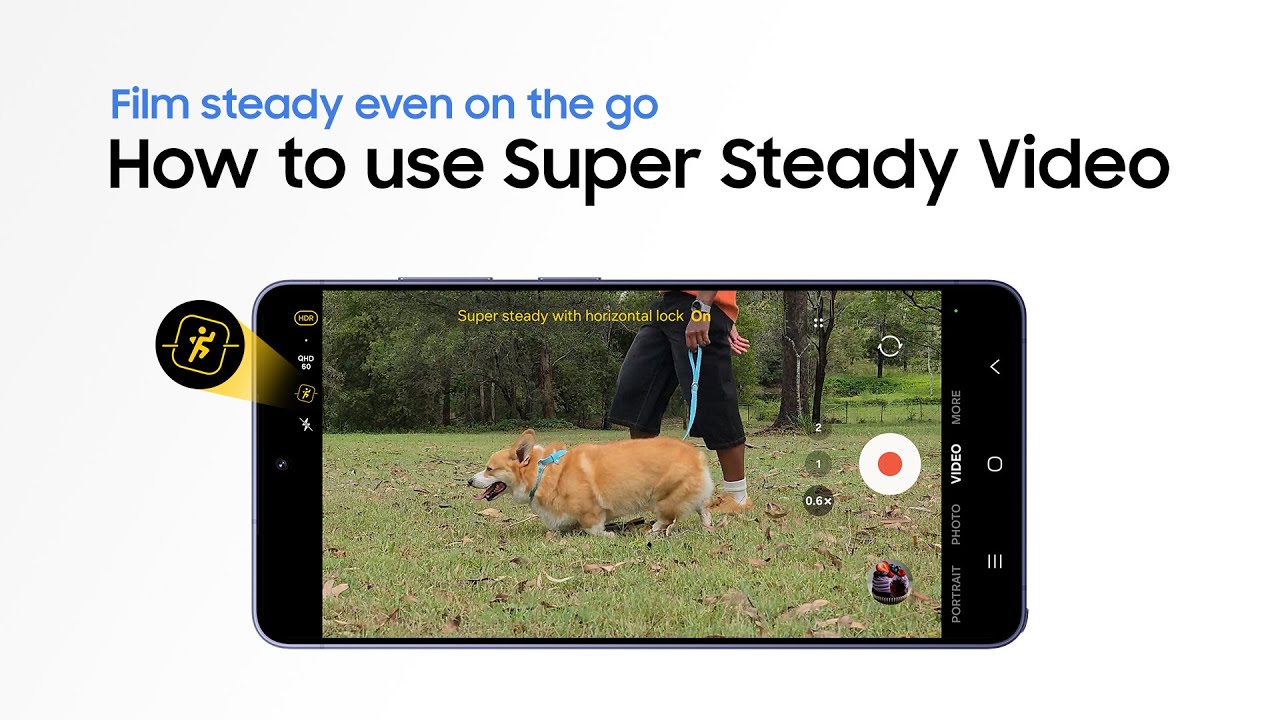
This is the official video guide on how to use Super Steady Video on Galaxy S26 Series. Ever
filmed a special moment, only to realize it turned out shaky? 😱Meet Super Steady Video,
helping you capture smooth, shake free videos in any situation―from uneven ground, to
shooting on the go. With the new Super steady horizontal lock feature, your shots stay level,
even when your smartphone tilts. Perfect for capturing your best shot anytime,
anywhere―tilt free, shake free, and of course, worry free 😉Learn more:
http://smsng.co/YT_S26Ultra
00:00 Intro
00:08 Activate Super Steady Video
00:53 Get smooth results with Super Steady Video
01:04 See the difference at a glance
Follow these simple steps to use ‘Super steady with horizontal lock’ on Galaxy S26 Series:
Step 1: Tap 'Camera' and switch to video mode.
Step 2: Find and tap the Super Steady Video icon, then tap 'Super steady with horizontal lock'.
Step 3: Film naturally and capture smooth footage that stays level.
Q: How does ‘Super steady with horizontal lock’ keep my shots level?
A: ‘Super steady with horizontal lock’ uses expanded optical angles with gyro and
acceleration sensors to recognize the direction of gravity to keep your shots level.
Q: What is the difference between 'Super Steady' and ‘Super steady with horizontal lock’?
A: 'Super Steady' helps you get shake
free videos, while ‘Super steady with horizontal lock’,
keeps the horizon level even―even if you rotate a full 360
#GalaxyAI #GalaxyS26Ultra #GalaxyS26 #Samsung
Повторяем попытку...
Доступные форматы для скачивания:
Скачать видео
-
Информация по загрузке: