How To Install and Setup GroovyArcade on an Arcade Cabinet CRT
Автор: Lemmy Barnett
Загружено: 2021-06-20
Просмотров: 4956
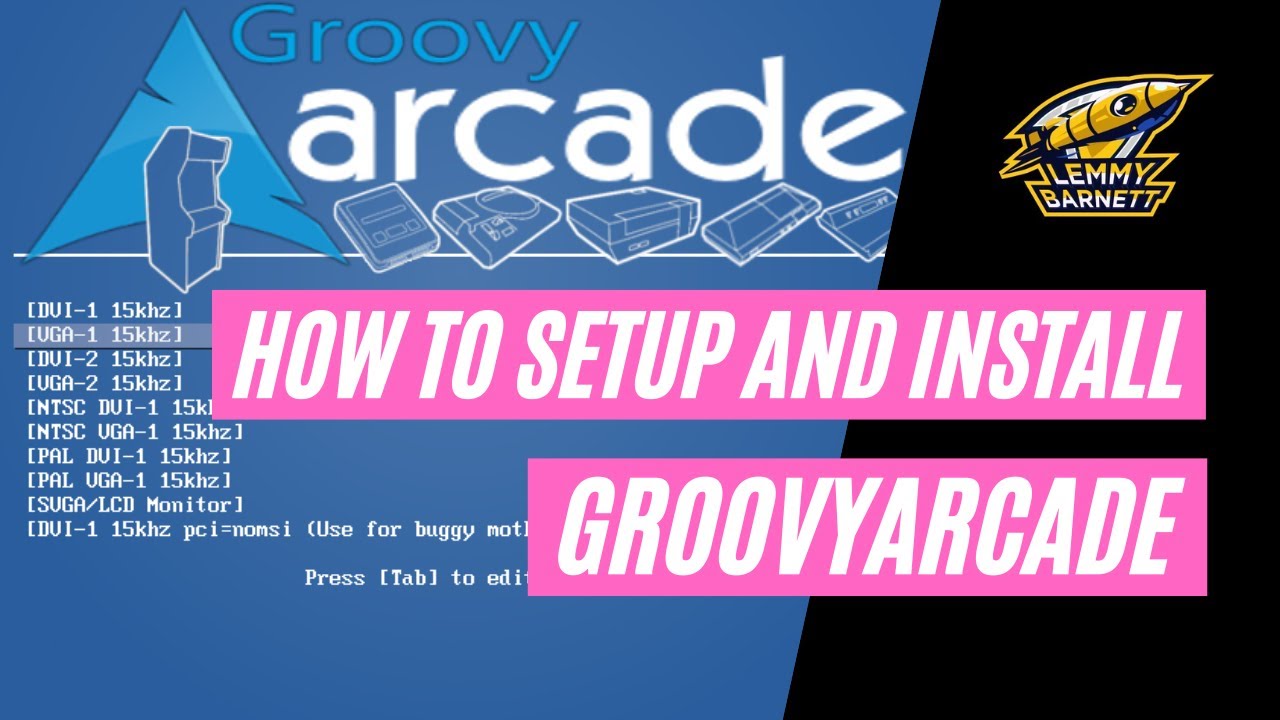
Описание:
I'll try and write down some more detailed notes here how to install GroovyArcade. The main issues I had was getting my ISO to boot properly, I had to do this through my BIOS. I also had issues installing onto a NVMe drive, and in the end settled for a normal SSD drive. It's still lovely and quick though! You can get more advanced help from the GroovyArcade forum, and also their Discord server.
I wish I had a better way of videoing the arcade monitor as the text and banding makes it look really crappy, when in reality it isn't anything like that!
1) First of all you will need to download the latest GroovyArcade release from their GitHub page:
https://github.com/substring/os/releases
2) You will then need to burn this ISO to a USB stick. I used a program called RUFUS, which can be downloaded here:
https://rufus.ie/
3) Once you've burned the ISO, then you need to stick it into your GroovyArcade machine and boot from it. As mentioned above, you may need to mess around in your BIOS to do this, or you might get lucky and it will just boot from it straightaway.
4) It will then start to configure the system by detecting your monitor. I had my system connected up to my Sega New Astro City via a JPAC, so it was VGA out of my ASUS Radeon HD5450, connected to a JPAC, which was rigged up to the cabinet via JAMMA. Once I selected "15kHz" from the GA setup menu, I removed the HDMI cable from the GPU, so it was solely connected to the arcade cab. It detected it as VGA, and I chose the Generic Arcade 15kHz monitor.
5) Once the monitor is configured, then you can install GroovyArcade to the hard drive of your choice. I used a SSD, and it is nice and fast.
6) Once it is installed, remove the USB stick and reboot. If everything has worked, then it should boot into GroovyArcade, but it will look crap as it will be using the default Attract Mode theme and some freeware ROMs. We need to change all this!
7) Exit out of Attract Mode (presss ESC), and go to "System Setup" and change the password for SFTP/SSH to something of your choosing. I just used 'root'. You also need to find the IP address of the machine too. You can exit to shell, and type 'ip addr', or you could look at your router settings and see what machines are connected and you should see a 'GroovyArcade' machine and get it's IP from there. THIS IS OBVIOUSLY ONLY GOING TO HAPPEN IF THE MACHINE IS CONNECTED TO YOUR NETWORK!
8) Once you've done this, you can SFTP to the GA machine from another PC and copy across all your ROMs. SFTP details are:
Type: SFTP
Host: THE IP ADDRESS
Username: root
Password: PASSWORD
I use FileZilla to SFTP - https://filezilla-project.org/
Once connected, then you can navigate to:
/home/arcade/shared/roms/mame/
Here you can delete the stock ROMs and upload your own set. I'd recommend just uploading the ones you want to play and not several 1000 clones and Mahjong games!
9) I'd recommend using a better Attract Mode theme, one that looks better, but also one that works well on a low res, 4:3 CRT screen. I'm currently using SDArcade 4.0 - http://forum.attractmode.org/index.ph...
Download this theme, and upload it to:
/home/arcade/shared/frontends/attract/layouts
10) Once you've uploaded your ROMs and the Attract Mode theme, then go to the GroovyArcade machine and hit TAB to get you to the Attract Mode options. Navigate to "Emulators", then "Mame", then "Generate ROM List" to trawl through your ROMs and catalogue what is there.
11) The next step is to "Scrape Artwork" which will go and grab all the screenshots, marquees, and video snapshots for your ROMs.
12) Finally, go to "Displays", "Mame", "Layout" and choose your custom Attract Mode theme.
13) Exit out of the options, and hopefully you should have all your ROMs, in your new custom Attract Mode theme, all with snazzy marquee graphics. Enjoy!
14) I realise this tutorial is very short, and obviously your setup will probably wildly differ from mine, but if you have any questions, please comment below and I will try my best to answer them!
00:00 Start
00:08 Download GroovyArcade ISO
00:30 Download RUFUS
00:56 Burn ISO to USB
01:48 Install GroovyArcade
02:29 Configure CRT Monitor
03:25 Install to hard disk
04:09 Setup SSH password and get IP
04:59 SFTP ROMs and theme
06:45 Setup Attract Mode
Equipment Used:
Sega New Astro City
JPAC (to connect up the PC and the JAMMA harness)
PC
ASUS Radeon HD5450 (connected to JPAC via VGA)
GroovyArcade 2021.03
Attract Mode
SDArcade 4.0 layout for Attract Mode
Twitter ► / lemmybarnett
Twitch ► / lemmybarnett
Instagram ► / lemmybarnett
Facebook ► / lemmy-barnett-120746049327446
Please Subscribe, Share, Like and Comment.
Your Support is appreciated.
All trademarks and copyrights belong to their respective owners. All videos fall under the fair use policy of copyright.
#GroovyArcade #GroovyMame #MAME #Sega #AstroCity #NewAstroCity
Повторяем попытку...
Доступные форматы для скачивания:
Скачать видео
-
Информация по загрузке: